

Home
Compliance

Audit Readiness

Walk Into Your Next Audit with Complete Confidence

When the regulator arrives, you need more than just compliance—you need proof. Hubfleet's complete audit trail, automated documentation, and one-click reporting mean you'll spend hours on audit prep instead of weeks, and demonstrate systematic compliance instead of scrambling for evidence.

Complete Audit Trail | One-Click Reports | HVNL reform SMS evidence | Days Not Weeks

Icon
Free trial available
Icon
Complete SMS audit readiness from day one

Audit Preparation Time

Icon
Paper/spreadsheet systems: 3-4 weeks
Icon
Disconnected digital systems: 1-2 weeks
Icon
With Hubfleet: 2-3 days
Based on customer reports for standard NHVR compliance audits. Customers typically report significant reduction in audit prep time.

The Audit Challenge

When the regulator conducts a compliance audit, they request evidence across fatigue management, safety management, maintenance, mass management, and chain of responsibility — often covering months or years of records.
Without a unified system, audit preparation means:
  • Searching through paper files, multiple software systems, and email archives
  • Compiling spreadsheets from disconnected data sources
  • Spending 3-4 weeks of full-time admin work
  • High stress and uncertainty about what the regulator will find
Hubfleet eliminates this pain. Every compliance action is automatically documented from day one, so when the regulator calls, you generate reports in minutes — not weeks.
Already a Hubfleet customer? See our Audit Preparation Guide for a step-by-step checklist with common auditor questions mapped to exactly where to find the evidence in Hubfleet.
Every Action Automatically Documented
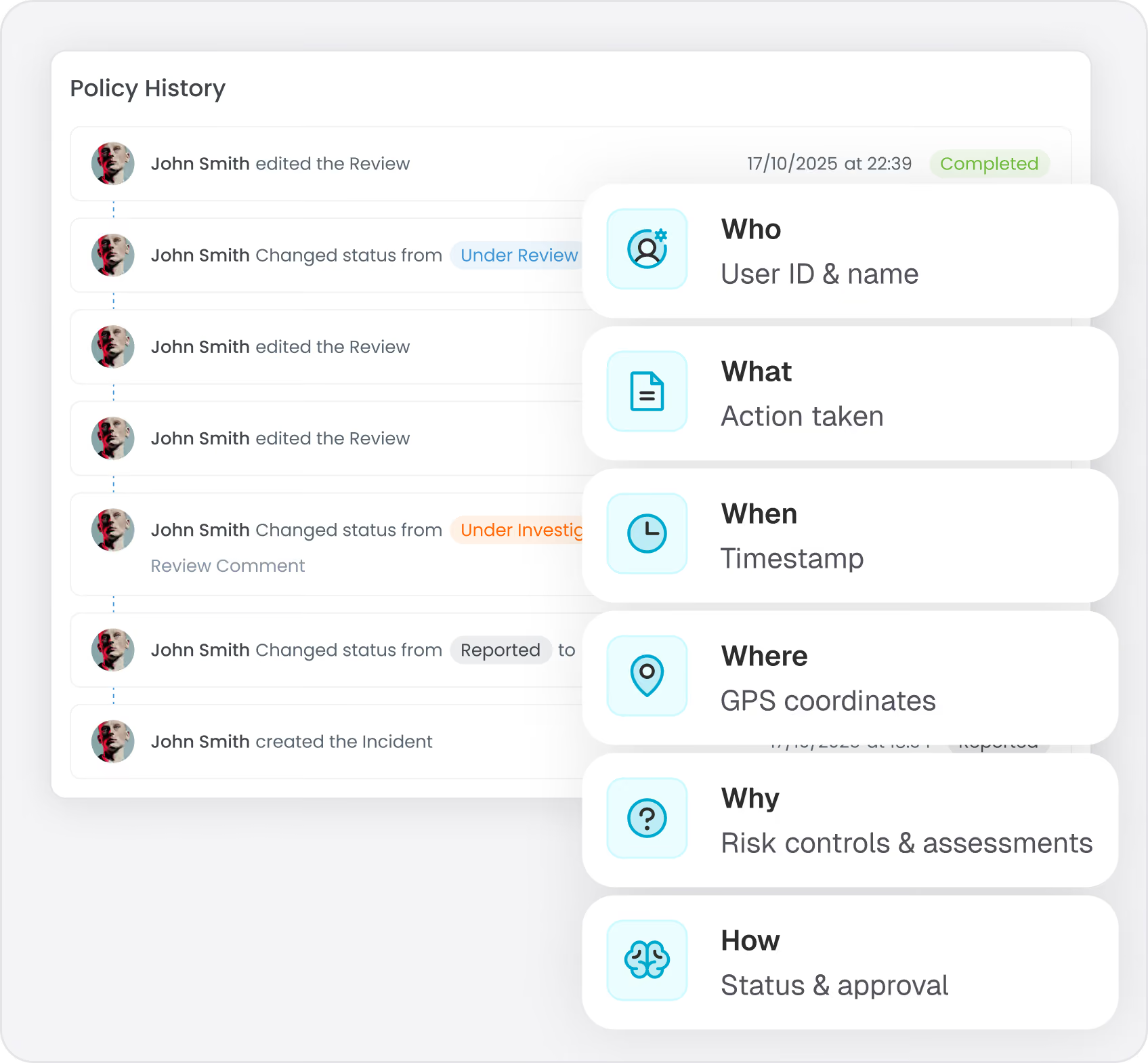
From the moment you start using Hubfleet, every compliance-relevant action is automatically recorded with complete audit trail metadata. This creates a tamper-evident record that is protected from retroactive modification—giving auditors complete confidence in your records.
Who
User ID and name recorded for every action
What
Specific action taken with full detail
When
Timestamp accurate to the second
Where
GPS coordinates for mobile actions
Why
Linked to risk controls and assessments
How
Workflow status and approval chain
What Gets Automatically Documented
Safety Management:
  • Incident reports and investigations
  • Hazard identifications and risk assessments
  • Policy updates and acknowledgments
  • Corrective actions and reviews
  • Management review meetings
Operations:
  • Maintenance schedules and completions
  • Weight recordings and compliance checks
  • Pre-start inspections
  • Fault reports
Fatigue Management:
  • Work diary entries and modifications
  • Breach alerts and notifications
  • Driver training record
Generate Comprehensive Evidence in Seconds
The Problem:
When the regulator requests specific records, you spend hours or days compiling information from paper logs, multiple systems, or spreadsheet exports—then formatting it.
With Hubfleet:
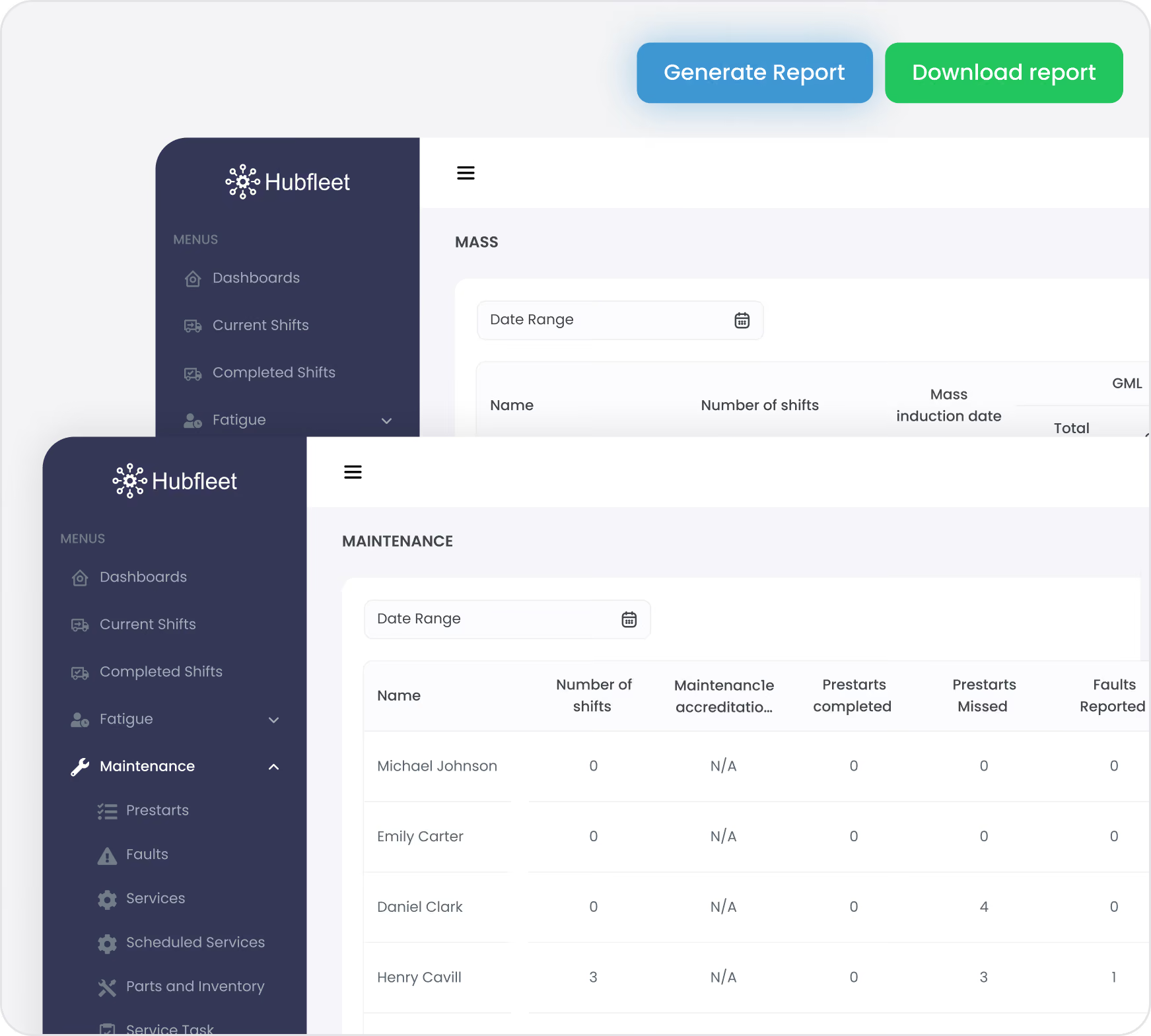
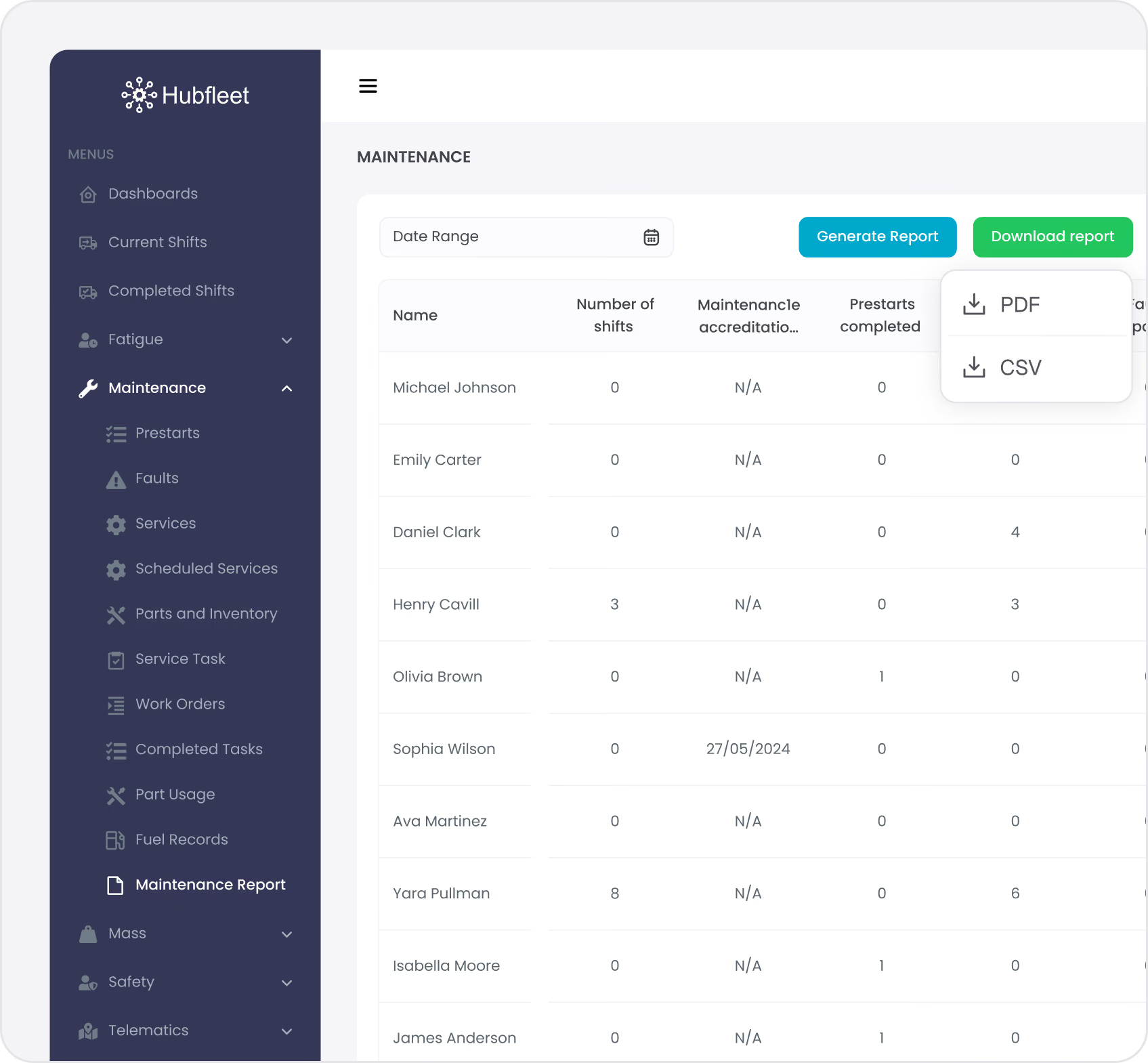
Select date range, select drivers, click "Generate Report." Export as PDF or Excel with complete audit trail information.
Available Audit Reports
Maintenance Management
  • Pre-start inspection history
  • Fault tracking and resolution
  • Scheduled maintenance completion
  • Vehicle service history
Fatigue Management
  • Work diary compliance by driver
  • Breach register with outcomes
  • Fatigue monitoring summary
  • Training and certification records
Safety Management System
  • Complete risk register with controls
  • Incident and hazard register
  • Corrective action register (CAR)
  • Policy acknowledgment report
  • Training and competency matrix
  • Management review summary
  • SMS performance dashboard
Mass Management
  • Weight recording history
  • Compliance status by vehicle
  • Breach events and corrective actions
 Chain of Responsibility (CoR)
  • Complete CoR evidence report
  • Systematic compliance demonstration
  • Due diligence documentation
Custom Reports
  • Configurable report parameters
  • Save templates for recurring audits
  • Export to PDF or Excel

HVNL SMS Audit Readiness

Skip Your First Audit — If You Can Prove You're Ready
Under the HVNL reforms, operators can apply to waive the initial compliance audit if they can demonstrate that their SMS meets all PSOE criteria, backed by at least 6 months of documented evidence and no outstanding non-conformances.
This is a significant opportunity — but only if you have the records to prove it. Hubfleet starts building that evidence from the moment you go live:
Present & Suitable — Complete SMS documentation, policies, and risk frameworks in place
Operating & Effective — 6+ months of timestamped audit trail data showing daily system usage and safety outcomes
No non-conformances — Continuous monitoring and corrective action workflows to identify and resolve issues before they become findings
The earlier you start with Hubfleet, the sooner you can build the 6-month evidence window needed to qualify for a waiver.Follow our step-by-step SMS build playbook to get operational fast.
Hubfleet covers all 5 HVNL SMS outcome areas — Leadership & Commitment, Risk Management, People, Safety Systems, and Assurance, Monitoring & Improvement — giving you unified evidence that your Safety Management System is Present, Suitable, Operating, and Effective (PSOE).
Under the National Audit Standard, entry audits assess Present and Suitable only — confirming your SMS documentation exists and is fit for purpose. Subsequent audits then assess all four PSOE criteria, including whether the system is genuinely Operating and delivering Effective outcomes. Hubfleet helps you build evidence across all four levels from day one, so you're ready for both entry and ongoing audits.
Entry Audit — Present & Suitable
Icon of a document with a shield symbol in front, representing document security or protection.
Present
Complete documentation instantly accessible — digital policies, risk register, incident processes, training records, and management review data all in one system.

Assessed at entry audit
Blue gear icon with a circular arrow inside and a black shield with a checkmark in front.
Suitable
SMS designed for your business — configurable risk matrices, customised policies, tailored workflows, and role-based access matching your organisational structure.

Assessed at entry audit
Subsequent Audits — Operating & Effective
Two interlocking gears, one large blue gear and one smaller black gear symbolizing operation or settings.
Operating
Real-time data proving daily usage — timestamps, audit trails, user engagement metrics, and mobile app activity showing a living system, not stale documentation.

Assessed at subsequent audits
Blue circular target icon with a white center and an arrow hitting the bullseye.
Effective
Trend analysis demonstrating safety improvement — declining incident rates, corrective actions reducing recurrence, and performance KPIs showing measurable outcomes.

Assessed at subsequent audits
How Audit Findings Are Classified
Under the National Audit Standard, auditors assess each SMS element using a standardised set of assurance codes — replacing the simpler Major/Minor non-conformance approach:
Code
  • C
  • OFI
  • MIN NC
  • MAJ NC
  • TR
  • NE
  • NA
Finding
  • Conforming
  • Opportunity for Improvement
  • Minor Non-Conformance
  • Major Non-Conformance
  • To be Resolved
  • Not Evaluated
  • Not Applicable
What it Means
  • Meets the standard — no action required
  • Compliant, but could be strengthened
  • Isolated gap that doesn't undermine the overall SMS
  • Significant gap requiring urgent corrective action
  • Requires follow-up before a final determination
  • Not assessed during this audit cycle
  • Doesn't apply to this operator's scope
Auditor rotation:
Under the National Audit Standard, auditors are limited to a maximum of 2 consecutive audit periods before rotating. This ensures independence and objectivity in the audit process — so don't be surprised if your auditor changes between cycles.
Hubfleet's continuous compliance monitoring and complete audit trail help you maintain Conforming (C) status across all SMS outcome areas, and provide the evidence needed to quickly resolve any OFI or Minor NC findings before they escalate.
Want the full breakdown? Our Audit Preparation Guide maps common auditor questions across each outcome area to exactly where to find the evidence in Hubfleet.
Policy and Document History
Prove What You Knew When
The Critical Audit Questions:
  • "What policy was in effect when this incident occurred?"
  • "When did this driver acknowledge the updated procedure?"
  • "What was the previous policy before this update?"
With paper or basic systems, these require manual reconstruction and guesswork. With Hubfleet, you have instant answers.
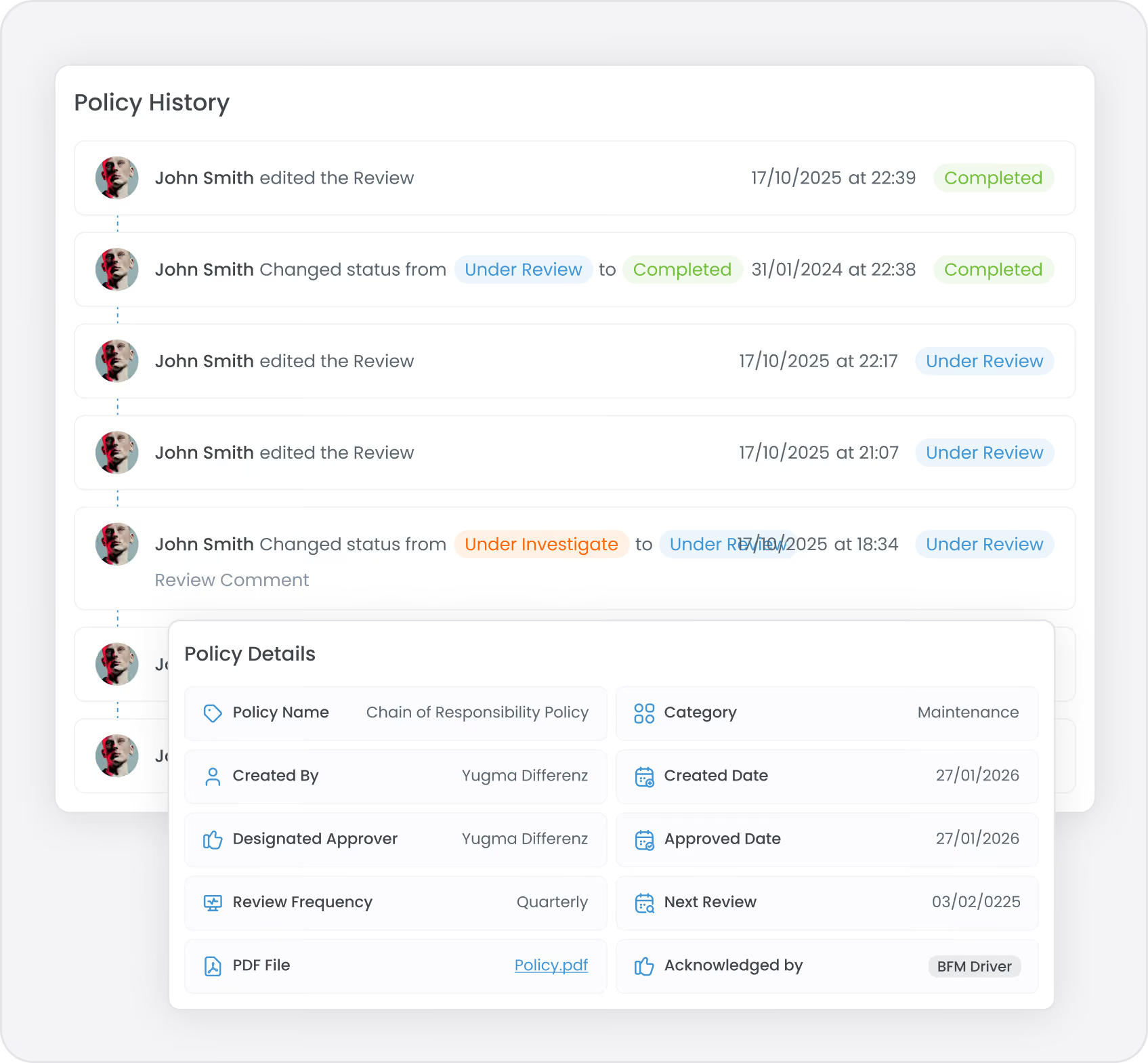
When you update a policy, the old version is automatically archived and linked to the new version. Show the regulator exactly what was current on any date.
Archive and Replace Process
1. Update Policy
Replace old policy with new version
2. Automatic Archive
Old policy archived (never deleted)
3. Linked History
Link maintained between old and new
4. Tracking Dashboard
Monitor who has/hasn't acknowledged
5. Re-Acknowledgment
Users notified to acknowledge new policy
6. Complete Trail
Full history of who acknowledged when
What Gets Archived and Linked
Policies & Procedures
  • Policy documents
  • SOPs and safe work methods
Risk & Safety
  • Risk assessments
  • Control definitions
  • Investigation templates
Training & Checklists
  • Training materials
  • Competency requirements
  • Pre-start checklists
Audit Presentation
During audits, demonstrate:
Icon
What policy was current on any date
Icon
Complete acknowledgment history
Icon
Evidence users were notified of updates
Icon
Proof re-acknowledgment was obtained
Icon
Full trail of policy replacements

Searchable Archive
with No Data Loss

Find Any Record Instantly
Auditor Request Example:
"Show me all vehicle damage incidents from 2023 to present."
Without Hubfleet: Hours of searching through old spreadsheets, email archives, and paper files
With Hubfleet: Filter by incident type, select date range, export report. 30 seconds.
Powerful Search and Filtering
Search across all modules:
  • Work diary entries and breaches
  • Incident and hazard reports
  • Risk register entries
  • Policy documents and procedures
  • Training records and certifications
  • Maintenance and fault records
  • Mass management weight records
  • Corrective actions
Advanced Filters:
  • Date ranges (including historical archives)
  • Specific drivers, vehicles, or locations
  • Incident types or severity levels
  • Risk ratings (low, medium, high)
  • Compliance status (compliant, breach, pending)
  • Document status (current, archived, superseded)
Bulk Export:
  • Select all matching records
  • Export as PDF (formatted report) or Excel (raw data)
  • Include or exclude photos, attachments, and audit trail details
GPS Verification and Work Diary
Cross-Checking
Prove Where and When Actions Occurred
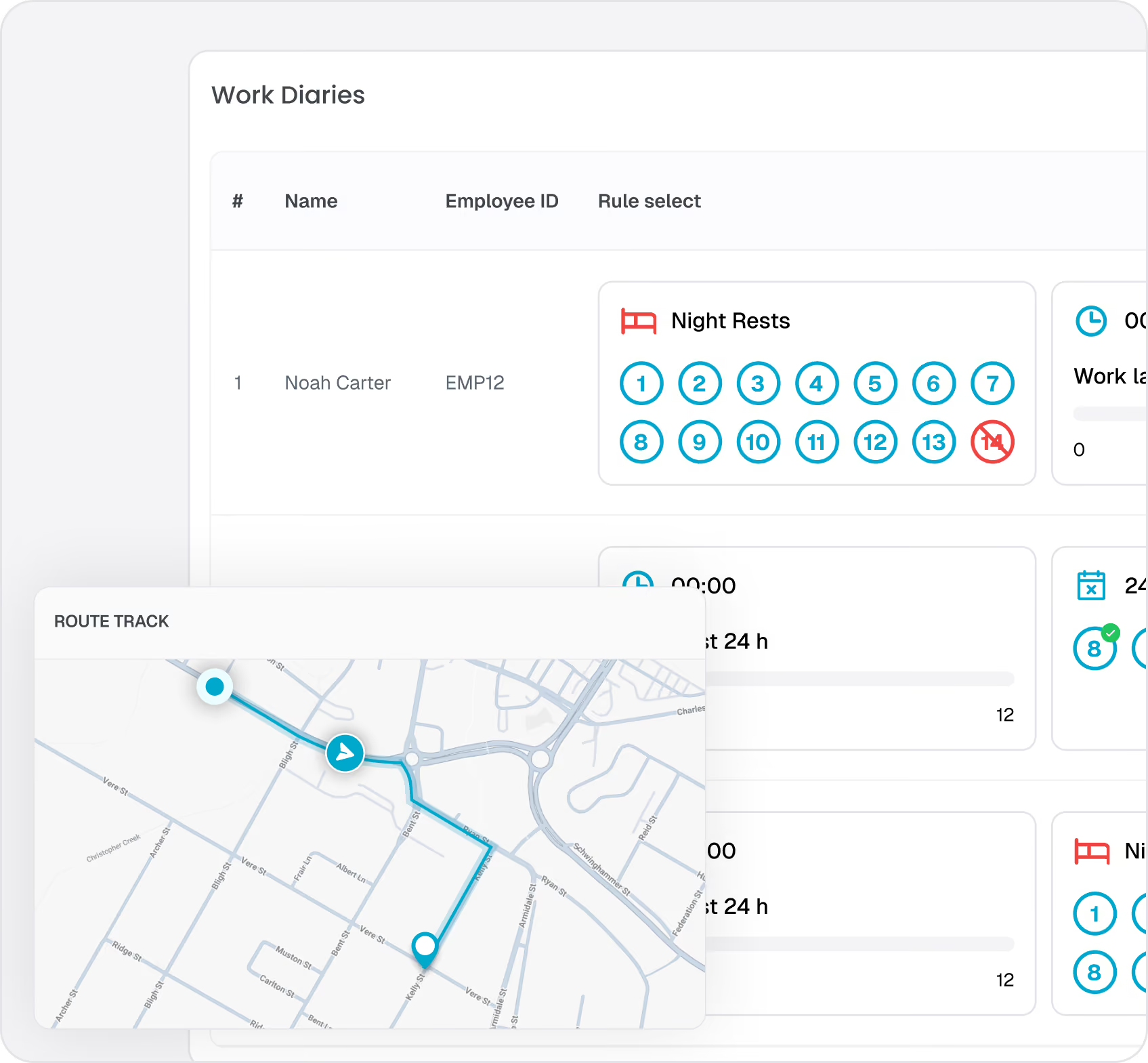
Every mobile action in Hubfleet — work diary entries, incident reports, pre-start inspections, weight recordings, and fault reports — is automatically stamped with GPS coordinates and a precise timestamp. Auditors can verify exactly where and when each action occurred, removing doubt about the authenticity of records.
Audit Value: When the regulator asks "Where was this work diary entry recorded?" or "Was this load weighed before departure?" — you have instant, verifiable proof.
Automated Work Diary Cross-Checking
Record keepers are responsible for verifying that work diary records are accurate. Hubfleet automates this by cross-checking every work diary entry against GPS location data when drivers confirm their shift. Discrepancies are flagged automatically, and a Non-Conformance Report (NCR) can be issued directly from the cross-check results — with speed and location data attached as evidence.
This means you're fulfilling your record verification obligations continuously, not just when the regulator comes knocking.
Key audit benefits:
  • Every work diary entry includes GPS cross-check status (verified or flagged)
  • NCRs linked to specific discrepancies create a documented detection-to-resolution trail
  • Demonstrates systematic monitoring and "reasonable steps" for CoR defence
  • Works with Hubfleet's built-in smart device GPS or your existing third-party telematics provider
Implementation Support for Audit Readiness
We Help You Get Audit-Ready Fast
Migration and Historical Data:
  • Import historical work diary data from previous systems
  • Migrate incident and maintenance records for continuity
  • Preserve audit trail history when switching to Hubfleet
Policy and Procedure Setup:
  • Template policies covering HVNL SMS requirements
  • Customization support to match your operations
  • Policy distribution and acknowledgment tracking from day one
Training and Competency Records:
  • Import existing training records and certifications
  • Set up ongoing competency tracking
  • Automated expiry reminders to maintain compliance
Workflow Configuration:
  • Pre-start checklists tailored to your vehicles
  • Incident investigation workflows matching your processes
  • Approval chains reflecting your organizational structure
Audit Report Templates:
  • Pre-configured reports for common regulator requests
  • Configurable reports for specific audit needs
  • Saved report templates for recurring audits

Continuous Compliance Monitoring

Stay Audit-Ready Every Day, Not Just When the Regulator Calls
The Problem with Reactive Audit Prep:
Most operators scramble when the regulator announces an audit—spending weeks compiling evidence and discovering gaps in documentation. By then, it's too late to fix issues.
Hubfleet's Proactive Approach:
Real-Time Compliance Dashboard:
  • Current compliance status across all modules
  • Open breaches requiring attention
  • Outstanding corrective actions
  • Overdue training or certifications
  • Policy acknowledgment completion rates
  • Risk register update status
Automated Compliance Alerts:
  • Breach notifications in real-time
  • Upcoming training expiries
  • Overdue corrective action reminders
  • Policy review schedule alerts
  • Maintenance due date warnings
Monthly Compliance Reports:
  • Automated generation of key compliance metrics
  • Trend analysis showing areas of concern
  • Proactive identification of audit risks
  • Management review support materials
Result: You're always audit-ready, not just when the regulator announces their arrival.

AI in the Audit Process

Section 4.10.2 of the National Audit Standard sets out rules for how auditors can and cannot use artificial intelligence during compliance audits.
Hubfleet's Proactive Approach:
What auditors can use AI for
  • Data analysis and pattern recognition across large record sets
  • Identifying anomalies or trends in compliance data
  • Assisting with report preparation and documentation review
What auditors cannot use AI for
  • Making audit determinations or assurance code decisions
  • Replacing professional judgement on PSOE assessments
  • Drawing conclusions without human verification
Disclosure requirements
Auditors are required to disclose when AI tools have been used as part of the audit process. This ensures transparency and allows operators to understand how their data was analysed.
How this helps Hubfleet customers:
Hubfleet's structured data, standardised reports, and clean export formats make it straightforward for auditors to analyse your records efficiently — whether using AI tools or traditional methods. Well-organised digital evidence means faster audits and fewer follow-up requests.

Frequently asked questions

How long should we spend preparing for an NHVR audit with Hubfleet?
Most customers report 2-3 days of preparation for a standard compliance audit. This includes generating requested reports, reviewing them for completeness, and organizing any supporting documentation. The actual report generation takes minutes; the prep time is mainly spent reviewing and familiarizing yourself with the evidence before the audit.
Can Hubfleet help with historical data if we're switching from another system?
Yes. We can import historical work diary data, incident records, maintenance history, and training records from most common systems. This ensures audit trail continuity when switching to Hubfleet. Our implementation team will work with you to migrate the data most relevant to audit compliance.
What if NHVR requests data in a specific format?
Hubfleet reports can be exported as PDF (formatted reports) or Excel (raw data). If NHVR has specific formatting requirements, our support team can help generate custom reports or extract data in the required format. Most auditors are satisfied with our standard reports, which include all required audit trail information.
How far back does Hubfleet store audit records?
Hubfleet retains data in accordance with regulatory requirements and your organisational needs. Audit trails, version history, and archived documents are preserved for the long term. This ensures you can respond to audits or investigations covering extended historical periods.
Can we do a "mock audit" to test our readiness?
Absolutely. We recommend running through a mock audit scenario during implementation or before your first real NHVR audit. Generate the typical reports NHVR would request, review them for completeness, and identify any gaps in documentation. Our customer success team can guide you through this process.
Does Hubfleet guarantee we'll pass NHVR audits?
Hubfleet provides the tools and documentation to demonstrate compliance, but your actual compliance depends on your operations and adherence to regulations. That said, our customers consistently report excellent audit outcomes because Hubfleet makes it easy to demonstrate systematic compliance and due diligence. Many customers have received positive feedback from NHVR auditors on the quality and completeness of their records.
What support do you provide during an actual audit?
While we can't participate directly in NHVR audits, our support team is available to help you generate reports, find specific records, or troubleshoot any technical issues during the audit period. We've supported hundreds of customers through audits and can provide guidance on what evidence to prepare and how to present it.
Can we provide NHVR direct access to Hubfleet instead of generating reports?
While Hubfleet includes role-based access controls that could theoretically allow auditor access, most NHVR audits are conducted by requesting reports and documentation rather than direct system access. We recommend exporting reports rather than providing login access, as this gives you control over what information is shared and maintains audit trail integrity.
Get Started in Days, Not Months
Free guides, tools, and frameworks to start preparing for HVNL today — built by Australian compliance specialists and trusted by 500+ fleets.
Blue binder or folder with three horizontal black lines on the front cover.
HVNL Compliance Guide
What HVNL means for your fleet — explained in plain English
  • All 5 SMS outcome areas explained
  • Implementation timeline & milestones
  • Fleet preparation checklist
  • Gap assessment framework
  • Change summary from current HVNL
Read the Guide
HVNL Compliance Toolkit
Free downloadable templates to start preparing today.
  • Gap analysis template (5 outcome areas)
  • Pre-audit readiness checklist
  • SMS implementation tracker
  • PSOE evidence mapping
  • Implementation timeline template
Get the Free Toolkit
Audit Preparation Guide
The questions NHVR auditors ask — and where to find your answers.
  • Common auditor questions by outcome area
  • Direct answers showing where evidence sits in Hubfleet
  • PSOE framework explained
  • Audit-day preparation checklist
  • Real auditor scenarios
Read the Audit Guide

Part of Hubfleet’s Complete Safety Management System

Fleet Policy & Procedure Management is part of Hubfleet's complete Safety Management System, designed as safety procedures software for Australian heavy vehicle operators preparing for HVNL.

Stylized blue paper airplane icon with shadow on transparent background.
Start Free Trial
Recommended for most fleets
Best if you're ready to get drivers logging now and explore Hubfleet at your own pace.
Icon
Full platform access — every feature, no limits
Icon
Drivers can start on EWD today
Icon
Real EWD, SMS, and compliance reporting from day one
Icon
No upfront costs · No lock-in contract
Start Free Trial
Icon of a calendar with blue top binder and dark gray date display area.
Book your Demo
Best for larger fleets or complex setups
Best if you've got specific integration questions, multiple sites, or want a tailored walkthrough first.
Icon
Tailored to your fleet and use case
Icon
30 minutes with a Hubfleet specialist
Icon
See the platform mapped against your fleet's compliance obligations
Icon
Get HVNL and SMS questions answered live
Book your 30-Minute Demo
Want to see plans first?
Icon
500+ Australian operators
Icon
NHVR approved
Icon
Free trial
Icon
Australian-based support
Information on this page is provided as general guidance on Hubfleet's audit readiness capabilities. Actual audit outcomes depend on your operations and compliance practices. Specific time savings based on customer reports and may vary. Last updated March 2026.