Home
Solutions

Training Management

Role-Based Competency Tracking for HVNL, WAHVA and CLOCS-A Compliance

Define the roles in your operation, assign the training each role requires, and let the system do the rest. When you attach a role to a driver or manager, Hubfleet automatically checks their training records and flags what's completed, what's missing, and what's expired — so you always know who's compliant and who needs attention.

Role-Based | Automated Gap Analysis | Expiry Tracking | Audit-Ready Records

Icon
Define training requirements by role, not by individual
Icon
Automatic compliance checking for every user
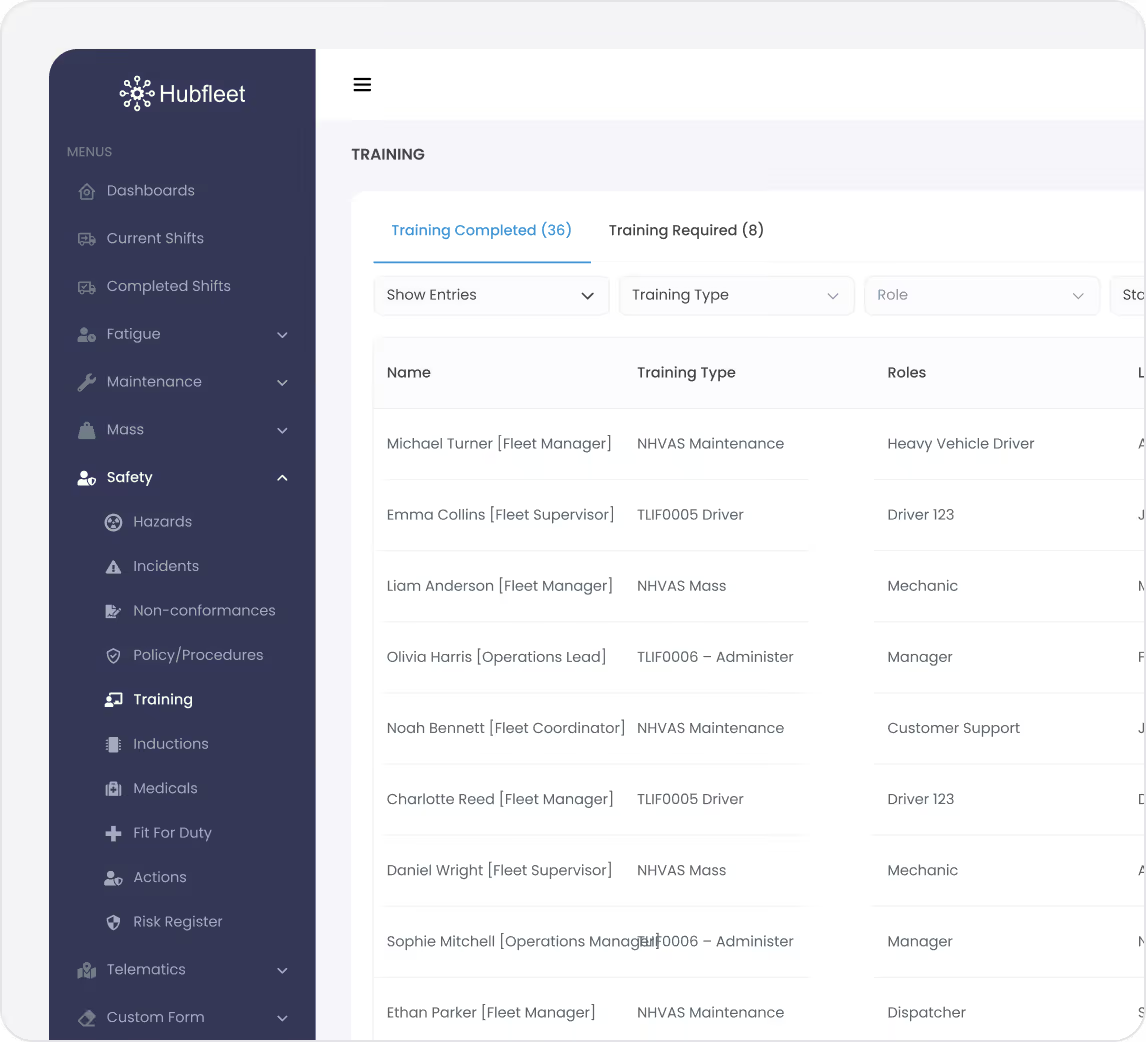
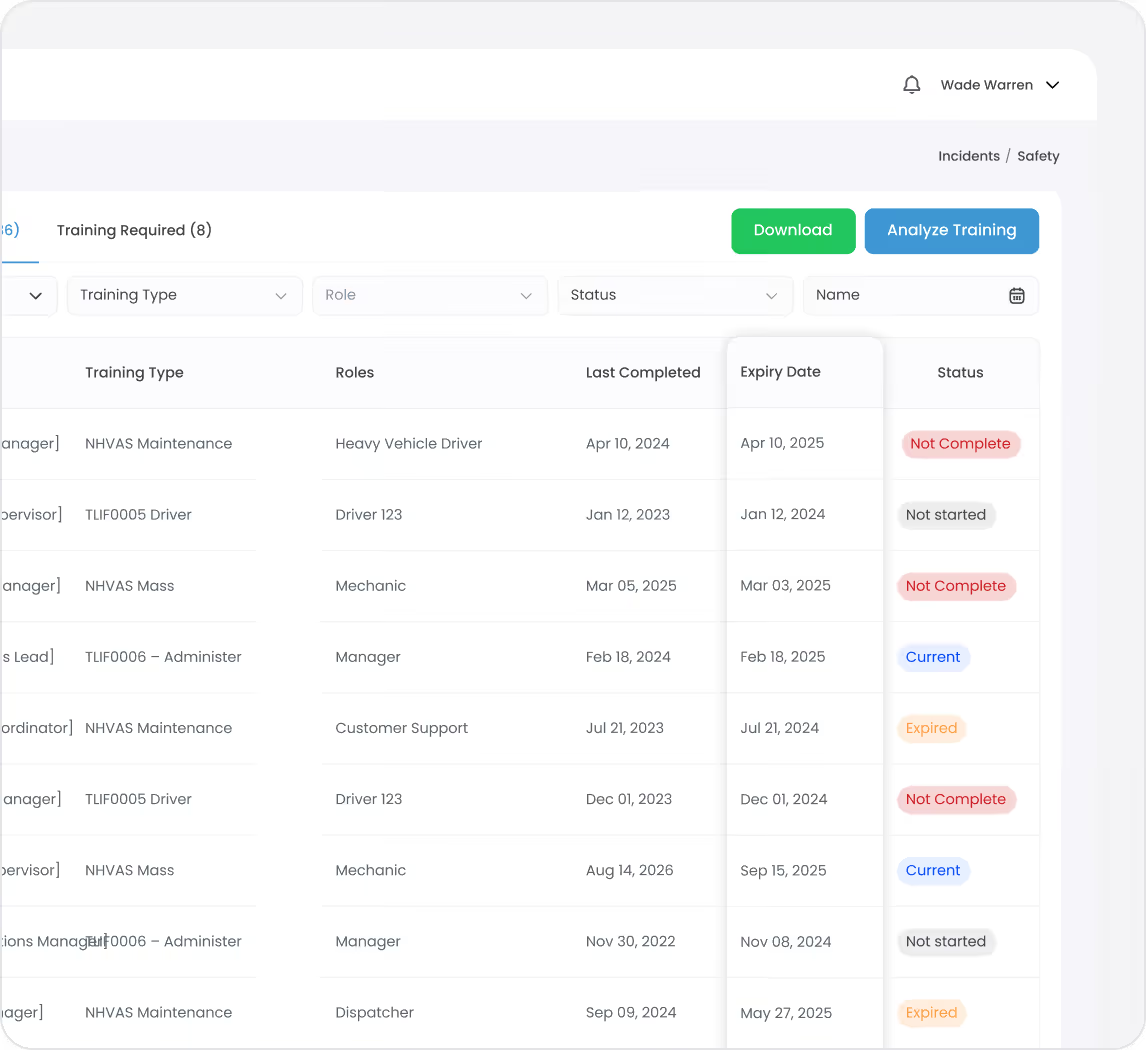
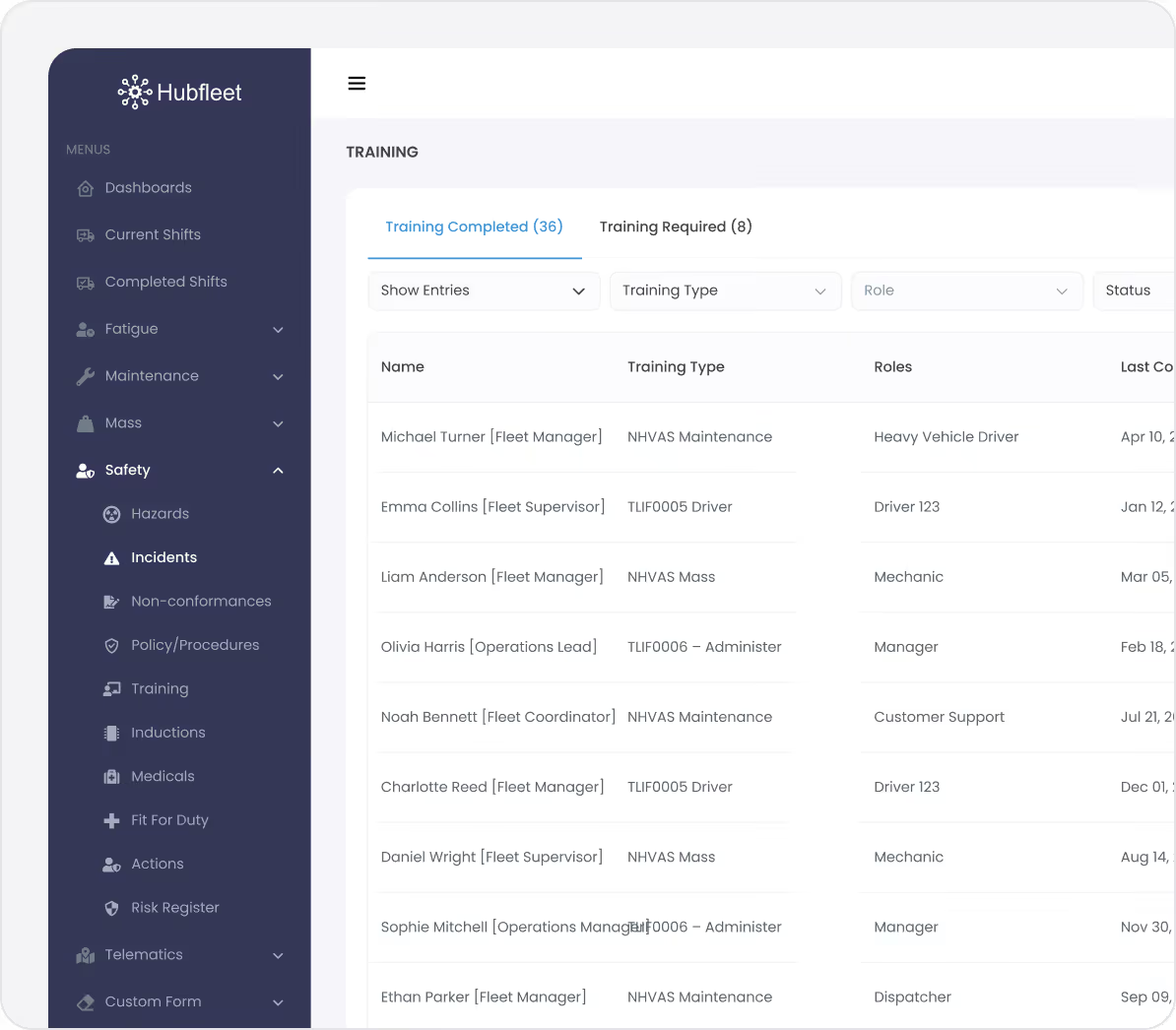
Hubfleet safety training dashboard showing names, training types, roles, and last completed dates for various employees.

The Problem: Training Records in Spreadsheets

Most operators track training in spreadsheets, shared drives, or filing cabinets. When an auditor asks "Show me that all your drivers hold current fatigue management competency," you're digging through folders, cross-referencing dates, and hoping nothing slipped through the cracks.

Common pain points:
Red handwritten X mark on a white background.
No single source of truth for who's trained in what
Red handwritten X mark on a white background.
Expired certifications discovered during audits, not before
Red handwritten X mark on a white background.
New hires assigned to duties before required training is verified
Red handwritten X mark on a white background.
No way to quickly show an auditor that your training system is operating systematically
Red handwritten X mark on a white background.
Hours spent manually compiling training reports before accreditation reviews
Under HVNL reforms, SMS Outcome Area 3 (People) requires operators to demonstrate that personnel are competent for their roles — and that you have a system to identify and address training gaps. Spreadsheets can't prove that.

How It Works

Step 1:

Define Roles in Safety Config

Navigate to Config → Roles and create the roles that exist in your operation. For each role, you define:
  • Role name — Clear, descriptive (e.g., "Heavy Vehicle Driver — Interstate," "Scheduler," "Safety Manager")
  • Required training — Select from your configured training types (e.g., TLIF0005, fatigue awareness, load restraint, EWD operation)
  • Role description — Responsibilities and functions
  • Role description PDF — Optional upload for detailed position descriptions
Training types are fully customisable — create and edit them in Config → Training Types to match your operation's specific requirements, including NHVR-approved courses, internal competencies, and industry qualifications.
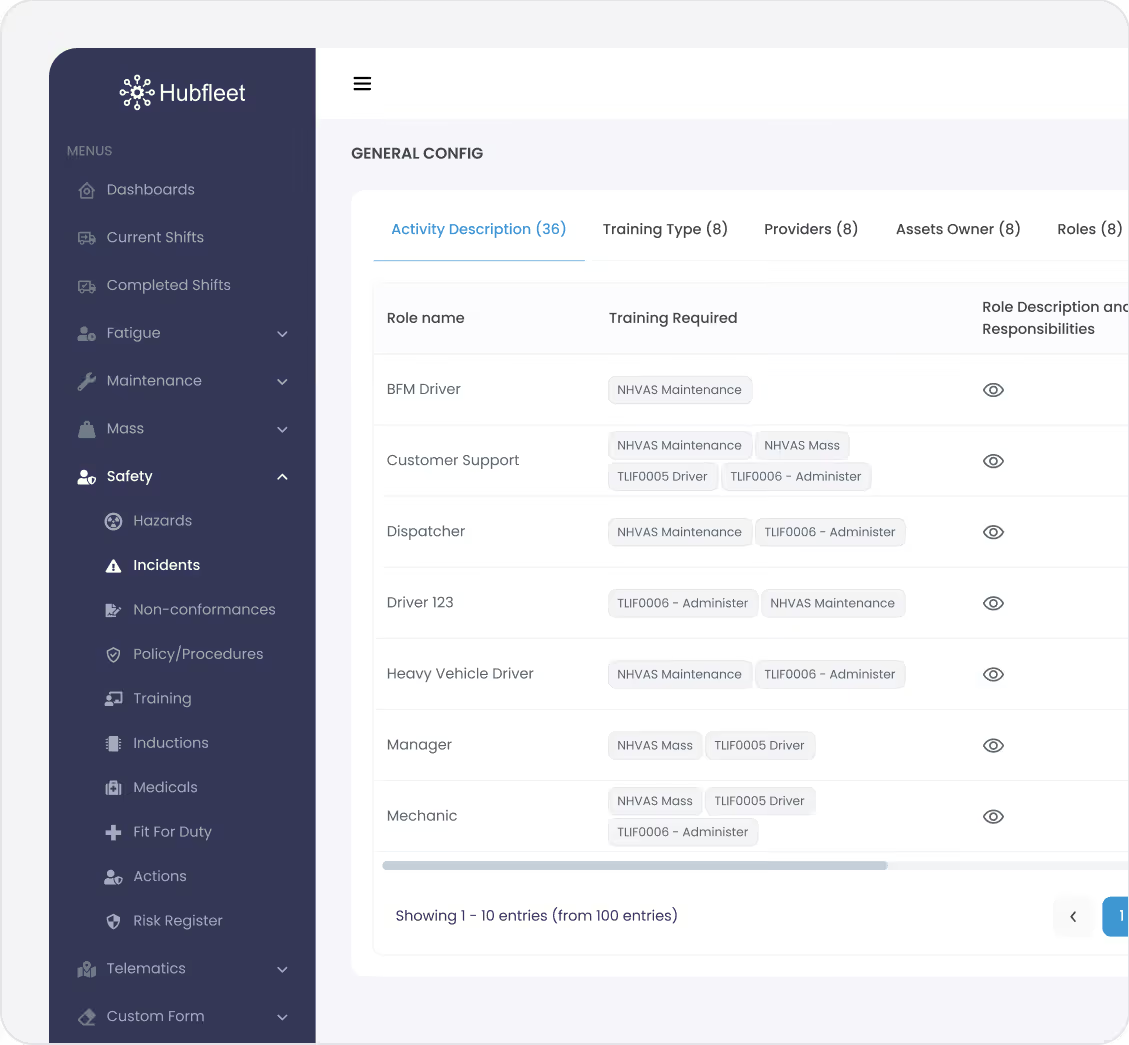
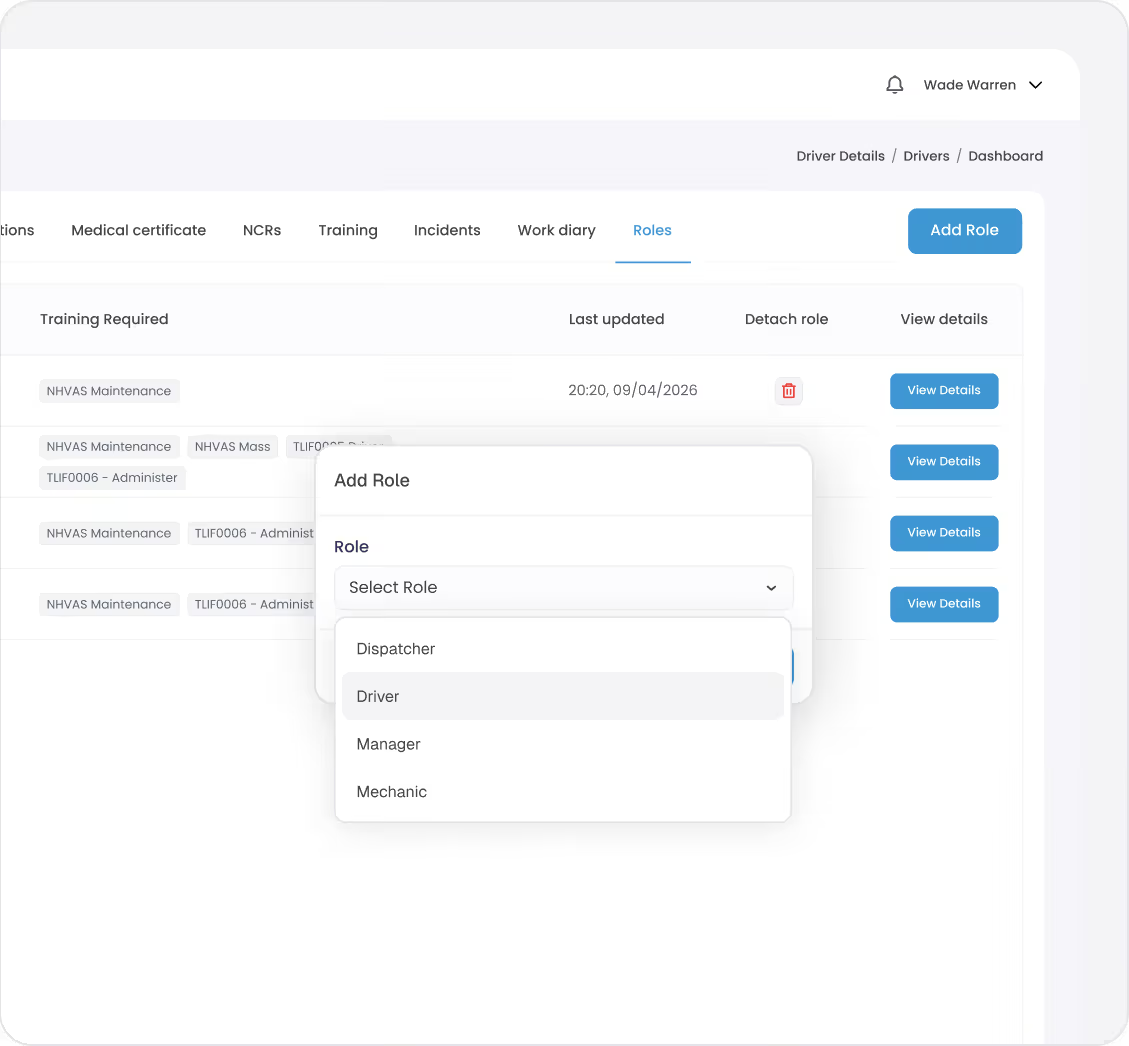
Hubfleet safety menu interface showing general configuration of roles, training required, and role descriptions.
User interface showing a Roles tab with an Add Role dialog open and a dropdown menu listing Dispatcher, Driver, Manager, and Mechanic roles.
Step 2:

Assign Roles to People

Assign roles to drivers and management team members from their profile page. Navigate to the user's details, select the Roles tab, and assign one or more roles.
Once a role is assigned, the system immediately checks the user's training records against the role's requirements. No manual cross-referencing — the gap analysis is automatic.
Works for everyone:
  • Drivers — Fatigue management (TLIF0005), load restraint, EWD operation, pre-start inspections, CoR obligations
  • Schedulers — TLIF0006 (fatigue administration), RCSM methodology, roster risk assessment
  • Supervisors — Incident investigation, safety culture, fatigue report handling
  • Managers — Due diligence, SMS oversight, risk management
Step 3:

System Tracks Compliance Automatically

Reported → Assessed → Controls Assigned → Closed
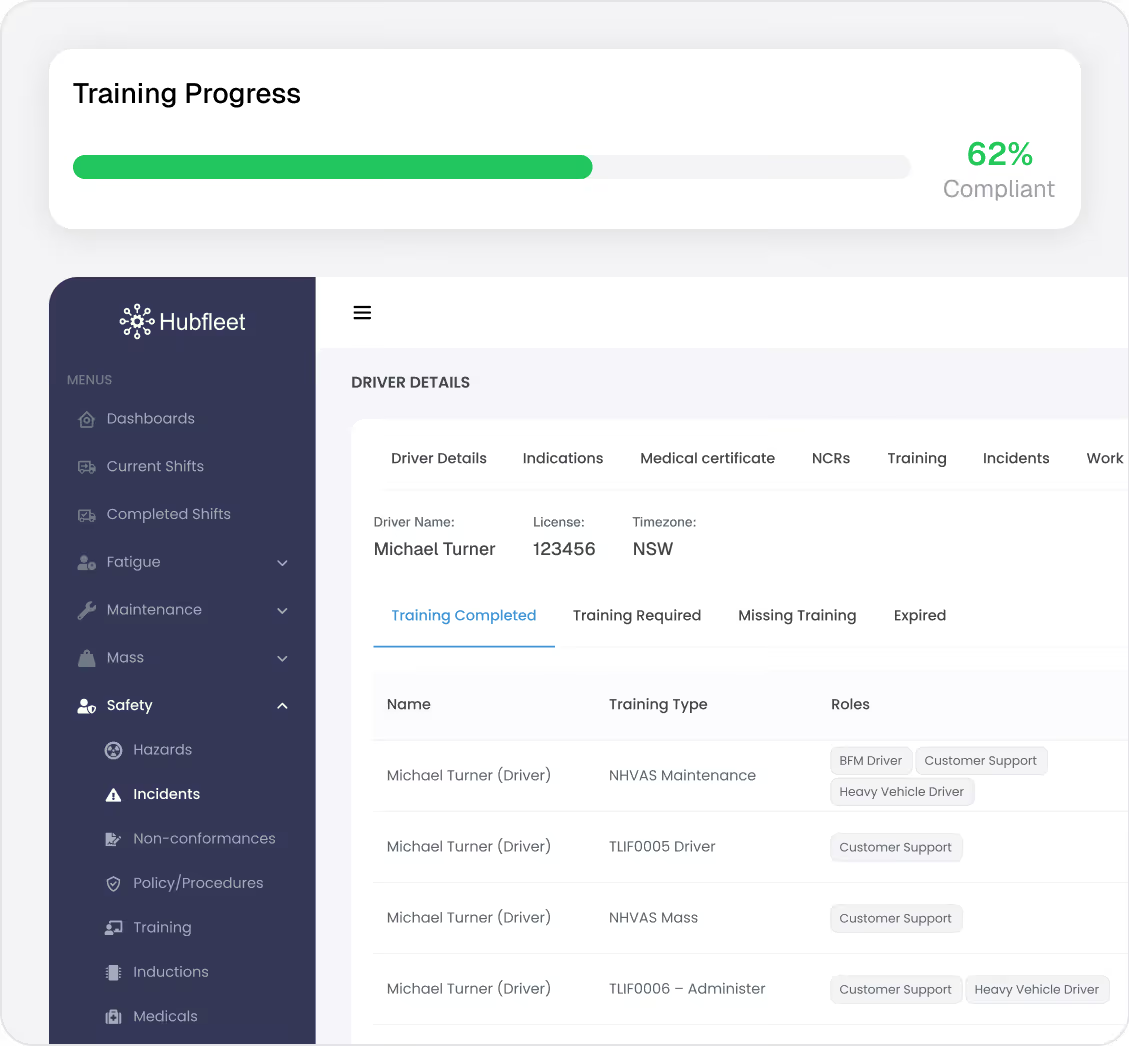
For every user with an assigned role, Hubfleet continuously compares their training records against what's required. The system flags three statuses:
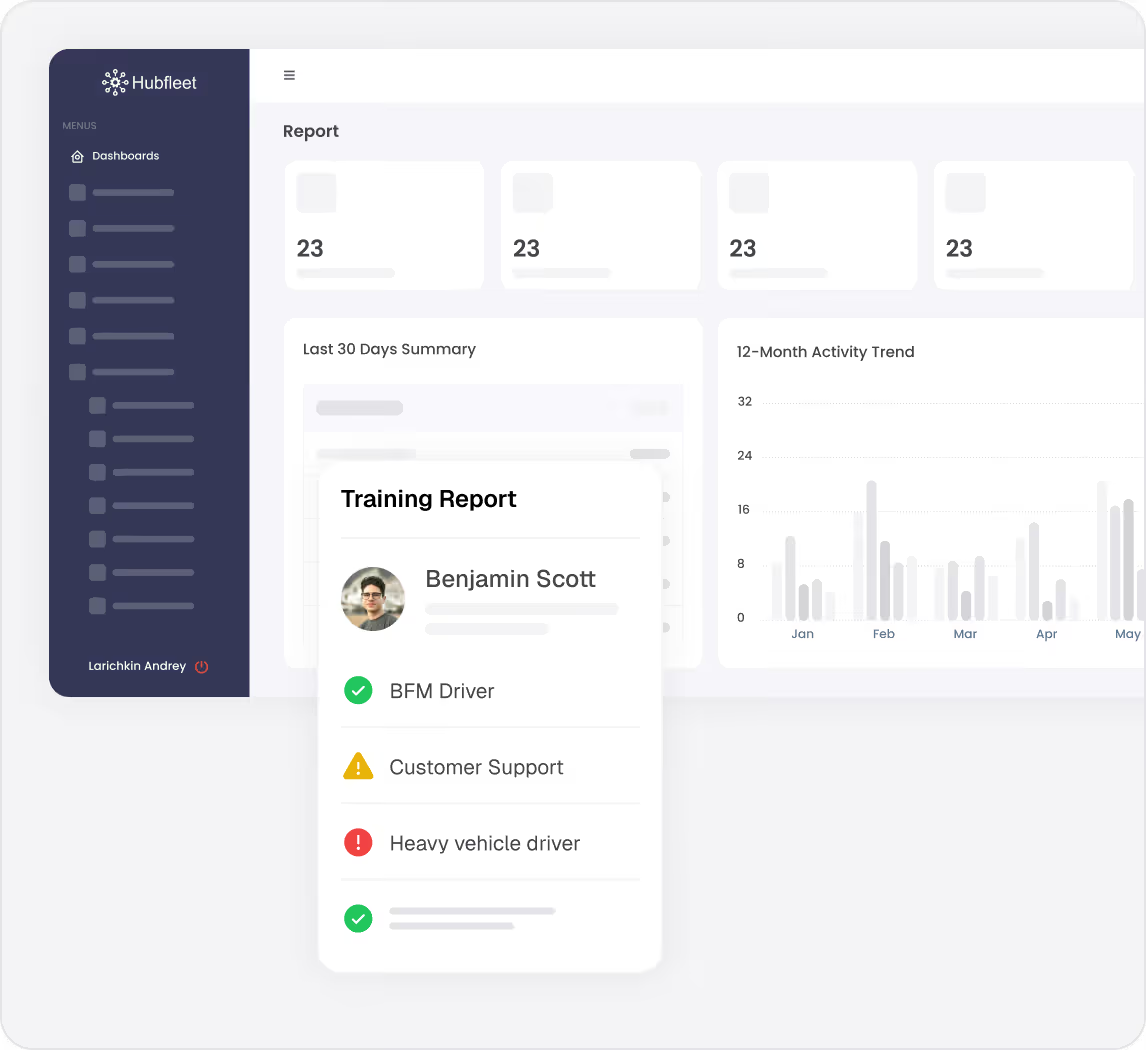
Completed — Training record exists, certificate attached, within validity period
Missing — Required training with no matching record — needs to be scheduled
Expired — Training was completed but has passed its expiry date — refresher needed
What you can track per training record:
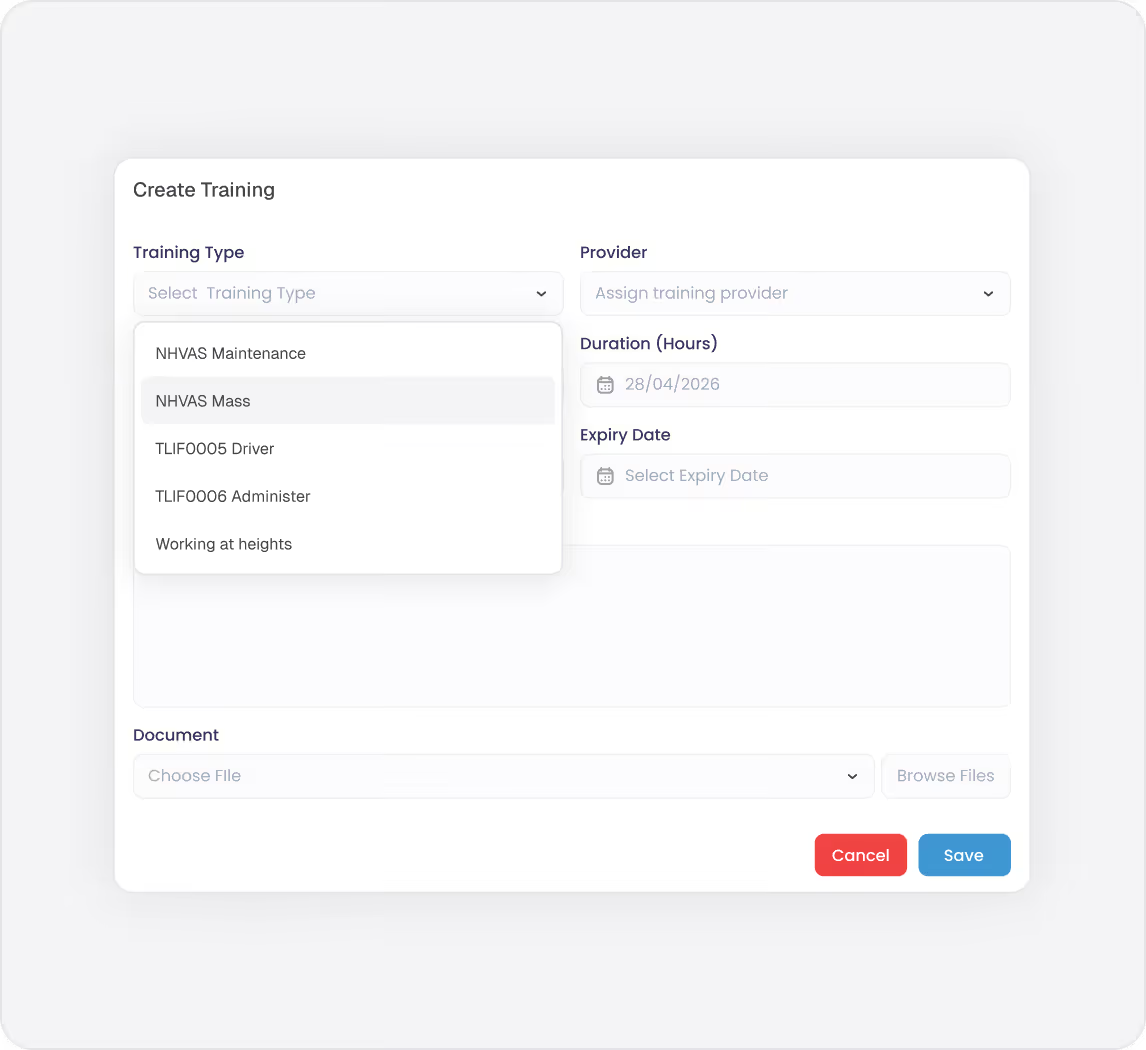
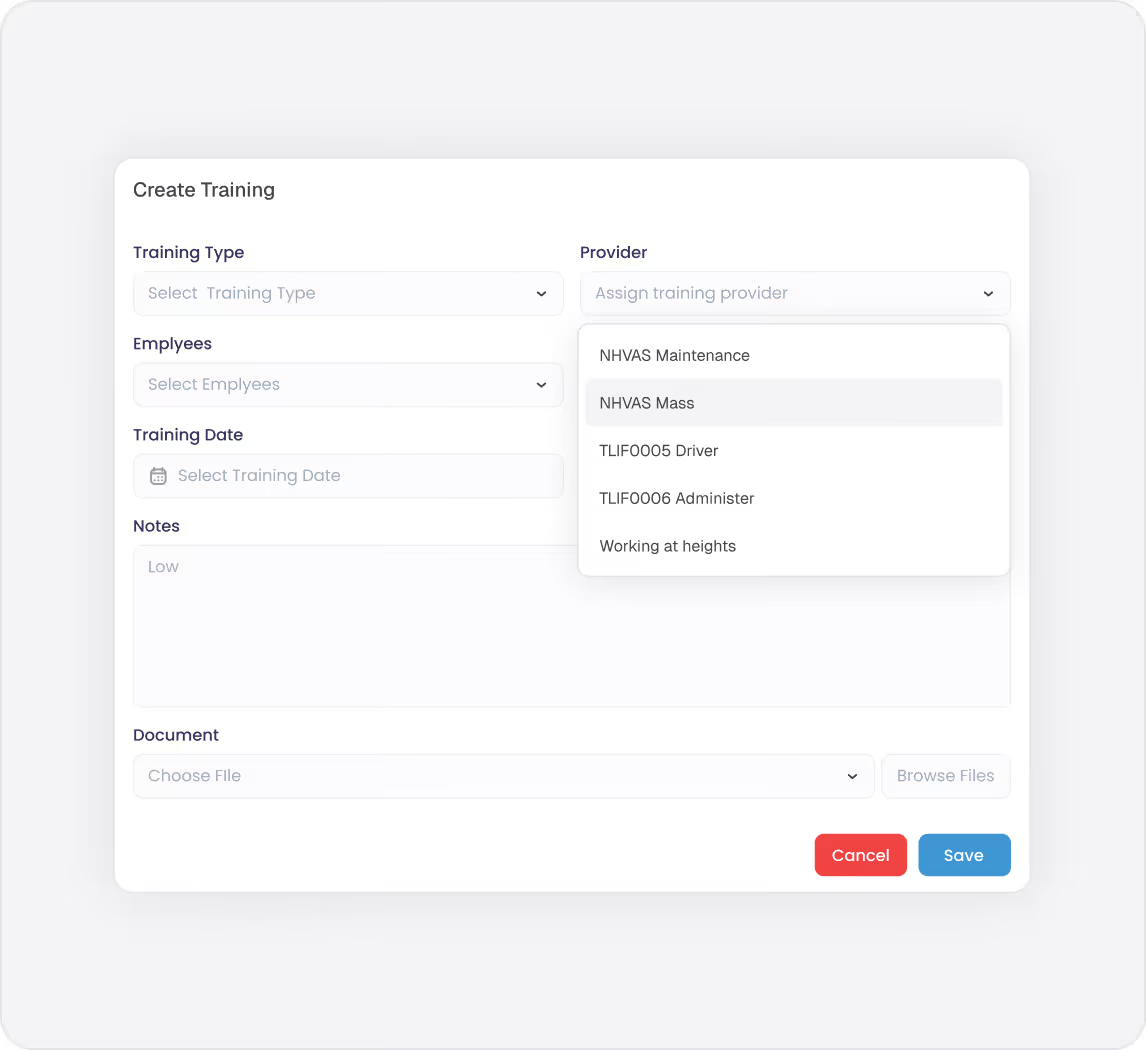
  • Training type and provider
  • Date completed and expiry date
  • Attached documentation (certificates, assessment forms, attendance records)
  • Units of competence achieved
  • Qualification details
Expiry dates are tracked automatically — no manual diary reminders or spreadsheet formulas needed.
Hubfleet dashboard showing driver Michael Turner's training progress at 62% compliant, with details on completed training types and roles.

HVNL reforms SMS Compliance

Blue user profile icon with a circular head and curved shoulders on a white background.
Outcome Area 3: People
HVNL reforms' Safety Management System requires operators to ensure personnel are competent for their safety-critical roles. This means:
  • Identifying required competencies for each role
  • Verifying competency before assigning duties
  • Maintaining training records that prove competency
  • Identifying gaps and addressing them systematically
Hubfleet's role-based training management directly addresses these requirements. Roles define what's required, training records prove what's completed, and gap analysis shows what's missing — all in one system.
PSOE Audit Evidence
Icon of a document with a shield symbol in front, representing document security or protection.
Present
Training types and role requirements configured in the system
Blue gear icon with a shield symbol indicating security or protection.
Suitable
Training requirements matched to specific roles and operational risks
Two overlapping gear icons, one large blue gear behind a smaller black gear.
Operating
Active training records with dates, certificates, and provider details
Arrow hitting the bullseye of a blue target.
Effective
Gap analysis shows declining missing/expired training over time; compliance rates demonstrate the system is working
See PSOE Evidence Framework Guide: Demonstrating SMS Compliance Under HVNL reforms for detailed guidance on building audit-ready evidence across all outcome areas.
Get Started in Days, Not Months
Free guides, tools, and frameworks to start preparing for HVNL today — built by Australian compliance specialists and trusted by 500+ fleets.
Blue binder or folder with three horizontal black lines on the front cover.
HVNL Compliance Guide
What HVNL means for your fleet — explained in plain English
  • All 5 SMS outcome areas explained
  • Implementation timeline & milestones
  • Fleet preparation checklist
  • Gap assessment framework
  • Change summary from current HVNL
Read the Guide
HVNL Compliance Toolkit
Free downloadable templates to start preparing today.
  • Gap analysis template (5 outcome areas)
  • Pre-audit readiness checklist
  • SMS implementation tracker
  • PSOE evidence mapping
  • Implementation timeline template
Get the Free Toolkit
Audit Preparation Guide
The questions NHVR auditors ask — and where to find your answers.
  • Common auditor questions by outcome area
  • Direct answers showing where evidence sits in Hubfleet
  • PSOE framework explained
  • Audit-day preparation checklist
  • Real auditor scenarios
Read the Audit Guide

Know Who's Trained, Who's Not, and Who's Overdue

Role-based requirements
Define training once per role, apply to every user
Automated gap analysis
Completed, missing, and expired flagged instantly
Expiry tracking
Stay ahead of renewals, not behind
Centralised records
Every certificate, every assessment, one system
Audit-ready evidence
Prove your training system is operating for NHVR
SMS integration
Addresses Outcome Area 3: People requirements

Stop chasing spreadsheets. Start proving competency.

Stylized blue paper airplane icon with shadow on transparent background.
Start Free Trial
Recommended for most fleets
Best if you're ready to get drivers logging now and explore Hubfleet at your own pace.
Icon
Full platform access — every feature, no limits
Icon
Drivers can start on EWD today
Icon
Real EWD, SMS, and compliance reporting from day one
Icon
No upfront costs · No lock-in contract
Start Free Trial
Icon of a calendar with blue top binder and dark gray date display area.
Book your Demo
Best for larger fleets or complex setups
Best if you've got specific integration questions, multiple sites, or want a tailored walkthrough first.
Icon
Tailored to your fleet and use case
Icon
30 minutes with a Hubfleet specialist
Icon
See the platform mapped against your fleet's compliance obligations
Icon
Get HVNL and SMS questions answered live
Book your 30-Minute Demo
Want to see plans first?
Icon
500+ Australian operators
Icon
NHVR approved
Icon
Free trial
Icon
Australian-based support