


Home
Solutions

Custom Forms & Data Capture for Safety and Operations

Build the forms you need. Capture the data that matters.

Go beyond standard incident and inspection forms. Hubfleet's custom forms and data capture let you digitise operational, commercial and admin processes that usually live in paper, email and spreadsheets – from run sheets and delivery details to customer onboarding and site requirements.

Operational Forms | Customer & Site Forms | Admin & Compliance Support Forms | Mobile-First Capture

Icon
Designed for Australian heavy vehicle operators
Icon
Works with your existing Hubfleet data
Icon
Fast to configure, easy for drivers and staff to use

Why fleets need flexible custom forms beyond safety

Red handwritten X mark on a white background.
Too many ad-hoc Excel and PDF templates for customers, sites and depots
Red handwritten X mark on a white background.
Operational details trapped in emails and notebooks instead of one system
Red handwritten X mark on a white background.
Inconsistent information between depots about how runs, customers and sites are handled
Red handwritten X mark on a white background.
Hard to answer customer questions quickly because the details are scattered
Hubfleet turns all these side-forms into structured, digital data capture that lives alongside your core safety and compliance modules.

Who benefits from Custom Forms & Data Capture

Abstract icon with a stylized '2' and a square outline connected by a small circle on a white background.
For Operations & Dispatch
Icon
Standardise run sheets and job forms across depots
Icon
Capture delivery and site requirements alongside each job
Icon
Reduce back-and-forth to chase missing details
Icon
See progress in real time as drivers complete forms
Blue document icon with a magnifying glass overlaid, inside a blue rounded square button.
For Customer & Commercial Teams
Icon
Collect customer onboarding details in one structured form instead of scattered emails
Icon
Capture special handling instructions directly from account managers or customers
Icon
Record change requests with all required details up front
Icon
Gather structured data for SLA reporting instead of chasing email trails
Icon of a user silhouette with a gear symbol, representing user settings or account configuration.
For Admin & Compliance Support
Icon
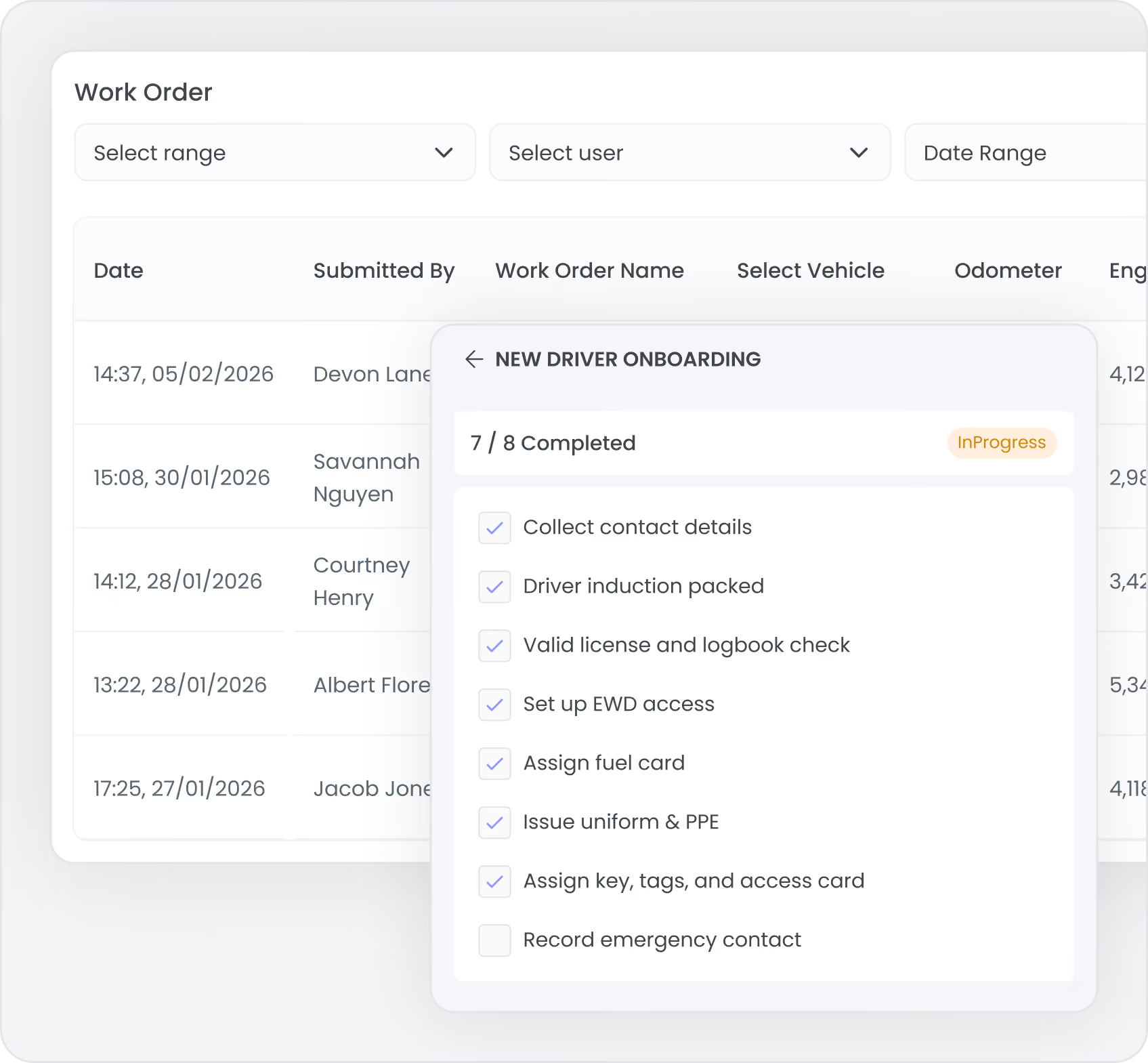
Digitise internal checklists and sign-offs (induction packs, policy packs)
Icon
Capture depot- or site-specific info that does not fit standard modules
Icon
Provide supporting evidence for audits without creating new systems
Icon
Reduce manual data entry into spreadsheets
Operational & productivity forms

Keep freight and information flowing together

Hubfleet already gives you specialist modules for core safety workflows (incidents, hazards, NCRs, pre-starts). Custom forms are ideal for everything around those workflows that is currently handled informally.
Examples of operational forms:
  • Daily run sheets with repeater fields to log each pick-up and drop-off as the shift unfolds
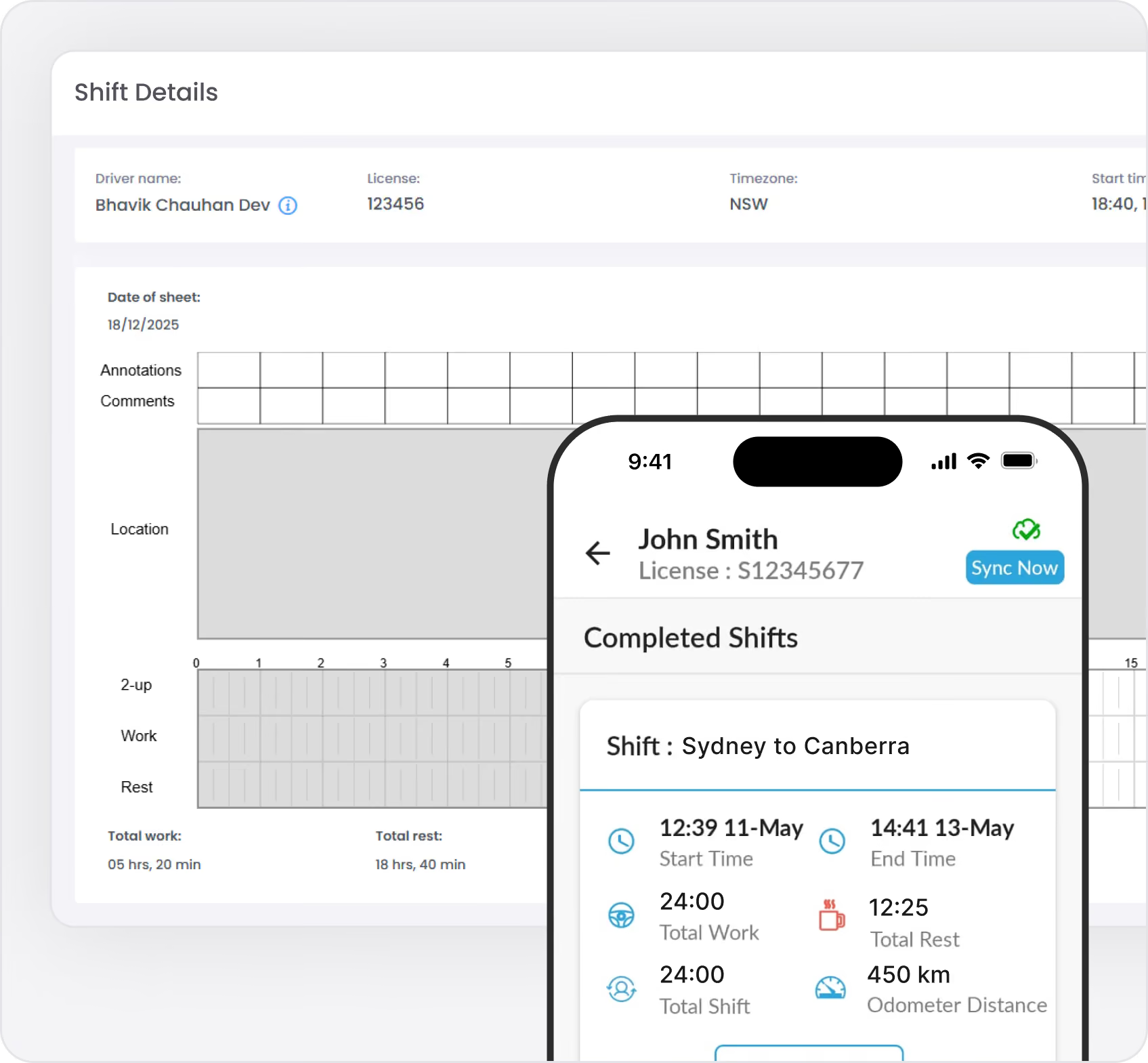
  • End-of-shift forms tied to shift completion — capture overnight allowances, dangerous goods details and other payroll extras, with data flowing into both form and completed shift downloads
  • Delivery details and POD-style notes
  • Return-to-depot checklists
  • Wait-time / delay capture at customers or sites
Why it matters:
  • Less time reconciling paper with what actually happened
  • A clearer picture of each run or trip when investigating an issue
  • Capture the same level of detail at every stop, regardless of who completes the form
  • Data you can re-use for service reviews, pricing and process improvement
Customer & site forms

Collect customer and site details in a structured, consistent way

Customer and site requirements often live in long email chains, PDFs or someone’s head. Custom forms let you capture these details in a structured way instead of chasing emails and phone calls.
Examples of customer & site forms:
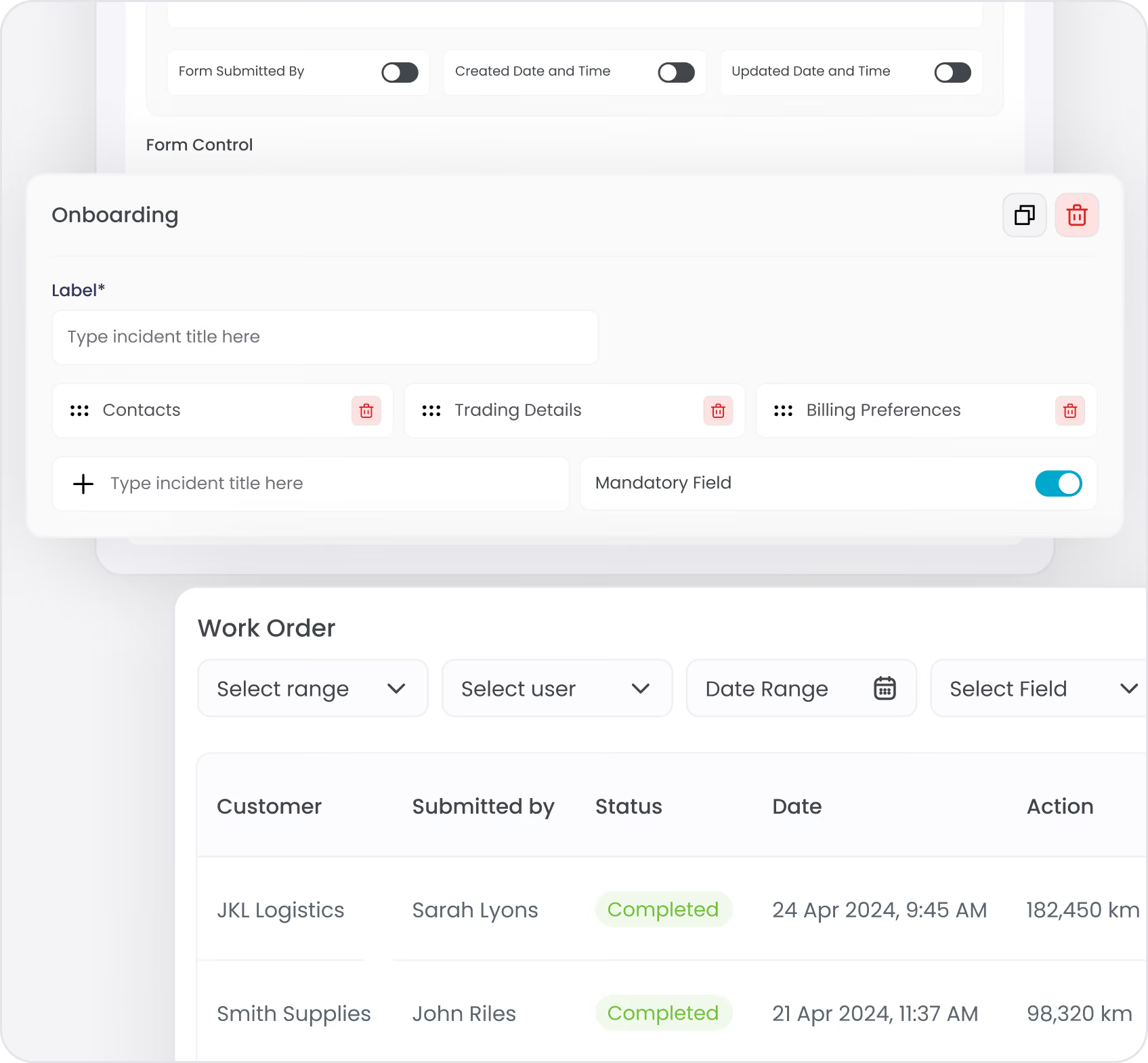
  • Customer onboarding forms (contacts, trading details, billing preferences)
  • Customer change request forms (service changes, lane changes, new products)
  • Site profile forms (loading rules, PPE, booking windows, access constraints)
  • Site risk snapshots to support scheduling and planning
  • Customer-specific SOP acknowledgement forms
Why it matters:
  • Collect the same set of details for every customer and site, so nothing is missed
  • Capture information that currently lives in people's heads before it's lost
  • Gather up-to-date details when staff, sites or requirements change
  • Build a structured record of what was collected, when, and by whom
Internal admin & support forms

Clean up the small processes that slow everyone down

Not every internal process needs a dedicated module. Custom forms are a light-weight way to digitise the checklists and approvals that keep your operation moving.
Examples of internal forms:
  • New driver / staff onboarding checklists (equipment, access, training steps)
  • Internal request forms (IT access, equipment requests, vehicle allocations)
  • Simple audit prep checklists for depots or business units
  • Record-keeper or site setup templates for Hubfleet itself
  • "Lessons learned" or continuous improvement capture after major events
Why it matters:
  • Fewer ad-hoc spreadsheets and one-off templates
  • Structured collection replaces informal email and verbal requests
  • Easier to demonstrate that your processes are actually being followed
How the form builder works

Configure once, reuse everywhere

Admin experience:
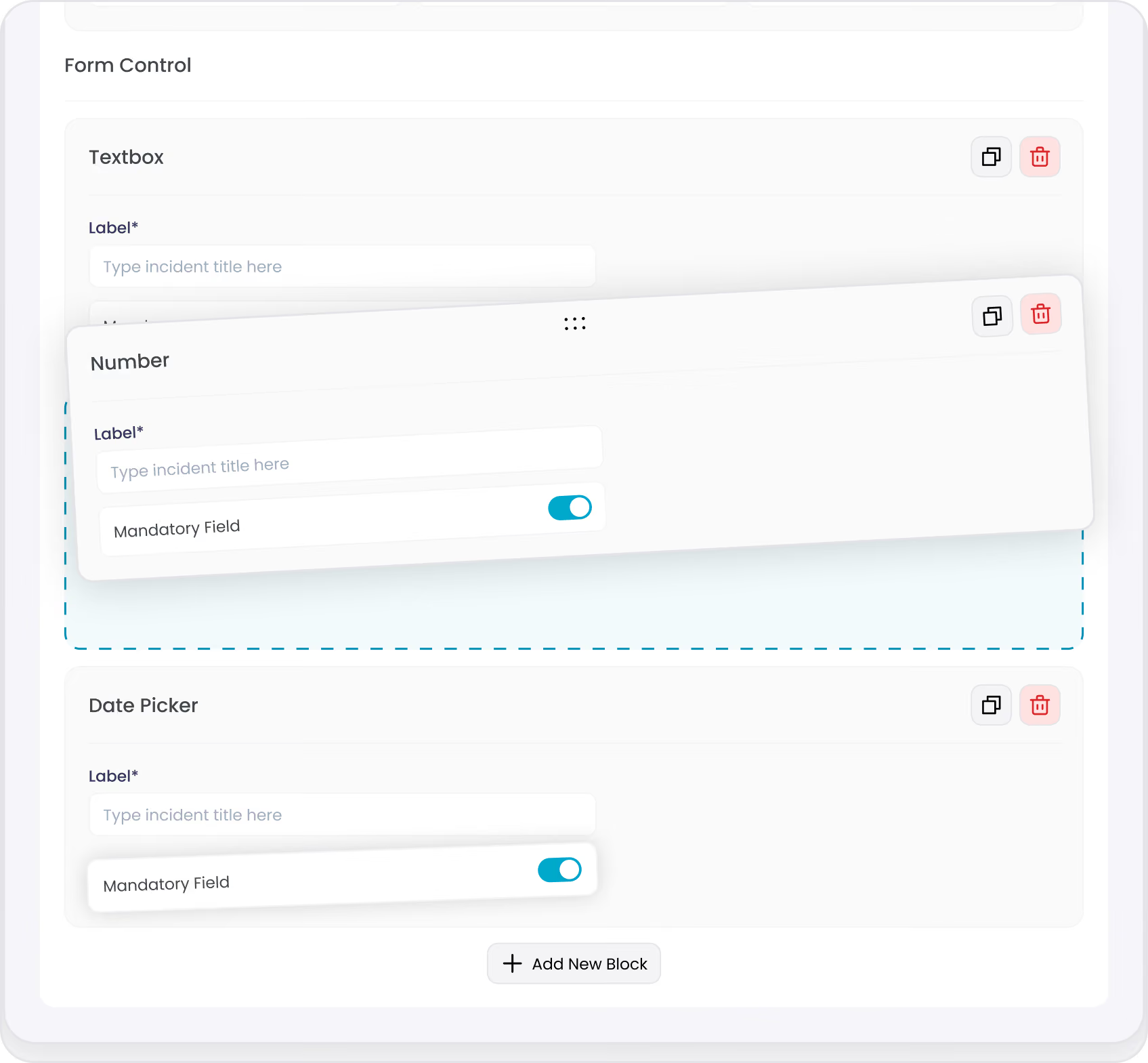
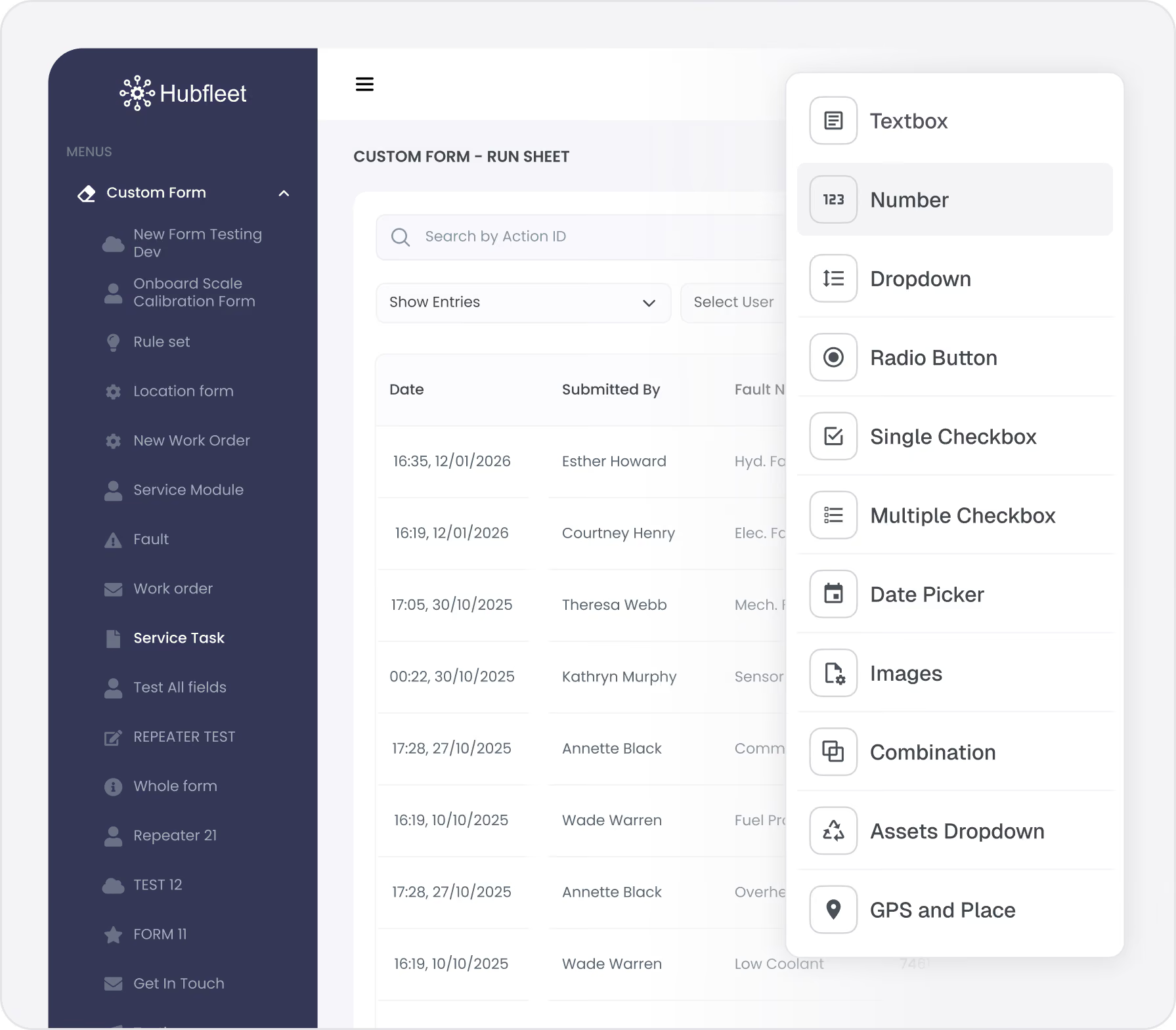
  • Add fields with a click and drag to reorder (text, numbers, dates, dropdowns, checkboxes, photos and more)
  • Use repeater fields to capture variable-length data like multiple stops, deliveries or line items — drivers just add rows as needed
  • Set required fields and simple validation so critical information is never missed
  • Group questions into logical sections for longer forms
  • Copy and adapt existing forms to create new ones quickly
  • Update forms over time without needing developers or IT
Driver and staff experience:
  • Clean, mobile-optimised layout that works while on the move
  • Pre-filled details where possible (for example, current driver, vehicle or job)
  • Support for photos, notes and attachments to add context
  • Save and resume for longer forms if needed
  • Offline capture when out of coverage, with automatic sync later
Submissions and audit trails

Turn form submissions into structured records

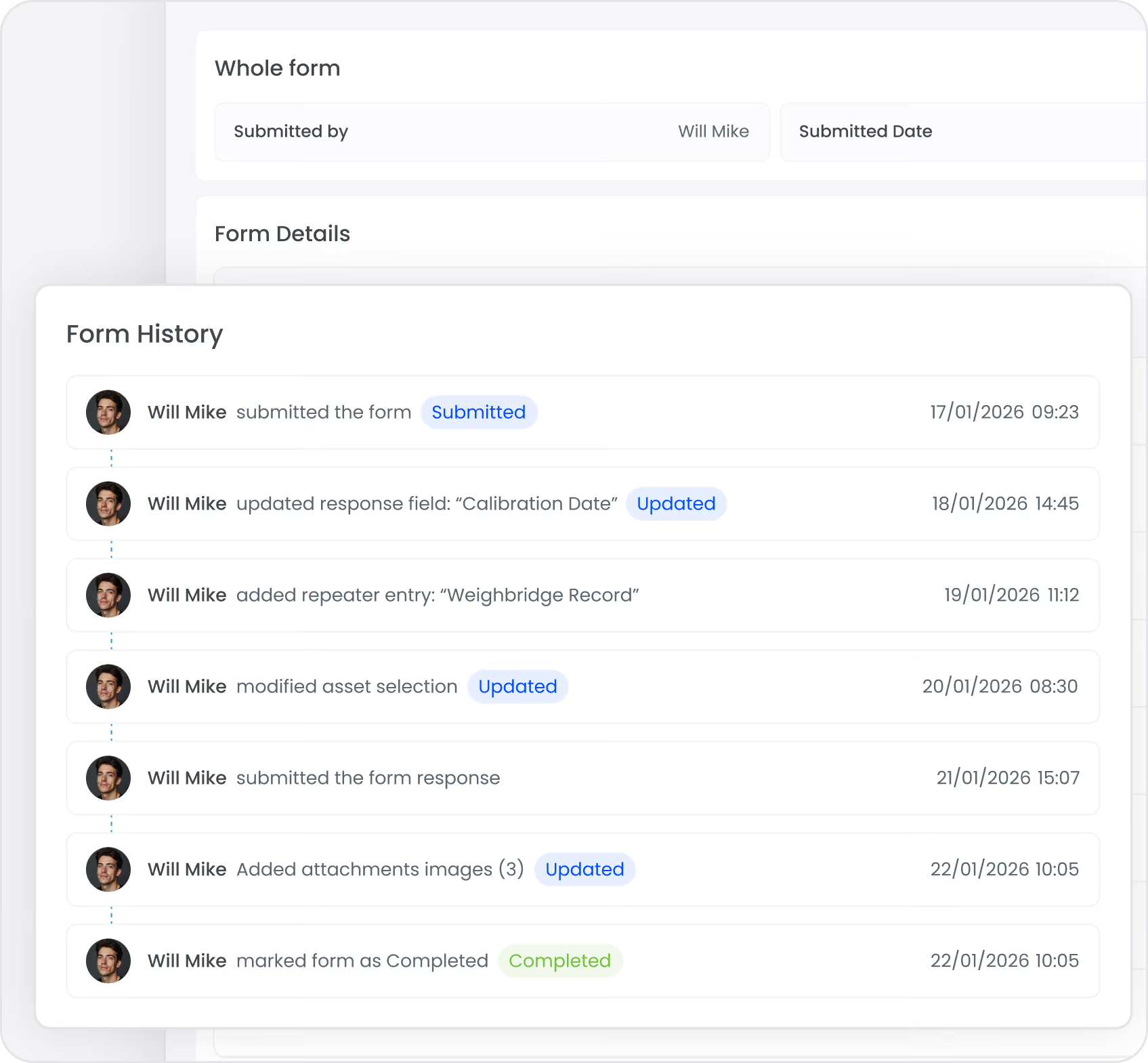
Forms only add value if they create clear records and enable follow-up. Hubfleet stores each submission with full audit trails and makes them easy to find and review.
From submission to structured record:
  • Submissions are stored with full context (who, what, when, where)
  • Download and export submissions for record-keeping
  • Lock completed submissions to prevent further changes
  • Full change history so you can see what was updated and when
Audit-ready by default:
  • Time-stamped records of who submitted what, when and from where
  • Complete edit history on every submission
  • Easy export of forms and associated records for customer reviews or audits
  • Evidence that your documented processes are being followed in practice

Examples of how customers use Custom Forms & Data Capture

Green check mark icon inside a rounded white square.
Run sheets with repeater fields
drivers log each pick-up and drop-off as they go, no matter how many stops the shift involves
Green check mark icon inside a rounded white square.
Compulsory end-of-shift forms
capture overnight allowances, dangerous goods details and other payroll-relevant data tied directly to the completed shift record
Green check mark icon inside a rounded white square.
Customer onboarding forms
collect contacts, trading details and billing preferences in one standard form
Green check mark icon inside a rounded white square.
Site profile forms
collect loading rules, PPE requirements, booking windows and access constraints from site managers in a consistent format
Green check mark icon inside a rounded white square.
Wait-time and delay capture
structured data to support pricing reviews and service improvement
Green check mark icon inside a rounded white square.
Internal checklists
digitise onboarding packs, audit prep and depot setup processes
Green check mark icon inside a rounded white square.
Lessons learned forms
capture structured improvement ideas after major incidents or disruptions

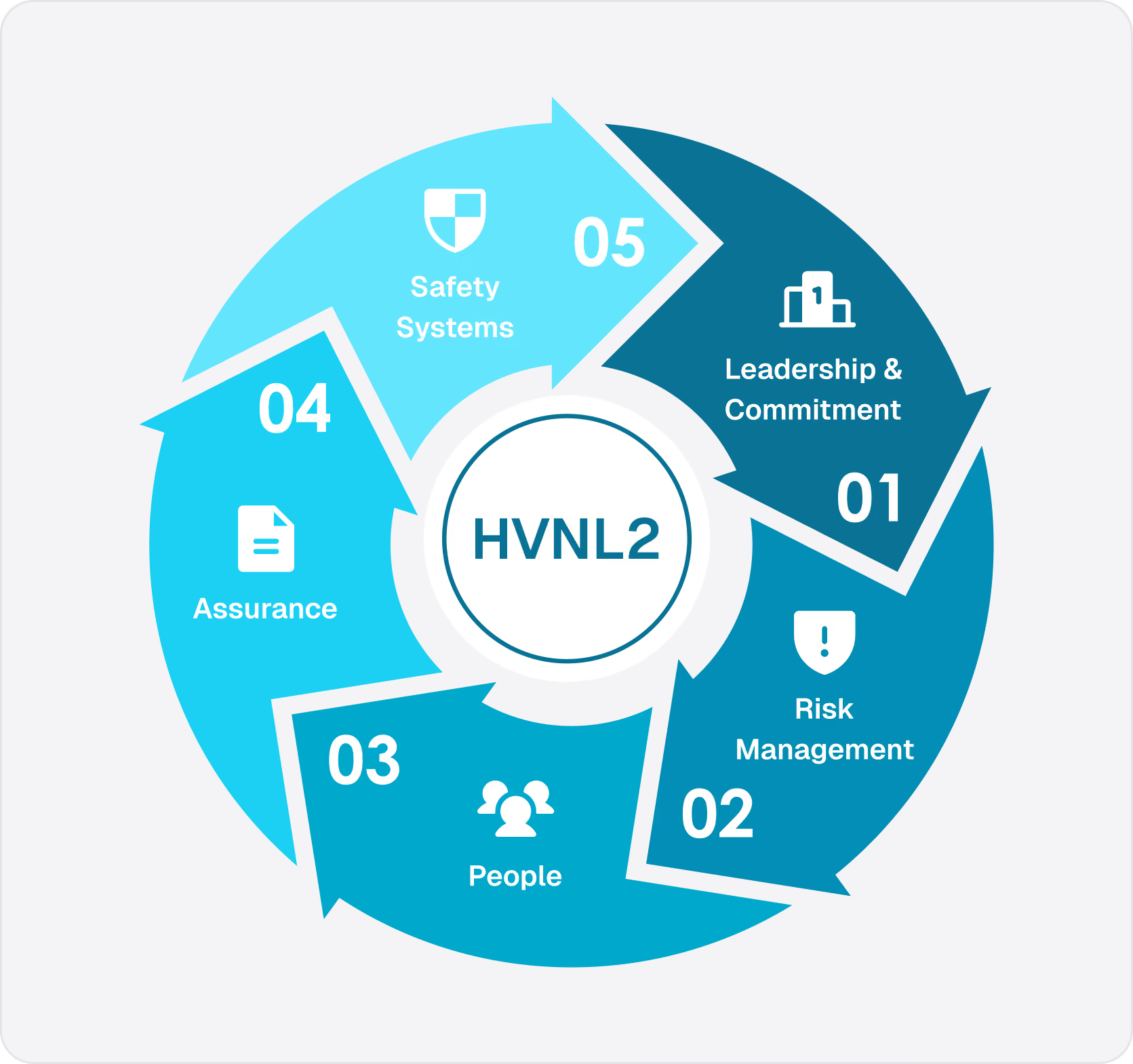
Getting ready for HVNL Reform?

Custom forms are part of Hubfleet's Safety Management System. With HVNL reforms requiring operators to have a documented SMS in place to access alternate compliance options from mid-2026, digitising your operational and safety processes now puts you ahead of the curve — and gives you the audit-ready records to prove it.

Why Hubfleet for your custom forms

Built into your existing platform
Ready for growth and compliance
  • Scales from a single depot to multi-site national operations
  • Easier preparation for service reviews, tenders and audits
  • Faster, more accurate responses to customer queries and disputes
Australian-built and supported
  • Designed for Australian heavy vehicle operators
  • Backed by local support and ongoing product development

Get started with Custom Forms & Data Capture

Stylized blue paper airplane icon with shadow on transparent background.
Start Free Trial
Recommended for most fleets
Best if you're ready to get drivers logging now and explore Hubfleet at your own pace.
Icon
Full platform access — every feature, no limits
Icon
Drivers can start on EWD today
Icon
Real EWD, SMS, and compliance reporting from day one
Icon
No upfront costs · No lock-in contract
Start Free Trial
Icon of a calendar with blue top binder and dark gray date display area.
Book your Demo
Best for larger fleets or complex setups
Best if you've got specific integration questions, multiple sites, or want a tailored walkthrough first.
Icon
Tailored to your fleet and use case
Icon
30 minutes with a Hubfleet specialist
Icon
See the platform mapped against your fleet's compliance obligations
Icon
Get HVNL and SMS questions answered live
Book your 30-Minute Demo
Want to see plans first?
Icon
500+ Australian operators
Icon
NHVR approved
Icon
Free trial
Icon
Australian-based support