


Home
Solutions

Mass Management for Heavy Vehicles

Stay Legal. Stay Profitable. Stay Safe.

Take control of mass compliance and avoid costly fines with Hubfleet's digital mass management system. Record every load weight, track axle group compliance, and prove you took all reasonable steps to stay within legal limits—all from your driver's phone or office dashboard.

Digital Weight Recording | Chain of Responsibility Protection | NHVR Compliance

Icon
Free trial available
Icon
Full platform access from day one

Why Australian Operators Choose Hubfleet for Mass Management

Green check mark icon inside a rounded white square.
Chain of Responsibility Protection
Demonstrate due diligence with complete weight records
Green check mark icon inside a rounded white square.
Mobile Weight Recording
Drivers capture weights, tickets, and photos via the Loads/Trips form in minutes
Green check mark icon inside a rounded white square.
GML Single-Click Entry
If under General Mass Limits, drivers confirm with one tap instead of entering individual weights
Green check mark icon inside a rounded white square.
Overweight Flagging
System validates entries against configured limits and flags non-compliant loads
Green check mark icon inside a rounded white square.
Complete Audit Trail
Every weight record timestamped and GPS-verified
Green check mark icon inside a rounded white square.
Integrated with EWD
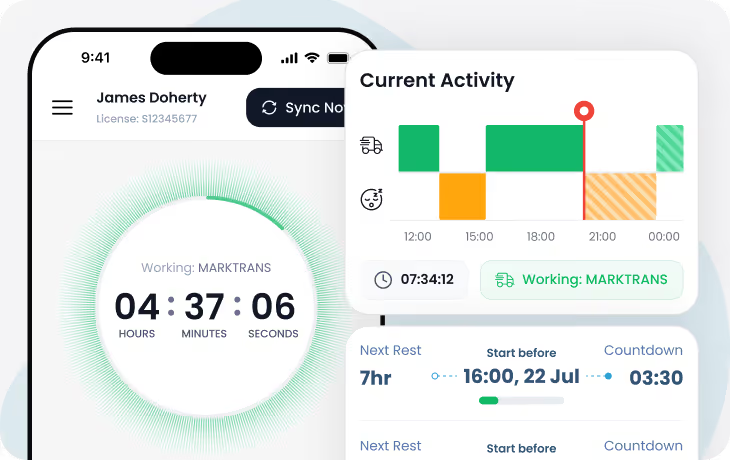
Mass management works seamlessly with your fatigue management

Who Benefits from Hubfleet's Mass Management

Icon of a truck with a gear symbol on its cargo area representing delivery or service.
For Transport Managers
Icon
Fleet-wide visibility of all vehicle weights and compliance status
Icon
Overweight flagging when drivers record loads exceeding configured limits
Icon
Mass compliance reports showing trips per driver and non-compliant percentages
Icon
Audit-ready records proving due diligence for CoR compliance
Icon
Configurable accreditation schemes — GML, CML, HML, and custom schemes (e.g. WA)
Icon
Quarterly compliance reporting consolidating mass data for NHVAS audits
Blue and gray steering wheel icon centered on a white square with rounded corners and a blue shadow background.
For Drivers
Icon
Quick weight recording via the Loads/Trips form with photo attachments
Icon
GML single-click entry — confirm you're within general mass limits with one tap
Icon
Weighbridge ticket capture — photograph dockets and attach them to load records
Icon
Axle weight entry for CML and HML loads with per-axle-group breakdown
Icon
Vehicle and trailer combinations remembered from previous selections
Icon
Offline capability — record loads offline, data syncs when back in range
Icon of a user silhouette with a gear symbol, representing user settings or account configuration.
For Compliance Officers
Icon
Complete CoR evidence showing due diligence in mass management
Icon
Overweight load visibility — non-compliant entries flagged in the system for review
Icon
Mass compliance reports detailing compliant and non-compliant loads by driver and period
Icon
Incident reporting — log mass infringements or overweight events via Incident Reports
Icon
Quarterly NHVAS reporting with consolidated mass data ready for auditors
Icon
Proof of reasonable steps to prevent mass limit breaches
Mobile Weight Recording

Capture Every Load in Just a Few Taps

The Problem We Solve:
Drivers scribble weights on paper dockets or text them to dispatch. Weighbridge tickets get lost. When an overweight fine arrives or NHVR investigates, you can't prove what the driver knew about the load weight before departure—leaving you exposed under Chain of Responsibility.
With Hubfleet:
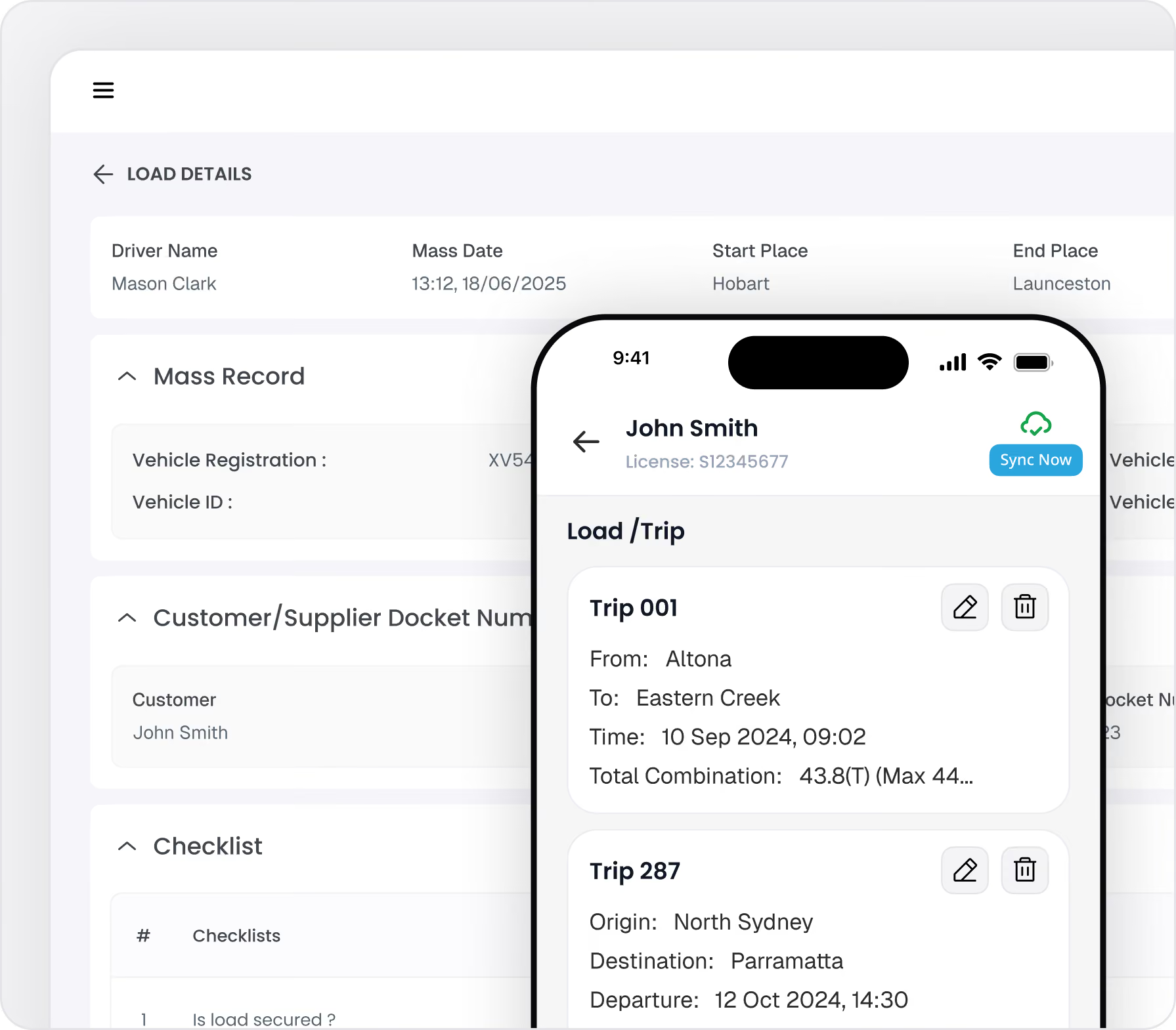
Drivers record gross weight, axle weights, and load details directly from their phone before departure. They photograph weighbridge tickets, dockets, or load manifests—all GPS-stamped and timestamped. Every weight record is instantly visible to managers, creating an unbreakable audit trail.
How the Loads/Trips Form Works:
  • Select vehicle and combination (prime mover, trailer, dolly) — the system remembers previous selections
  • Enter from and to locations for the trip
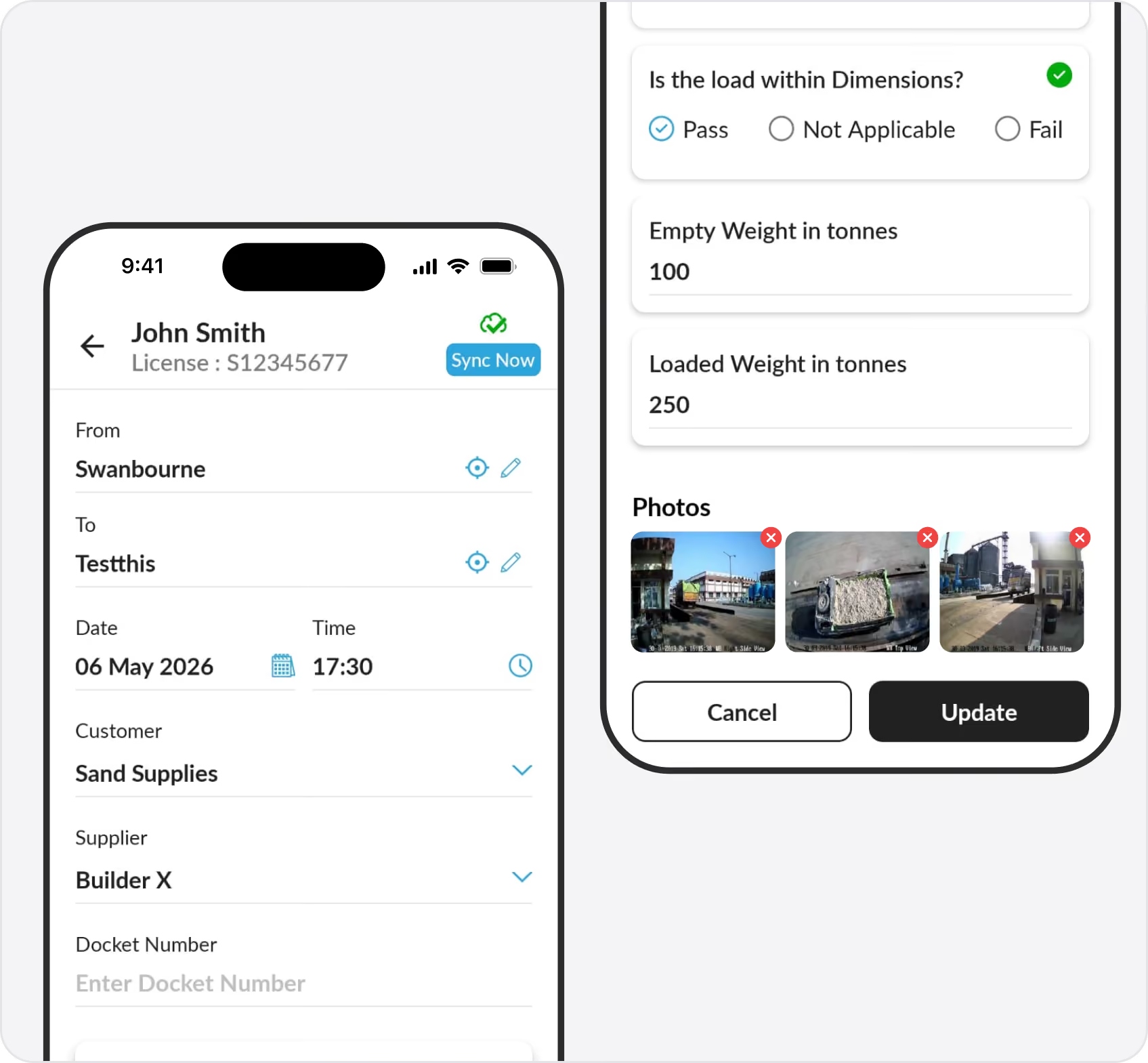
  • GML single-click entry: If axle weights are within General Mass Limits, drivers confirm with a single tap — no individual weights required
  • Detailed axle weight entry: For CML or HML loads, select the accreditation scheme and enter weights per axle group. The system validates against configured limits and flags overweight entries
  • Attach photos of weighbridge dockets, load manifests, or on-board scale readings
  • Add customer, supplier, and docket number references
  • GPS location and timestamp captured automatically
On-Board Scales:
For operators using on-board scales (e.g. Right Weigh), drivers can enter the readout data directly into the Loads/Trips form. For scale calibration verification, operators can use Hubfleet's Custom Forms feature to build dedicated calibration record forms — capturing weighbridge certificate readings alongside on-board scale readings for comparison.
Overweight Detection & Compliance Visibility

Know When a Load Exceeds Legal Limits

The Problem We Solve:
A driver records weights on a paper docket but nobody checks until weeks later — if at all. By the time an overweight load is discovered, the trip is long finished, and you have no record of what action was taken. When NHVR investigates, you can't demonstrate that your systems caught the issue or that you responded.
With Hubfleet:
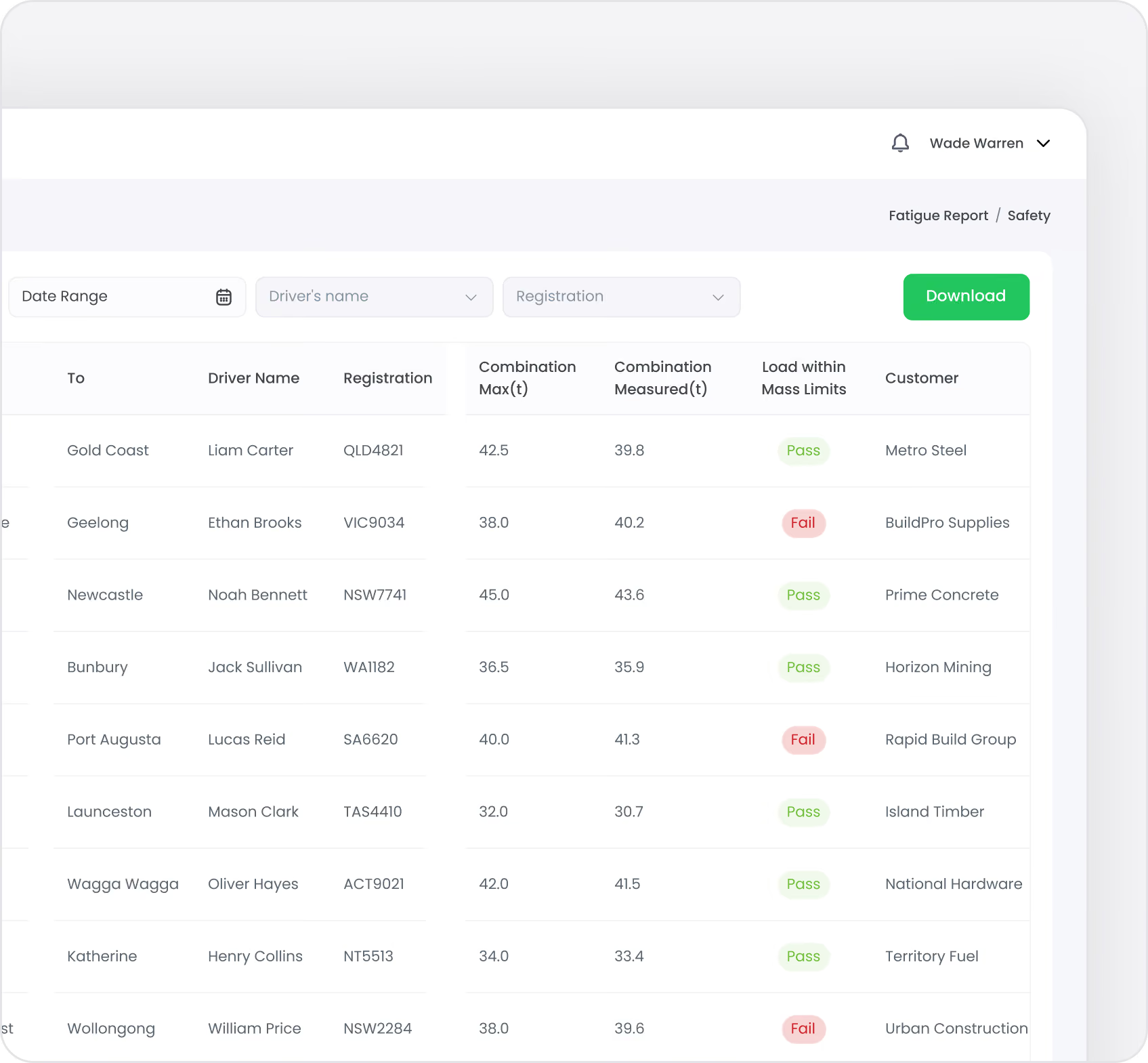
When a driver enters axle weights that exceed the configured limits for their vehicle's accreditation scheme, the system immediately flags the entry as non-compliant. The overweight condition is visible in the mass records for managers to review. Mass compliance reports show the number of compliant and non-compliant loads by driver and time period, giving you visibility into where overweight issues are occurring.
How It Works:
  • Axle group limits are configured per vehicle for each accreditation scheme (GML, CML, HML, custom)
  • When a driver enters weights exceeding any configured limit, the entry is flagged as non-compliant
  • Mass compliance reports show non-compliant percentages by driver and period
  • Overweight events can be logged as Incident Reports for investigation and corrective action
  • Quarterly mass reports consolidate compliance data for NHVAS audits
Accreditation Scheme Configuration:
Hubfleet comes with GML, CML, and HML schemes pre-configured. You can also add custom accreditation schemes — for example, WA-specific schemes or PBS (Performance Based Standards) configurations. Each vehicle has its axle groups defined with limits per scheme, so the system validates against the correct limits based on what the driver selects.
Complete Weight History

Every Load Recorded, Tracked, and Auditable

The Problem We Solve:
You're audited by NHVR or receive a CoR prosecution notice. You need to prove your driver knew the load weight before departure and that you have systems to prevent overweight vehicles. Your paper records are incomplete, and you can't prove when or where weights were recorded.
With Hubfleet:
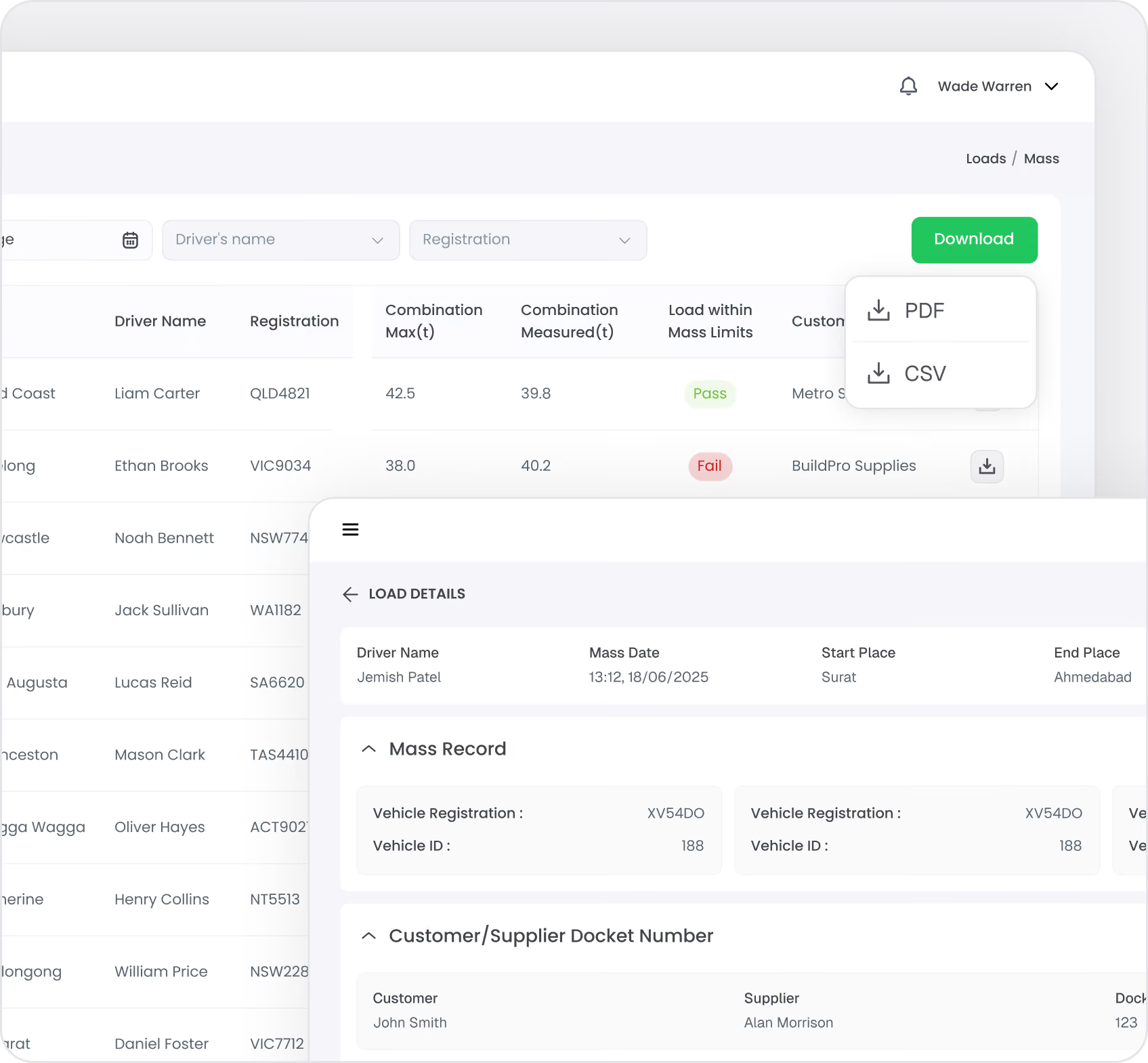
Every weight record includes who recorded it, when, where (GPS), the vehicle, the load details, and photographic evidence. Weights are linked to trips, customers, and routes—giving you complete traceability. Export weight reports for any date range, vehicle, or customer.
Comprehensive Weight Records:
  • Full history for every vehicle and driver
  • Search by date range, customer, route, or load type
  • Link weights to specific trips and work diary entries
  • Attach weighbridge tickets, dockets, and load manifests
  • GPS coordinates proving where weight was recorded
  • Timestamps showing when driver became aware of weight
Chain of Responsibility Evidence:
These detailed, timestamped weight records form the backbone of your CoR defence — see how Hubfleet builds a complete evidence package in the Chain of Responsibility Protection section below.
Integration with Safety Management System

Link Mass Management to Your SMS

The Problem We Solve:
Overweight events are safety risks, but they're tracked separately from your incident and hazard management. When NHVR audits your SMS, you can't show how mass compliance integrates with your risk management process — failing to demonstrate a systematic approach to safety.
With Hubfleet:
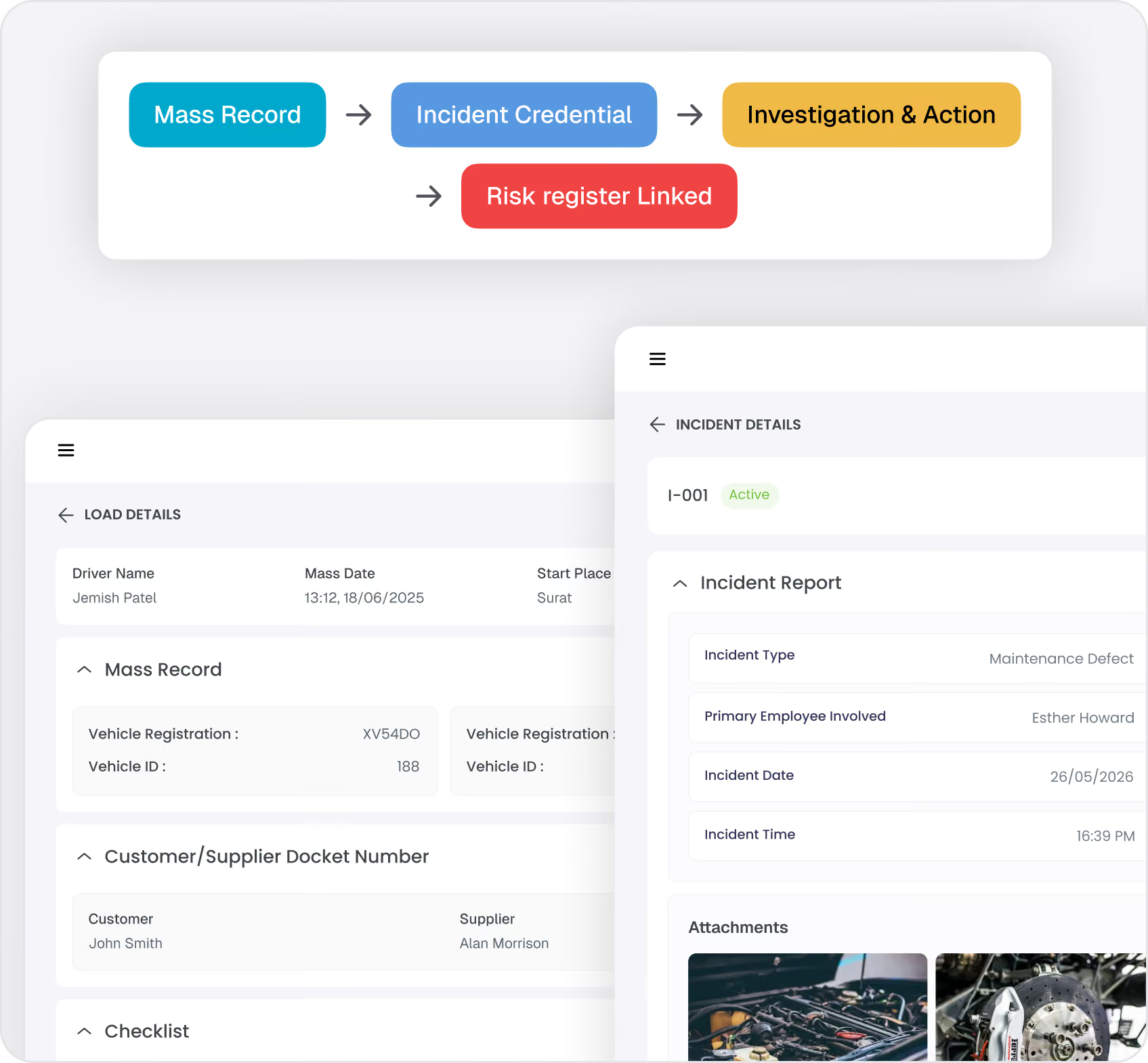
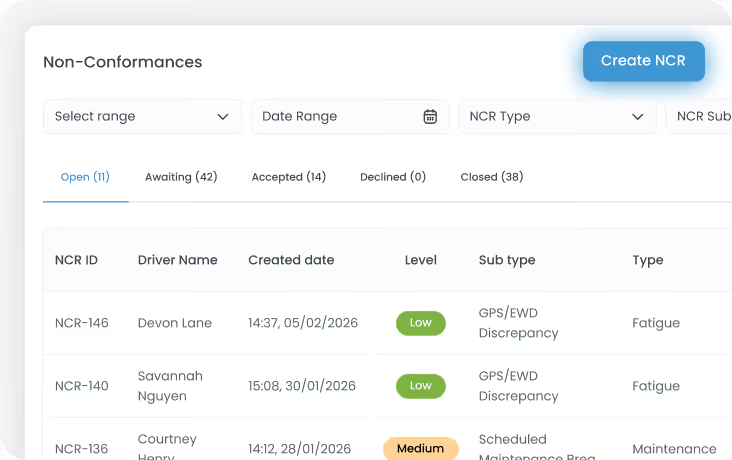
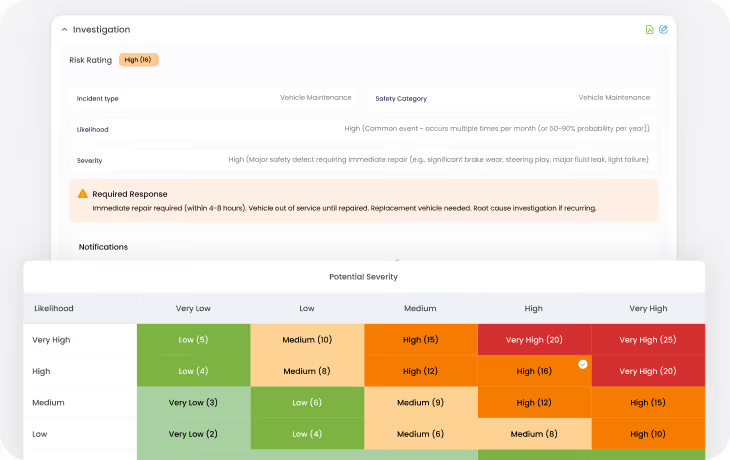
Mass management sits within the same platform as your Incident Reports, NCRs training records, and risk management. When an overweight event occurs, you can create an Incident Report to document the circumstances, investigate root causes, and assign corrective actions. NCRs can be created directly from mass records — each NCR includes a risk rating, and corrective actions are tracked through to closeout in the Actions Register.
How Mass Connects to Other Modules:
  • Incident Reports: Log overweight events as incidents with investigation notes, root cause analysis, and corrective actions
  • NCRs: Create Non-Conformance Reports directly from mass records, with risk rating included. Corrective actions are tracked through to closeout and recorded in the Actions Register
  • Training Records: Link mass events to training needs — driver retraining on loading procedures, weighbridge use, or mass compliance requirements
  • Policy Library: Store your mass management procedures alongside other SMS policies, with driver acknowledgment tracking
  • Mass Reports: Quarterly compliance reports consolidate mass data alongside maintenance and fatigue data for a complete NHVAS audit package
HVNL reforms Compliance:
HVNL reforms requires operators to systematically manage risks across all operations — including mass management. Having mass records, incident investigations, corrective actions, and training all in one system demonstrates that your mass compliance is integrated into your Safety Management System, not managed in isolation.

Chain of Responsibility Protection

Under Australia's Chain of Responsibility laws, everyone in the supply chain can be held liable for mass breaches—not just the driver. This includes:

  • Operators (transport companies)
  • Schedulers (dispatch and route planners)
  • Loading managers (warehouse and depot staff)
  • Consignors and consignees (customers loading or receiving freight)

You must prove you took "all reasonable steps" to prevent breaches.

Hubfleet's CoR Protection System:

Green check mark icon inside a rounded white square.
Written Policies
Digital mass management procedures in your policy library with driver acknowledgment tracking
Green check mark icon inside a rounded white square.
Staff Training
Training records showing drivers and schedulers completed mass management training
Green check mark icon inside a rounded white square.
Systems and Processes
Digital weight recording via Loads/Trips form with overweight flagging
Green check mark icon inside a rounded white square.
Monitoring
Mass compliance reports showing compliant and non-compliant loads by driver and period
Green check mark icon inside a rounded white square.
Corrective Actions
Incident Reports and NCRs (with risk ratings and corrective actions) tracked in the Actions Register
Green check mark icon inside a rounded white square.
Complete Records
Audit-ready evidence with GPS, timestamps, photos, and accreditation scheme details

When NHVR or prosecutors investigate a mass breach, Hubfleet provides the documentation proving your due diligence—protecting your business from CoR liability.

HVNL reforms and Mass Management

HVNL reforms' Risk-Based Compliance requires operators to identify, assess, and control risks across all operations. Mass breaches are a significant risk:
Blue car icon with an exclamation mark inside a triangle above it indicating a safety risk.
Safety Risk
Overweight vehicles have longer stopping distances, reduced maneuverability, and increased rollover risk
Document icon with a shield and checkmark symbolizing security or compliance.
Regulatory Risk
Fines, license sanctions, and CoR prosecution
Blue gear icon with an exclamation mark warning symbol.
Operational Risk:
Vehicle damage, increased maintenance costs, and downtime
Blue ribbon award icon with a circular center and two vertical ribbon tails.
Reputational Risk
Customer trust and industry standing
How Hubfleet Addresses Mass Risk Under HVNL reforms:
Blue document icon with a magnifying glass symbolizing audit readiness.
Risk Identification:
Overweight loads are flagged by the system and can be logged as Incident Reports for formal investigation
Blue clipboard with a black handle and a black warning triangle containing an exclamation mark on the bottom right.
Risk Controls:
Controls include driver training on loading procedures, digital weight recording with compliance validation, and mass management policies in your policy library
Blue rectangular screen with rounded corners above a small horizontal gray bar on a white background.
Control Monitoring:
Mass compliance reports show non-compliant percentages by driver and period — giving you data on whether controls are working
Document icon with a shield and checkmark symbolizing security or compliance.
Corrective Actions:
NCRs created from mass records include a risk rating with corrective actions tracked through to closeout in the Actions Register
Blue document icon with a magnifying glass symbolizing research or evidence review.
Audit Evidence:
Complete load records with weights, photos, GPS, timestamps, and accreditation scheme details — plus quarterly NHVAS compliance reports
Having mass records, incident investigations, corrective actions, and training all in one platform demonstrates systematic mass management integrated with your SMS — not a standalone weight tracking tool.
Get Started in Days, Not Months
Free guides, tools, and frameworks to start preparing for HVNL today — built by Australian compliance specialists and trusted by 500+ fleets.
Blue binder or folder with three horizontal black lines on the front cover.
HVNL Compliance Guide
What HVNL means for your fleet — explained in plain English
  • All 5 SMS outcome areas explained
  • Implementation timeline & milestones
  • Fleet preparation checklist
  • Gap assessment framework
  • Change summary from current HVNL
Read the Guide
HVNL Compliance Toolkit
Free downloadable templates to start preparing today.
  • Gap analysis template (5 outcome areas)
  • Pre-audit readiness checklist
  • SMS implementation tracker
  • PSOE evidence mapping
  • Implementation timeline template
Get the Free Toolkit
Audit Preparation Guide
The questions NHVR auditors ask — and where to find your answers.
  • Common auditor questions by outcome area
  • Direct answers showing where evidence sits in Hubfleet
  • PSOE framework explained
  • Audit-day preparation checklist
  • Real auditor scenarios
Read the Audit Guide

Frequently asked questions

How do drivers record weighbridge data?
Drivers photograph weighbridge dockets and attach them to their load record in the Loads/Trips form. The photo is stored with GPS location and timestamp as part of the audit trail. For operators using on-board scales (e.g. Right Weigh), drivers enter the readout data directly into the form. For scale calibration verification, you can build a Custom Form to capture weighbridge certificate readings alongside on-board scale readings.
Can we record weights for trailers and semi-trailers separately?
Yes. Hubfleet supports combination vehicles with separate weight recording for prime movers, trailers, and dollies. You can record axle group weights for each component and track GCM (Gross Combination Mass) compliance. Vehicle configurations are stored, making it quick for drivers to record weights for familiar combinations.
What happens if a driver records an overweight load?
The system flags the entry as non-compliant when the entered weights exceed the configured limits for the vehicle's accreditation scheme. The overweight load is visible in the mass records for managers to review. You can then create an Incident Report to document the event and investigate the root cause, or create an NCR directly from the mass record — complete with risk rating — to track corrective actions through to closeout in the Actions Register.
Can we set custom weight limits for different vehicle types?
Yes. Each vehicle has its axle groups configured with limits for each accreditation scheme (GML, CML, HML). You can also add custom accreditation schemes — for example, WA-specific schemes or PBS configurations. When a driver selects their accreditation scheme in the Loads/Trips form, the system validates against the correct limits for that vehicle and scheme.
How does this protect us under Chain of Responsibility?
Hubfleet provides evidence of reasonable steps: documented mass management policies (with driver acknowledgment), training records, digital weight recording with timestamps and GPS, overweight flagging with compliance reports, and Incident Reports or NCRs documenting investigation and corrective actions for overweight events. This audit trail demonstrates due diligence, which is the primary defense under CoR laws.
Can drivers use this offline in remote areas?
Yes. Drivers can record weights offline, and data syncs automatically when connectivity is restored. Photos are stored locally until upload is possible. This ensures compliance recording happens even in areas without mobile coverage.
What reports are available for audits and investigations?
You can generate weight history reports by vehicle, driver, date range, customer, or route. Reports include all weight records with photos, GPS locations, timestamps, and compliance status. Export as PDF or CSV for auditors, regulators, or legal proceedings.
Do we need special hardware or equipment?
No. Drivers use their existing smartphones to record weights and capture photos via the Loads/Trips form in the Hubfleet mobile app. If you use on-board scales, drivers manually enter the readout data into the form.
What is the GML single-click entry?
If a load is within General Mass Limits, drivers don't need to enter individual axle weights. They simply confirm with a single tap that they're within GML, and the system records it. If the load is under CML, HML, or another scheme, the driver selects the scheme and enters the detailed axle weights. This makes the most common scenario — a GML-compliant load — as fast as possible.
Can we use Custom Forms for additional mass data?
Yes. Hubfleet's Custom Forms feature lets you build any type of form for drivers or office staff to complete. This is useful for capturing additional mass-related data beyond the standard Loads/Trips form — for example, on-board scale calibration records, customer-specific loading checklists, or weighbridge verification forms. Custom Forms can be completed on both the mobile app and web portal.

Ready to Protect Your Business from Mass Breaches?

Stylized blue paper airplane icon with shadow on transparent background.
Start Free Trial
Recommended for most fleets
Best if you're ready to get drivers logging now and explore Hubfleet at your own pace.
Icon
Full platform access — every feature, no limits
Icon
Drivers can start on EWD today
Icon
Real EWD, SMS, and compliance reporting from day one
Icon
No upfront costs · No lock-in contract
Start Free Trial
Icon of a calendar with blue top binder and dark gray date display area.
Book your Demo
Best for larger fleets or complex setups
Best if you've got specific integration questions, multiple sites, or want a tailored walkthrough first.
Icon
Tailored to your fleet and use case
Icon
30 minutes with a Hubfleet specialist
Icon
See the platform mapped against your fleet's compliance obligations
Icon
Get HVNL and SMS questions answered live
Book your 30-Minute Demo
Want to see plans first?
Icon
500+ Australian operators
Icon
NHVR approved
Icon
Free trial
Icon
Australian-based support