




What Triggers an NCR?
One-Click NCR Creation — Integrated Across Your Modules
The Problem We Solve:
When a safety control fails — a driver breaches fatigue limits, a GPS cross-check reveals a discrepancy, or a vehicle fails a pre-start inspection — most operators handle it informally. A phone call, a verbal warning, maybe a note in a spreadsheet. There's no structured process, no documented investigation, and no evidence that the issue was properly addressed. When auditors ask "what did you do about it?", there's nothing to show.
With Hubfleet:
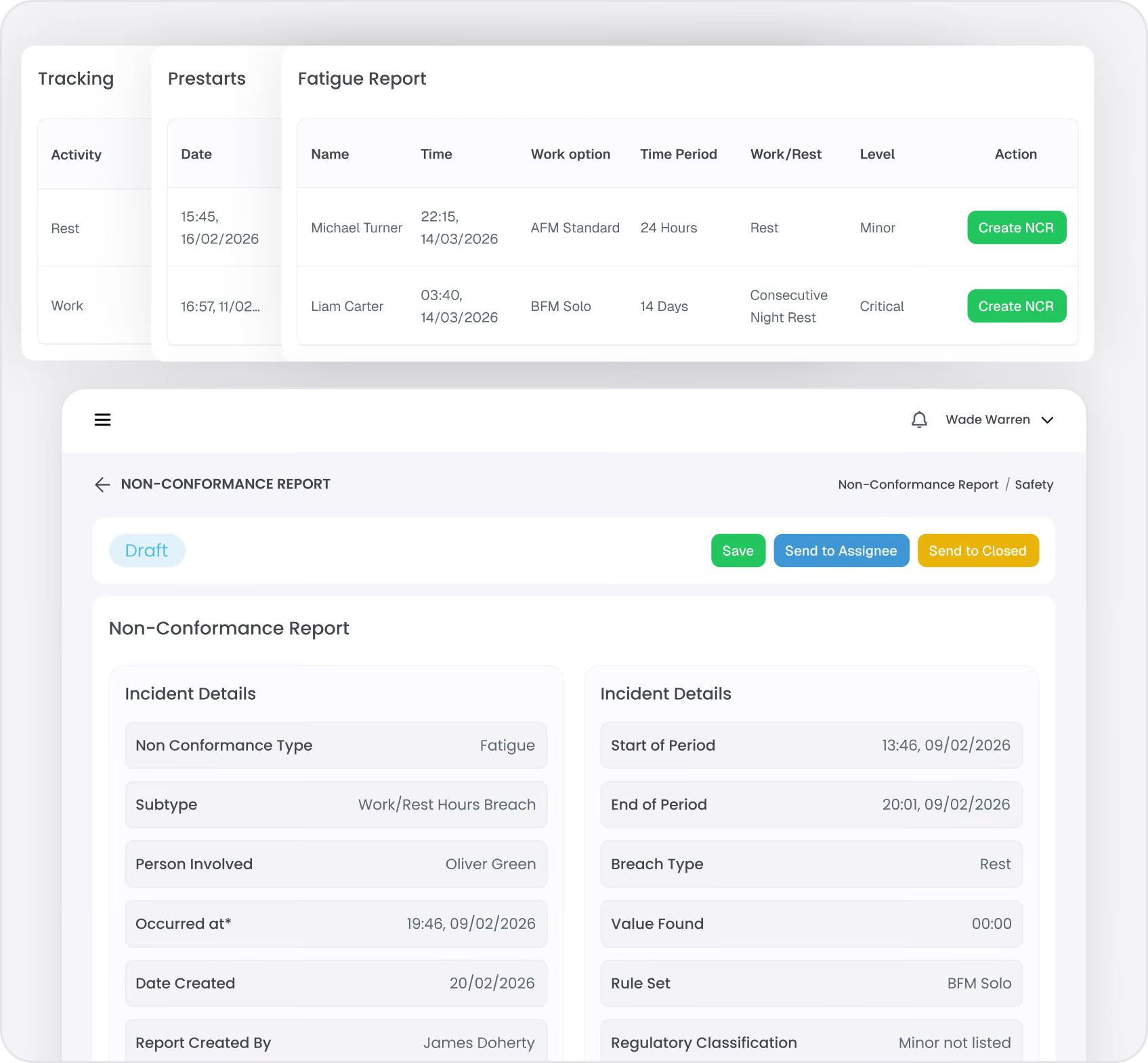
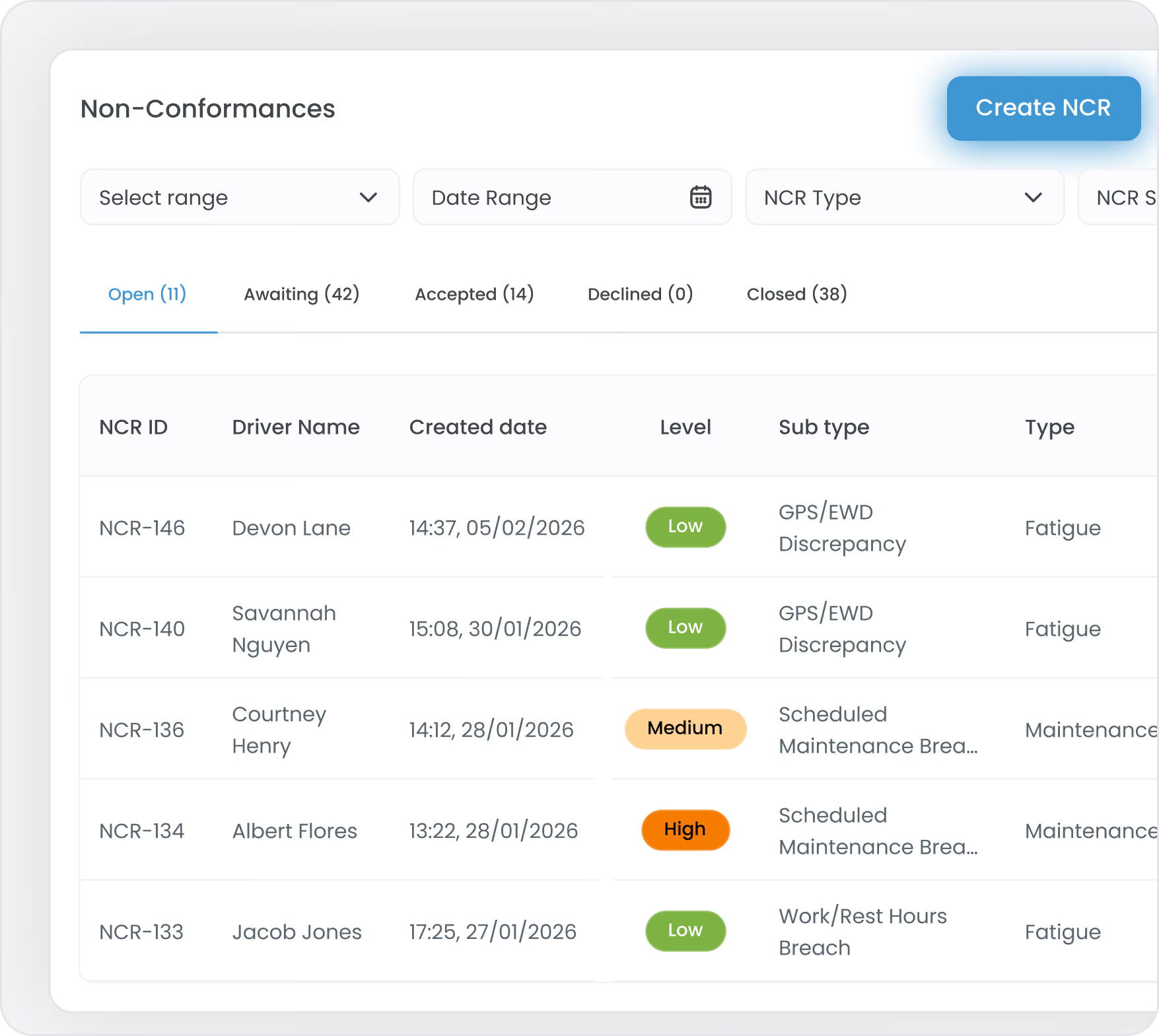
Hubfleet flags non-conformances across your connected modules. When you see a flagged event, click the + NCR button right next to it. Hubfleet instantly creates the NCR and pulls in all context-specific evidence automatically — no copying, no cross-referencing, no searching for data.
Click + NCR next to any fatigue breach. The NCR is pre-populated with the breach level, the rule set the driver was operating under, and the complete work/rest pattern leading up to the breach. Investigators can see exactly what happened — not just that a breach occurred, but why it occurred and whether existing controls (schedule checking, shift-start simulations, alerts) failed to prevent it.
Click + NCR next to any GPS cross-check discrepancy — whether a driver moved while recorded as resting, or declared and actual locations don't match. The NCR is created with the driver's declared status, GPS timeline, speed, and location data attached, providing objective evidence for investigation rather than relying on verbal explanations.
Pre-Start Inspections (Maintenance Management)
Click + NCR next to a failed pre-start item. The NCR is linked to the specific vehicle, the defect identified, and the inspection record — connecting maintenance non-conformances to the vehicle and fleet management systems.
Click + NCR next to a mass record issue. Load details, weighbridge data, and vehicle information are linked directly. Mass non-conformances — overloading events, dimension breaches, or load restraint failures — are documented with full context from the mass record.
General Safety Issues:
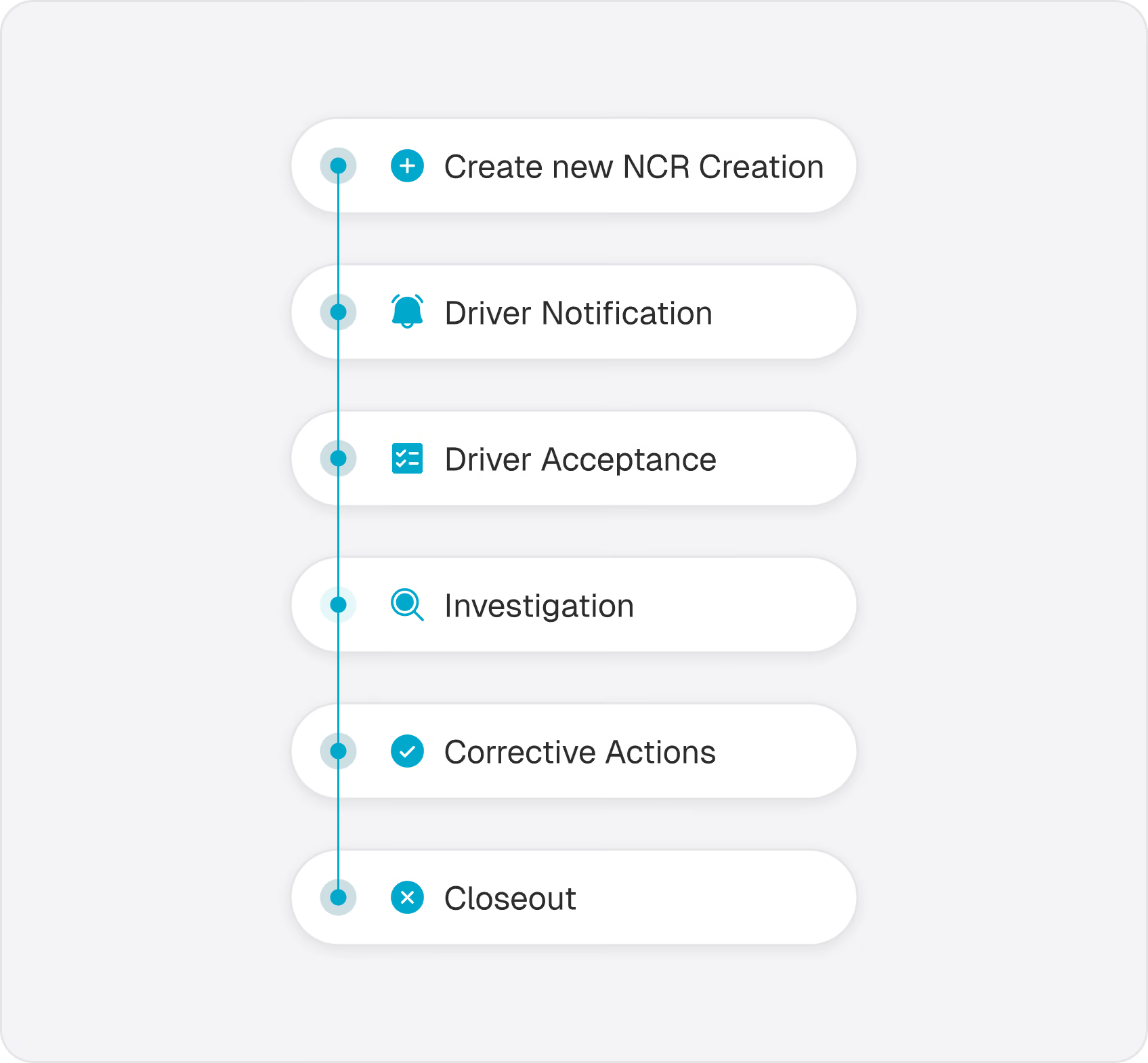
Not every non-conformance comes from a system-flagged event. Safety managers can create NCRs manually for any safety concern — policy violations, procedural failures, near-misses, or other issues identified through observation or reporting. These NCRs follow the same structured workflow. While evidence isn't pulled in automatically, users can add free-text descriptions and upload documents and photos directly to the NCR as supporting evidence.
Every NCR is created with source data attached — the specific event record, GPS log, pre-start result, mass record, or uploaded evidence. Investigators don't need to go searching for context; it's all linked from the moment the NCR is created.