




Home
Solutions

Electronic Work Diary (EWD)

Australia's Highest-Rated NHVR-Approved EWD

Ditch the paper logbook forever. Track your work and rest hours to the minute, get breach alerts before you run out of legal time, and pass roadside inspections in 5 minutes.

Download the app — start logging your first shift in minutes
play store button
App store button
Icon
NHVR Approved
Icon
4.5★ App Store
Icon
10,000+ Downloads
Icon
Works Offline

What Hubfleet Does For You

Icon
Work to the minute, not 15-minute blocks — drivers report saving around 40 minutes per day
Icon
Avoid costly breaches with visual and audible alerts before you run out of hours
Icon
Pass roadside inspections in 5 minutes with one-touch compliance view
Icon
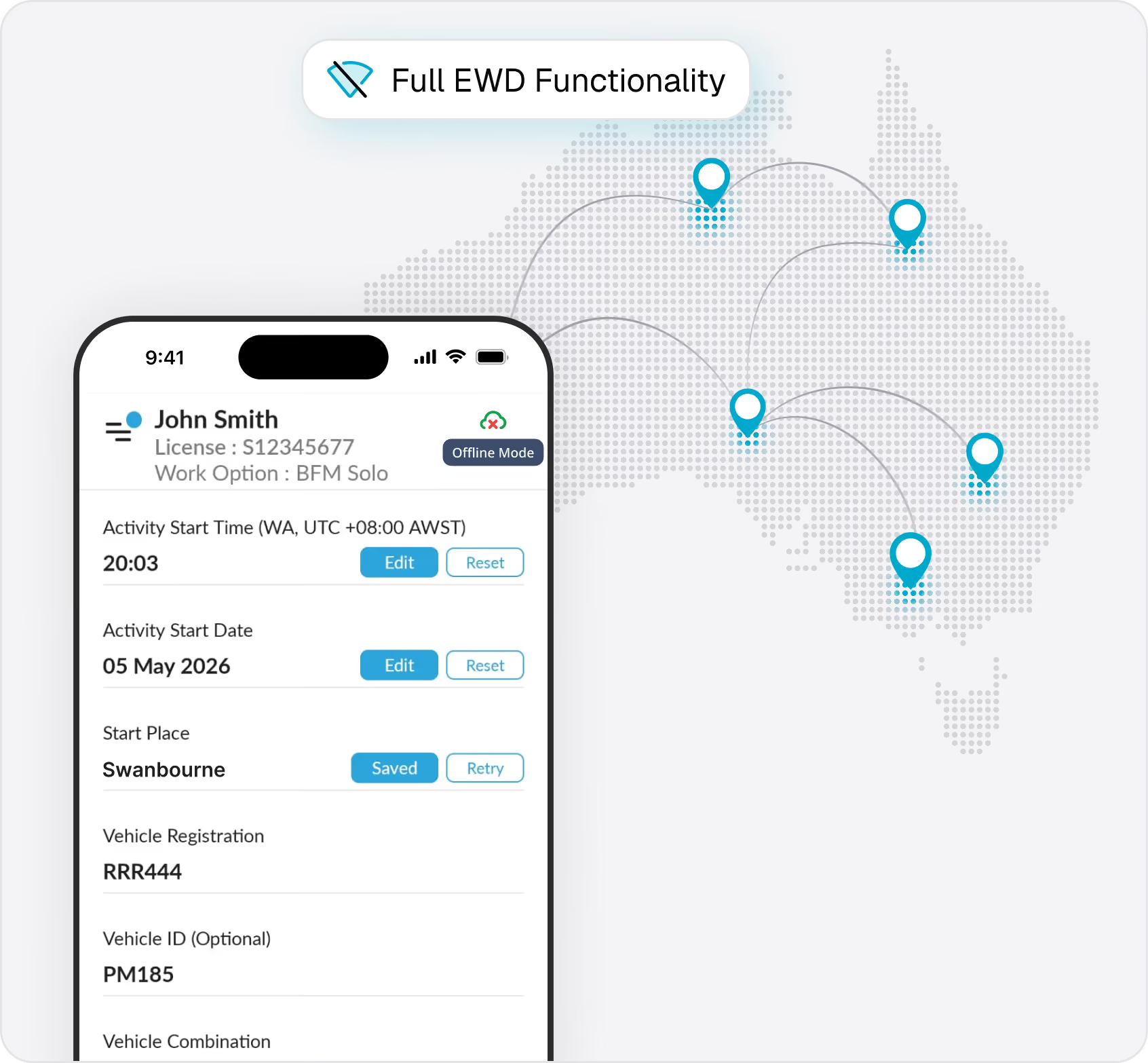
Works offline so you can keep logging even without reception
Icon
NHVR-approved and used by thousands of Australian drivers

The EWD Drivers Actually Want to Use

Hubfleet is NHVR-approved and built for Australian drivers. Whether you're an owner-driver, contractor, or company driver, Hubfleet makes compliance simple so you can focus on the road.
Blue and gray steering wheel icon centered on a white square with rounded corners and a blue shadow background.
For Drivers
Icon
Use it even if your employer uses paper
Icon
Work to the exact minute, not 15-minute blocks
Icon
Countdown timers show when you need to rest
Icon
Audible and visual breach alerts
Icon
One-tap work/rest changes
Icon
Offline capability in remote areas
Icon
Roadside inspections in 5 minutes, not 40
Icon of a person and a delivery truck representing customer delivery service.
For Fleet Managers
Icon
Real-time visibility of all driver hours
Icon
Instant breach notifications
Icon
End-of-shift GPS cross-check against EWD entries
Icon
One-click reports for NHVR audits
Icon
3 years of records stored and searchable
Icon
NCR creation for breaches in a few clicks
Icon of two hands shaking representing a handshake or agreement.
For CoR Officers & Management
Icon
Demonstrate due diligence with audit-ready records
Icon
Start-of-shift breach forecasting flags high-risk shifts
Icon
End-of-shift GPS cross-check verifies EWD entries
Icon
One-click NCRs for breaches with corrective actions
Icon
3 years of searchable records for NHVR audits
Icon
Systematic oversight evidence for CoR defence
Work to the Minute, Not 15-Minute Blocks

Drivers Report Saving Around 40 Minutes Per Day

Paper logbooks force you to round to the nearest 15-minute block. That rounding steals your time, every single shift.
Here's how it works:
Say you stop for a mandatory 15-minute break at 12:06. On paper, you can't start your break until the next 15-minute block — 12:15. The paper book just stole 9 minutes. Now multiply that across every work/rest change in a day. Drivers consistently tell us they save around 40 minutes per day by recording to the exact minute instead of rounding to 15-minute blocks.
Rest counts for more, too:
With a paper logbook, all rest is rounded down to the nearest 15-minute block. Rest for 22 minutes? Paper says 15. Rest for 38 minutes later? Paper says 30. Your total rest on paper: 45 minutes — not enough for a mandatory 60-minute break. On an EWD, those same breaks count as 22 + 38 = 60 minutes — you've met the requirement and you're back on the road. Paper rounding doesn't just waste your work time, it steals your rest time too.
NHVR Compliant:
EWD Standards allow minute-by-minute tracking. Our system rounds to the last full minute as required, giving you maximum flexibility while staying 100% compliant.
What Drivers Say:
IconIconIconIconIcon

"Great to be able to work to the minute. When you stop for a break the location is found (so you don't have to worry about spelling etc). All your driving time calculations are made on the app. I have been scrutinised by authorities without an issue. The new way to record heavy vehicle driving times."

Man wearing sunglasses and a cap, standing with arms crossed against a bright blue sky background.

HG Mets

App Store
IconIconIconIconIcon

"I started using hubfleet 5 weeks ago and it's made life simple. I've been driving trucks interstate for 40 years and even I can use it. Easy to use and understand, it takes all the guess work out of keeping track of your hours, and at the end of the week I just email my report to my employer. This program is a game changer and I can't recommend it enough."

Smiling young man wearing a black beanie and blue backpack standing outdoors in an urban setting.

Paul Lawler

Google Play
Avoid Costly Breaches

Countdown Timers and Smart Alerts Keep You Legal

No more counting hours in your head. Hubfleet calculates when you need to stop based on your specific work rules and alerts you before you breach.
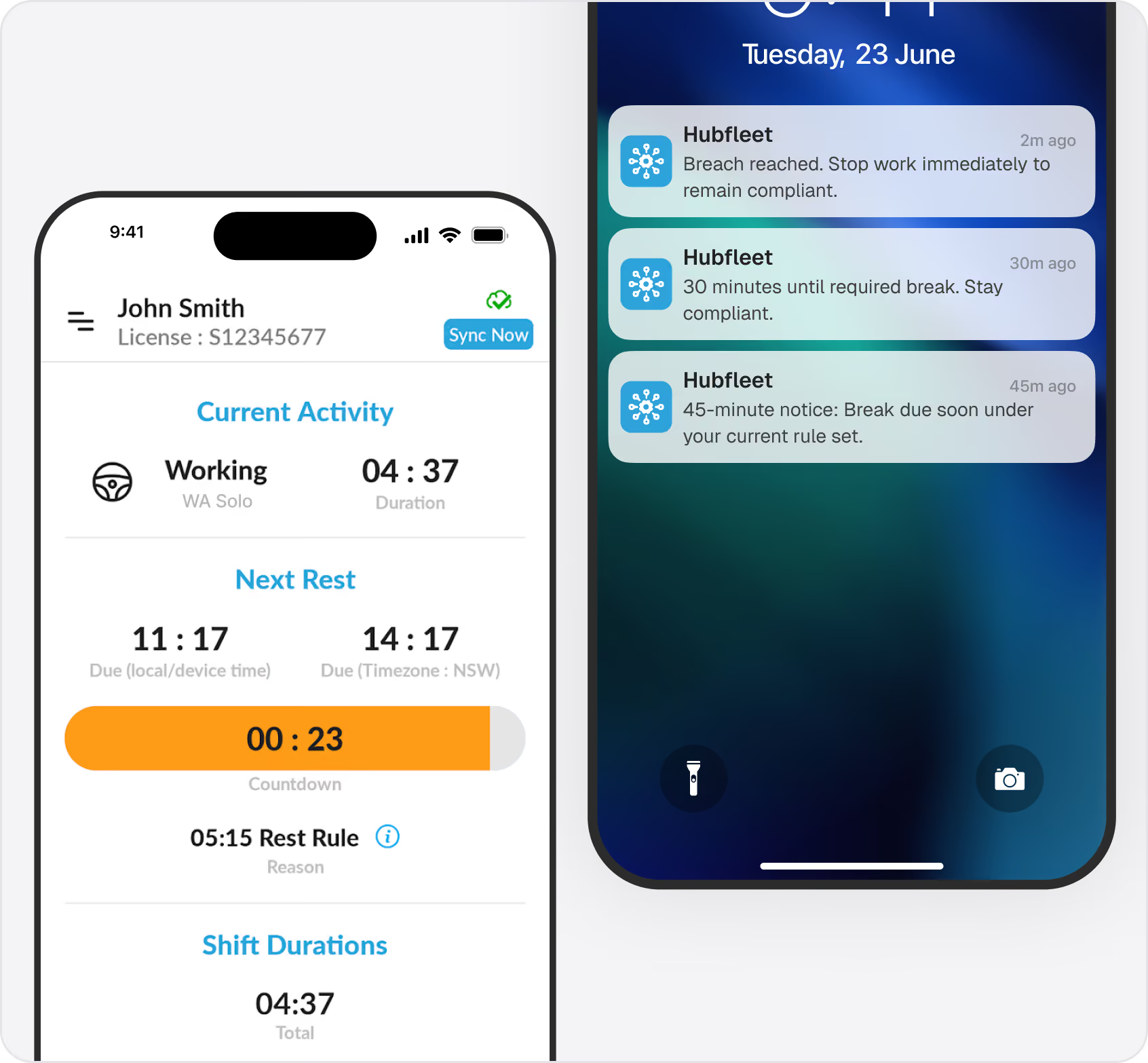
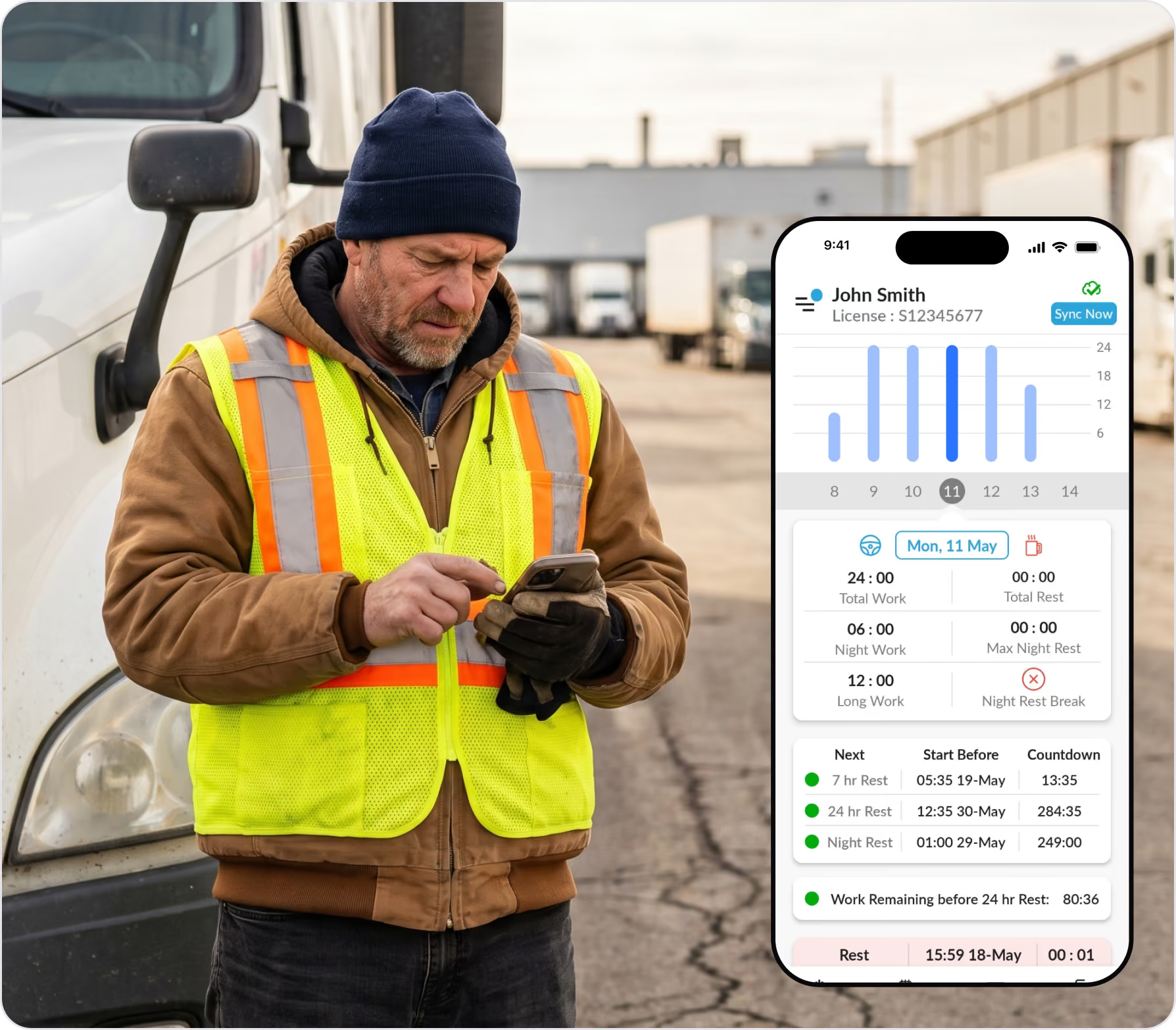
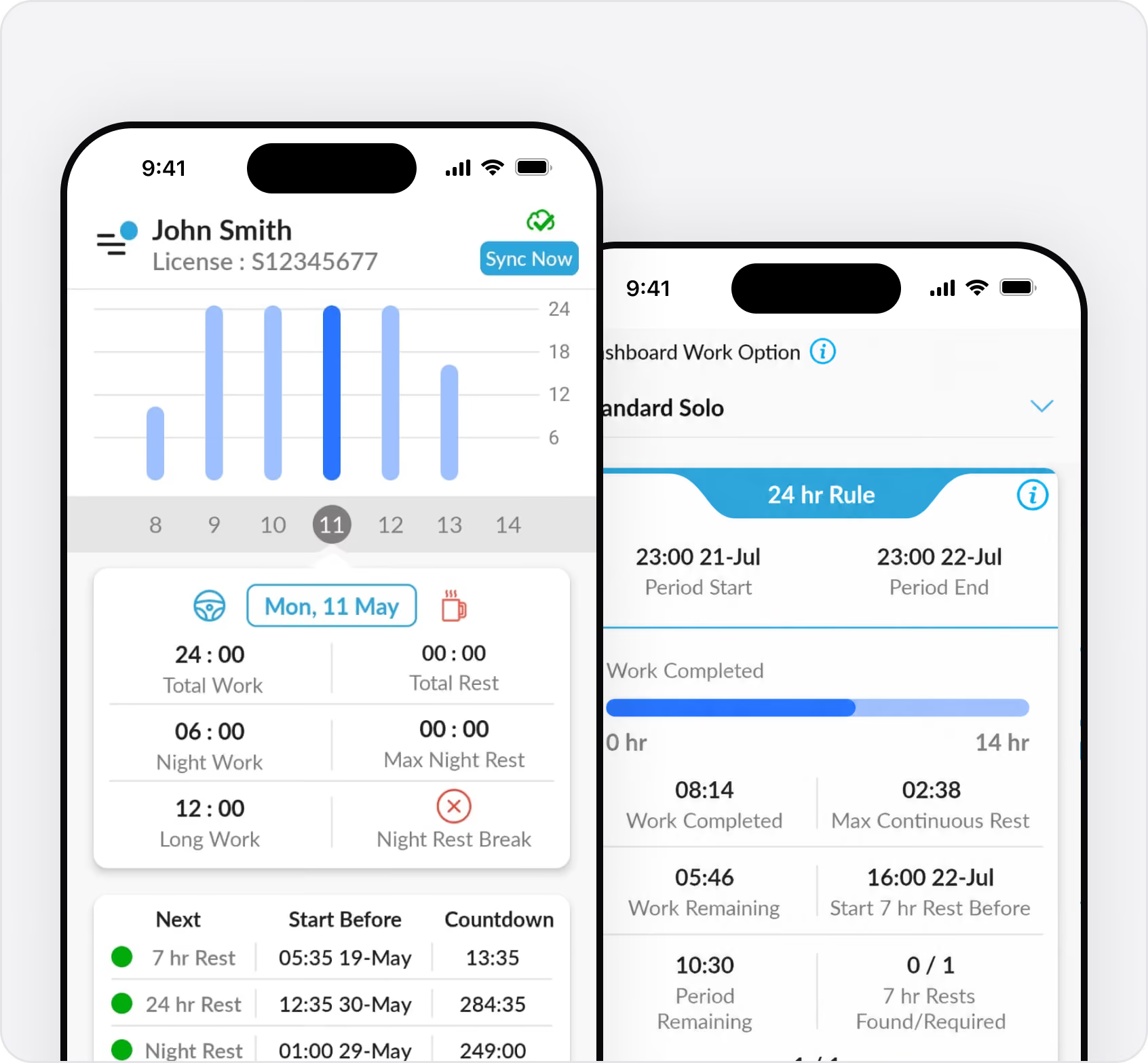
Your main screen shows a live countdown timer to your next required break. You get audible and visual alerts at 45, 30, and 15 minutes before a breach. Impossible to miss. Tap the lock icon to see the countdown even when your phone is locked.
Works with all Australian rules: Standard Solo, Standard Two-Up, BFM Solo, BFM Two-Up, AFM, WA Solo, and WA Two-Up.
All Australian Work Rules Supported

BFM, AFM, Standard Hours, and WA Rules

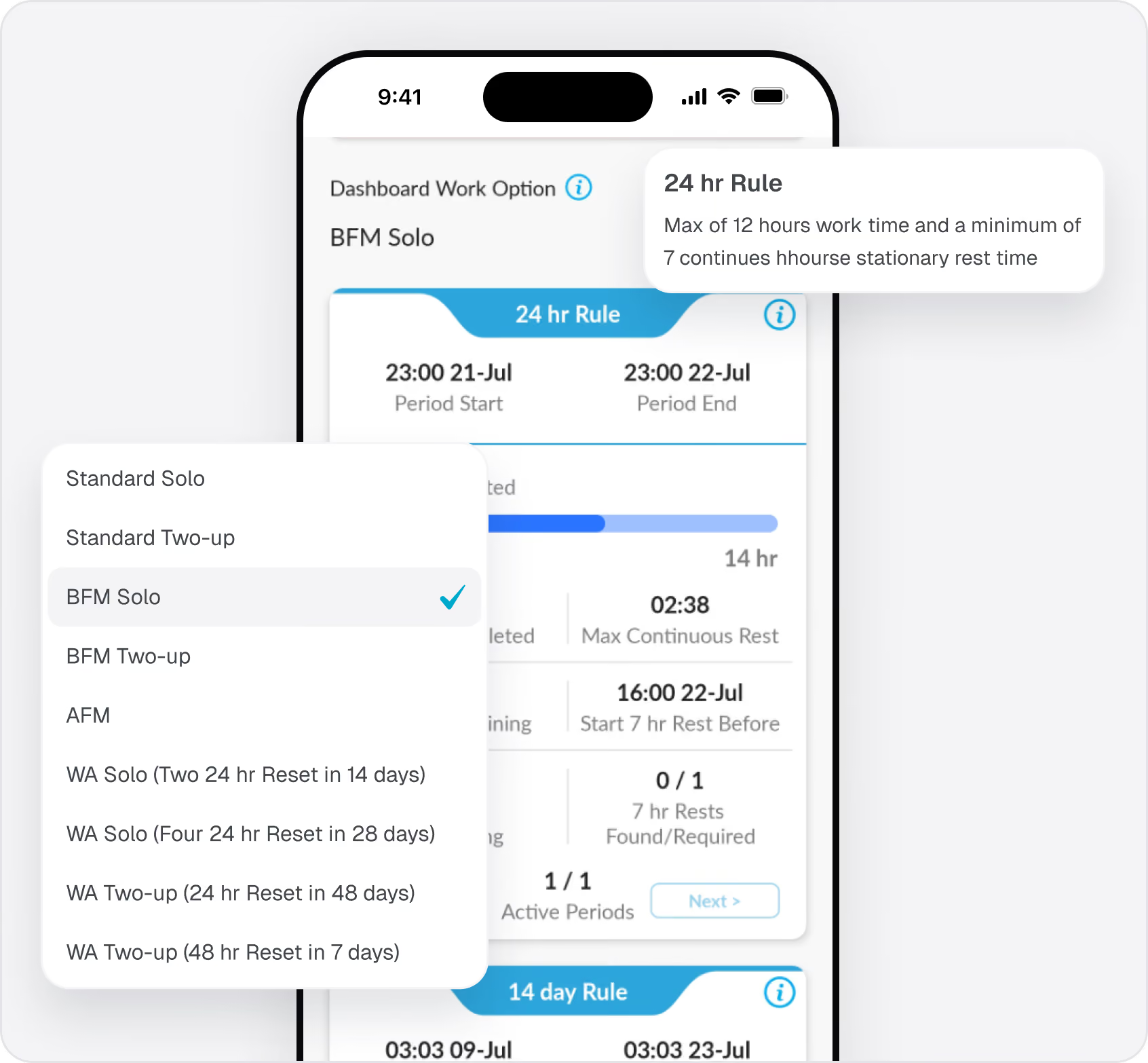
Select your work option when you start a shift and the app applies the correct rules automatically: Standard Solo, Standard Two-Up, BFM Solo, BFM Two-Up, AFM, WA Solo, and WA Two-Up.
If your company has a BFM accreditation number, enter it once and it carries forward to every shift. AFM operators can track compliance to their specific approved fatigue management plan. Tap the blue "i" icon at any time to see your current rule, maximum work time, and minimum rest requirements.
Roadside Inspections in 5 Minutes

One-Touch Compliance View for Officers

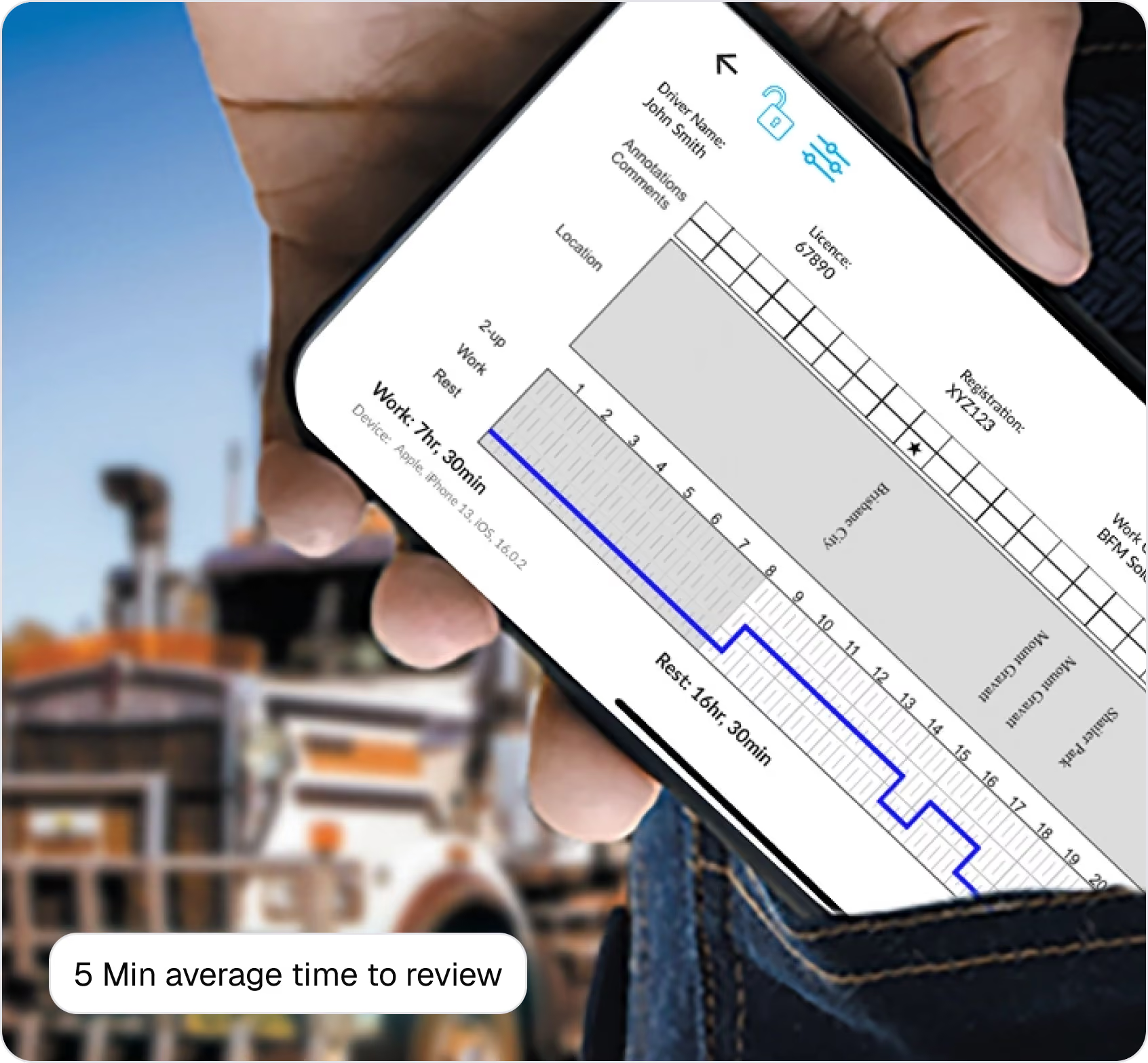
Paper inspections take 30-60 minutes. With Hubfleet, average inspection time is 5 minutes.
Tap Compliance, then tap the padlock icon to lock your device into compliance view. Officers see your last 28 days of records in the NHVR-familiar format — work/rest graph, breach history, and record keeper details. They can email themselves a copy and add annotations directly in the app.
Tap the arrow and enter your PIN to exit. Simple, secure, fast.
Rest Smarter, Work More

Rest Planner Shows Exactly How Long to Rest for Maximum Work Hours

The challenge with fatigue rules is that rest breaks combine across your shift. Keeping track of how your breaks add up — and knowing exactly how long to stay in rest to unlock more work time — is nearly impossible in your head. That's what the Rest Planner solves.
Real Example:
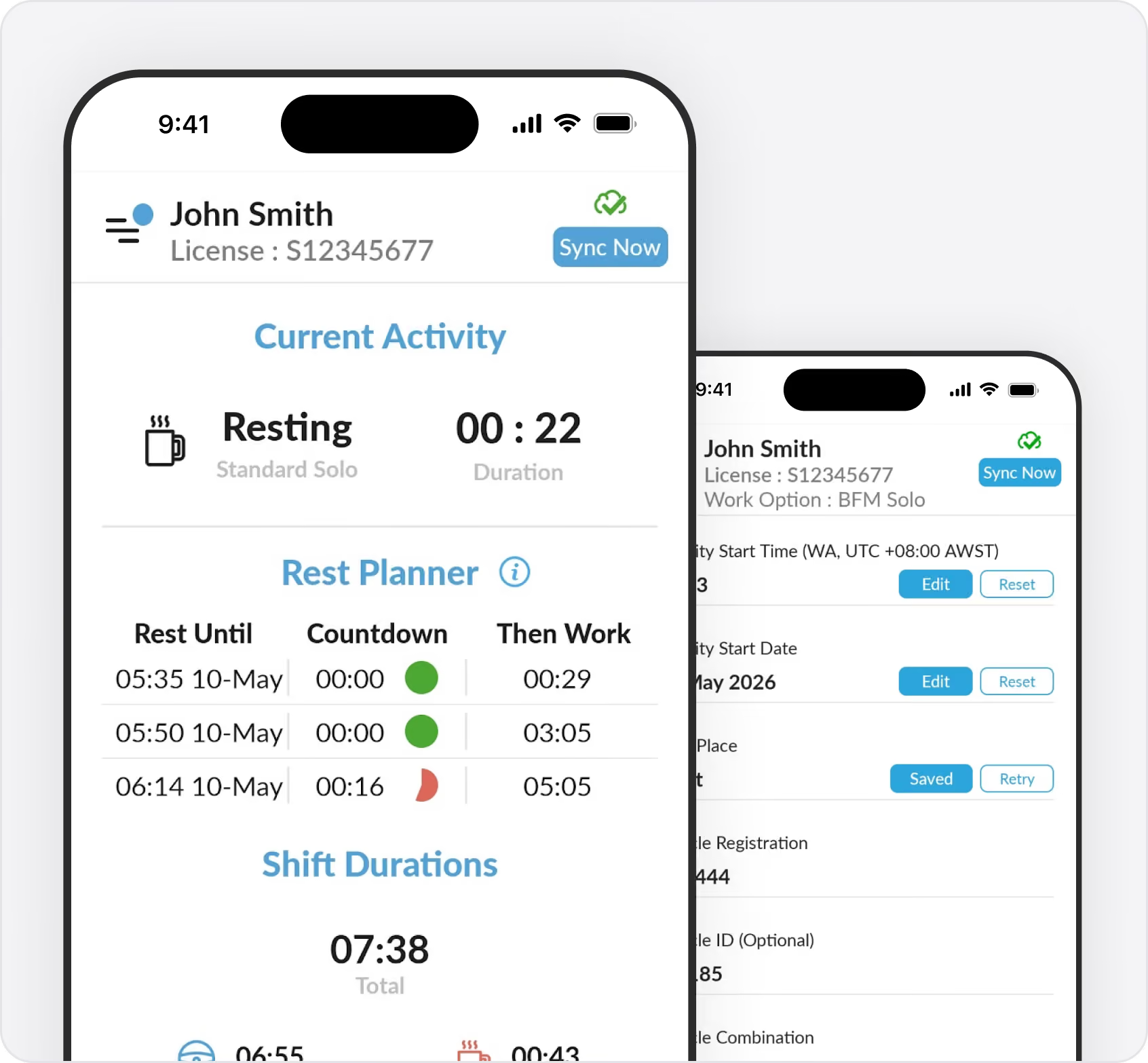
Say you rested for 22 minutes earlier in your shift. Later, you pull over and rest for 30 minutes. That's 52 minutes of combined rest. The Rest Planner tells you: stay in rest for 8 more minutes and you satisfy the 60-minute rest rule — unlocking significantly more work time when you change back to work. Without the planner, you'd have changed back to work at 30 minutes, not realising you were just 8 minutes away from a major inflection point.
How It Works:
When you change to rest, the Rest Planner calculates how your current break combines with earlier rest periods across your shift. It finds key inflection points — rest durations where just a few more minutes unlock significantly more work hours.
The Rest Planner table shows you several optimal rest durations with the exact work hours you'll get for each. You pick the one that fits your schedule and load requirements. No complex maths. No guesswork.
More Work = More Pay:
Drivers using the Rest Planner consistently get more paying hours because they're resting strategically, not randomly. You're not over-resting (wasting earning time) or under-resting (missing inflection points).
Works with All Rules:
Whether you're on Standard Hours, BFM, AFM, or WA rules, the Rest Planner calculates based on your specific requirements. Two-up? Solo? The app knows your work option and adjusts the calculations automatically.
Works Offline in Remote Areas

No Reception? No Problem.

Built for Australian conditions. Hubfleet stores 28 days of records on your device and everything runs locally — breach alerts, countdown timers, compliance view, work/rest changes all work without signal. When you're back in range, records sync automatically.
Set a device PIN on first login to use Hubfleet offline without server authentication. NHVR requires 28 days on device for roadside inspections — Hubfleet handles this automatically.
One-Tap Work/Rest Changes

Faster Than Writing in a Logbook

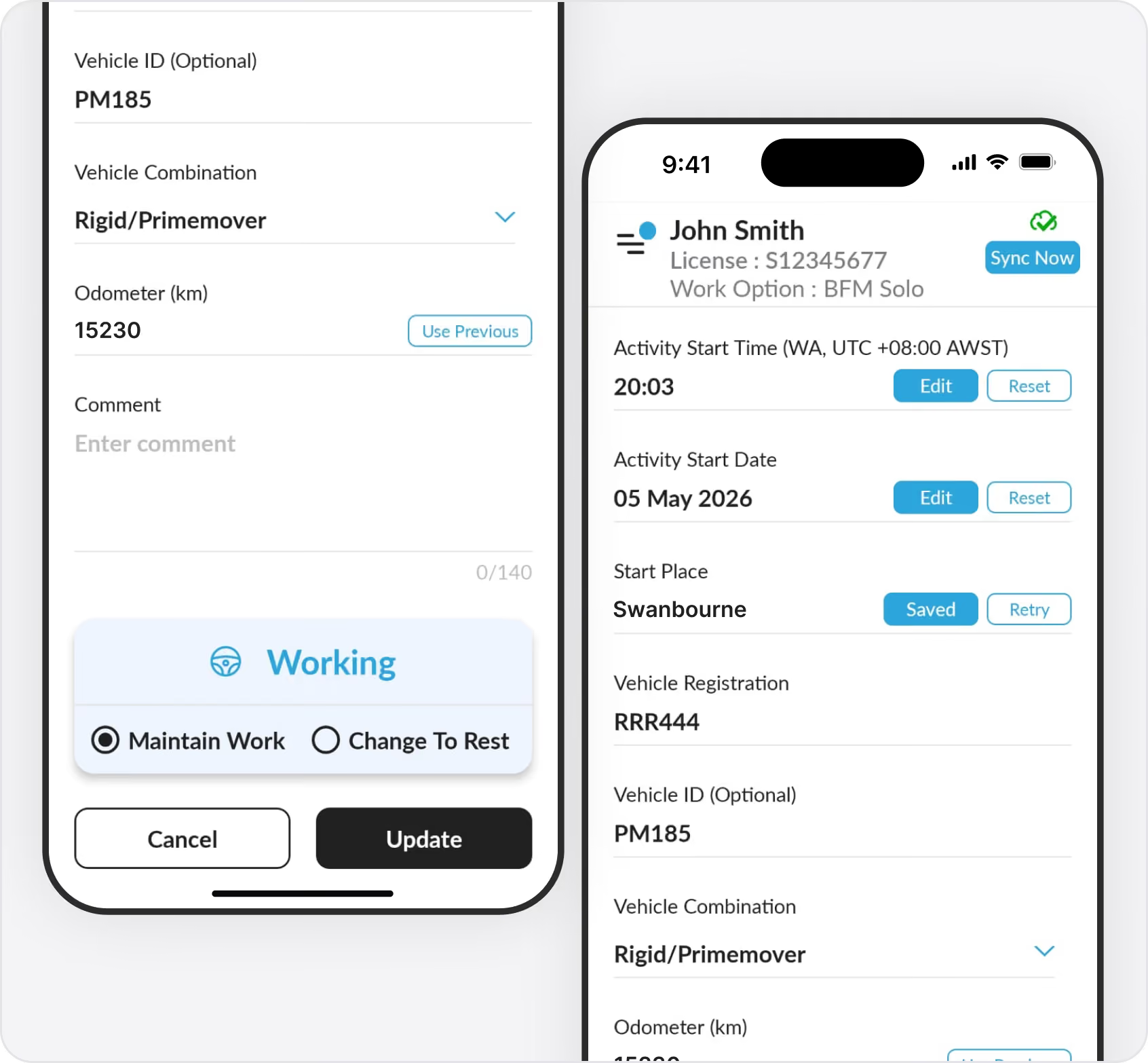
Tap Work/Rest Change, enter your odometer, tap Change to Rest or Change to Work. Done in 10 seconds. Time, date, and GPS location auto-populate. Vehicle registration carries forward. Tap Use Previous for the odometer if you haven't moved.
Every change is timestamped and logged with a full audit trail. If you rest for less than 15 minutes, Hubfleet warns you it won't count — preventing accidental short breaks.
Use It Even If Your Employer Uses Paper

You Can Switch to EWD On Your Own

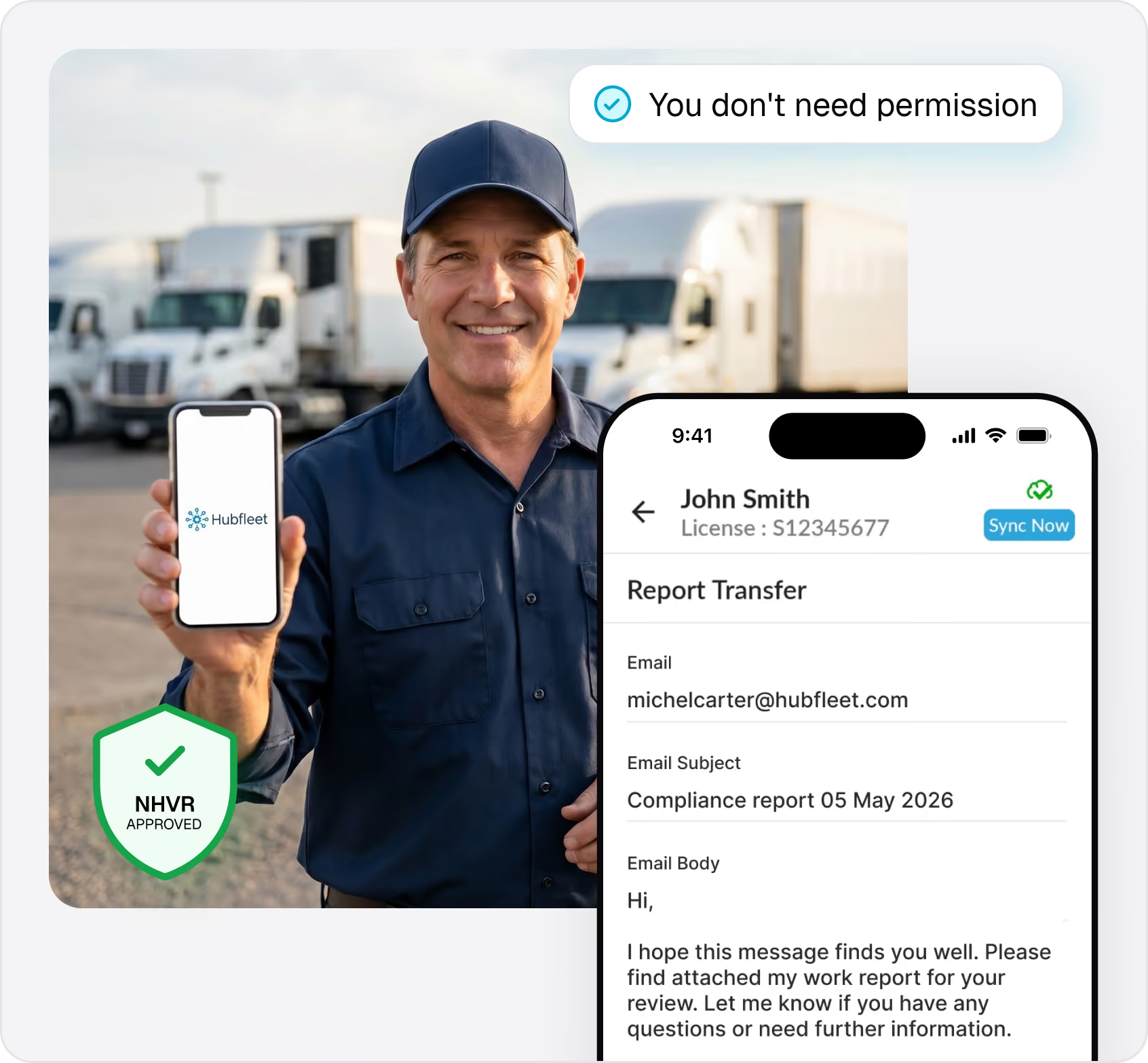
NHVR rules allow individual drivers to use an EWD even if their company still uses paper. You don't need permission.
Sign up for your own account at $14 + GST/month. Use the app for all your shifts. At the end of each shift, tap Report Transfer to email a PDF of your records to your employer.
The NHVR has confirmed drivers can use an approved EWD even if their employer uses written work diaries. If you're tired of paper logbooks, you can switch today.
Fetch External Records

Switching from Another EWD? We've Got You Covered

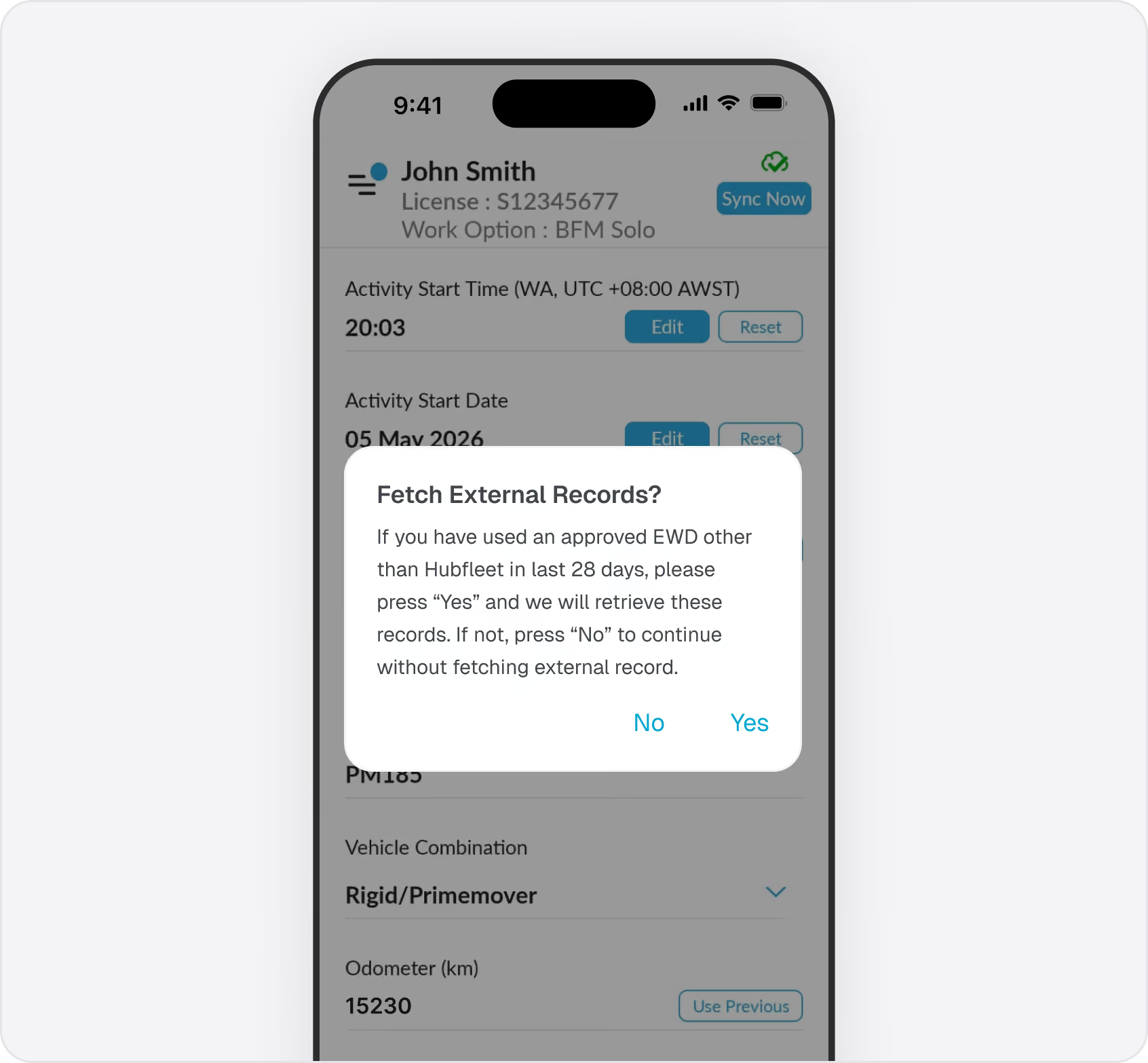
When you start your first shift, Hubfleet asks if you want to Fetch External Records. Say yes and we pull your last 28 days of data from your previous EWD provider via your Unique Driver Identifier (UDI). No gap in your records. Works with all NHVR-approved EWDs that support the EWD Standard API.
Switching from paper? Keep your paper logbook with you for 28 days until Hubfleet has a full electronic record.Building out a full SMS beyond EWD? See How to Build Your SMS in Hubfleet for the step-by-step build guide.
Real-Time Record Keeper Portal

Fleet Managers See Everything Live

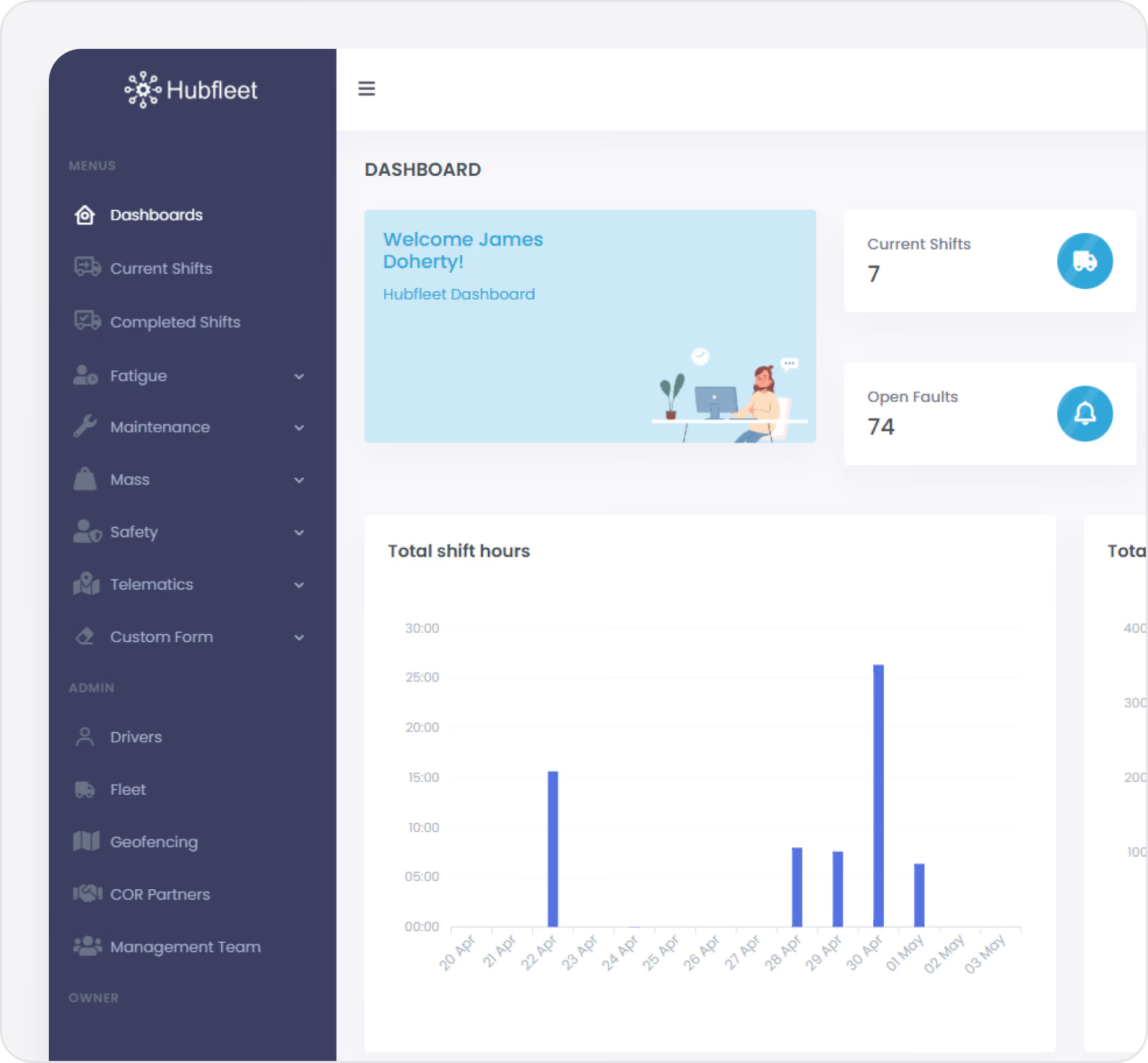
Fleet managers and record keepers access a web portal with real-time visibility of all driver hours, breaches, and compliance status. See every driver's current shift status live — who's on shift, who's on break, time until next breach, and instant notifications when breaches occur.
Key Portal Features:
  • Live Dashboard: See all active shifts and driver status
  • Breach Forecasting: At shift start, Hubfleet forecasts whether a driver will breach if they work to the limit of their rules — high-risk shifts are flagged and record keepers are emailed automatically
  • NCR Generation: One-click non-conformance reports for breaches
  • GPS Cross-Check: End-of-shift comparison of telematics data to EWD entries
  • Quarterly Reports: Generate NHVR compliance reports in minutes
  • 3-Year Records: Searchable archive of all shifts and work diaries
  • Schedule Checker: Plan shifts and verify available hours
Demonstrate chain of responsibility due diligence with audit-ready evidence of systematic oversight.

Australian-Built, NHVR Approved

Hubfleet is Australian-owned and operated, NHVR-approved since 2022, and listed on the official EWD Register. Used by thousands of drivers — from owner-drivers running single trucks to fleets with hundreds of vehicles.
Drivers use the mobile app (iPhone and Android). Fleet managers use the web portal from any computer or tablet. Everything syncs in real-time when you have reception.
We built it. We sell it. We support it.
No resellers, no middlemen, no offshore call centres. When you call Hubfleet you reach the team that builds the app — Australian-based, deeply familiar with NHVR regulations, and answering the phone in real time. One company, one product, one accountable team.

Drivers Report Saving Around 40 Minutes Per Day

IconIconIconIconIcon

"I have tried most of the Approved EWD's on the Australian market. Hubfleet is by far the best. The others are not even close."

Man wearing sunglasses and a cap, standing with arms crossed against a bright blue sky background.

MarkMKR — "Best In Class”

App Store
IconIconIconIconIcon

"Not connected to the truck in anyway (like MT Data is) — works very well."

Man wearing sunglasses and a cap, standing with arms crossed against a bright blue sky background.

 Mitchell Moore

Google Play
IconIconIconIconIcon

"Excellent EWD app and great price — less than half the price of the first one I looked at."

Man wearing sunglasses and a cap, standing with arms crossed against a bright blue sky background.

Blackstump60

App Store
IconIconIconIconIcon

"I have tried most of the Approved EWD's on the Australian market. Hubfleet is by far the best. The others are not even close."

Man wearing sunglasses and a cap, standing with arms crossed against a bright blue sky background.

MarkMKR — "Best In Class”

App Store
IconIconIconIconIcon

"Not connected to the truck in anyway (like MT Data is) — works very well."

Man wearing sunglasses and a cap, standing with arms crossed against a bright blue sky background.

 Mitchell Moore

Google Play
IconIconIconIconIcon

"Excellent EWD app and great price — less than half the price of the first one I looked at."

Man wearing sunglasses and a cap, standing with arms crossed against a bright blue sky background.

Blackstump60

App Store
IconIconIconIconIcon

"I have tried most of the Approved EWD's on the Australian market. Hubfleet is by far the best. The others are not even close."

Man wearing sunglasses and a cap, standing with arms crossed against a bright blue sky background.

MarkMKR — "Best In Class”

App Store
IconIconIconIconIcon

"Not connected to the truck in anyway (like MT Data is) — works very well."

Man wearing sunglasses and a cap, standing with arms crossed against a bright blue sky background.

 Mitchell Moore

Google Play
IconIconIconIconIcon

"Excellent EWD app and great price — less than half the price of the first one I looked at."

Man wearing sunglasses and a cap, standing with arms crossed against a bright blue sky background.

Blackstump60

App Store
IconIconIconIconIcon

"I have tried most of the Approved EWD's on the Australian market. Hubfleet is by far the best. The others are not even close."

Man wearing sunglasses and a cap, standing with arms crossed against a bright blue sky background.

MarkMKR — "Best In Class”

App Store
IconIconIconIconIcon

"Not connected to the truck in anyway (like MT Data is) — works very well."

Man wearing sunglasses and a cap, standing with arms crossed against a bright blue sky background.

 Mitchell Moore

Google Play
IconIconIconIconIcon

"Excellent EWD app and great price — less than half the price of the first one I looked at."

Man wearing sunglasses and a cap, standing with arms crossed against a bright blue sky background.

Blackstump60

App Store
Star
4.5 Rating App Store
10,000+ downloads on Google Play
NHVR-approved since 2022
See more Review From Drivers

Direct Pricing — No Reseller Markups

Owner-Drivers

$14

+GST/Month

EWD with full features.

Fleet Accounts

$19

+GST /per driver per month

EWD with record keeper portal

EWD + Safety Management

$25

+GST /per driver per month

adds pre-starts, maintenance, NCRs, risk management, and complete HVNL reforms SMS

Direct from us — no reseller markups, no setup fees, no lock-in contracts.

See Full Pricing

Only Need an EWD? Choose Hubfleet.

The highest-rated NHVR-approved EWD in Australia — and that's it, if that's all you need.

And when your compliance needs grow — into a full NHVR, WAHVA, or CLOC-A ready Safety Management System — Hubfleet expands on the same platform. Odometer readings feed into scheduled maintenance, fatigue breaches create pre-filled NCRs, end-of-shift GPS cross-checks flag discrepancies, and pre-start inspections feed into maintenance workflows. Everything connected, everything auditable.
No system migration. No data loss. No re-training drivers. Just turn on more modules when you're ready.

Get Started in Days, Not Months
Free guides, tools, and frameworks to start preparing for HVNL today — built by Australian compliance specialists and trusted by 500+ fleets.
Blue binder or folder with three horizontal black lines on the front cover.
HVNL Compliance Guide
What HVNL means for your fleet — explained in plain English
  • All 5 SMS outcome areas explained
  • Implementation timeline & milestones
  • Fleet preparation checklist
  • Gap assessment framework
  • Change summary from current HVNL
Read the Guide
HVNL Compliance Toolkit
Free downloadable templates to start preparing today.
  • Gap analysis template (5 outcome areas)
  • Pre-audit readiness checklist
  • SMS implementation tracker
  • PSOE evidence mapping
  • Implementation timeline template
Get the Free Toolkit
Audit Preparation Guide
The questions NHVR auditors ask — and where to find your answers.
  • Common auditor questions by outcome area
  • Direct answers showing where evidence sits in Hubfleet
  • PSOE framework explained
  • Audit-day preparation checklist
  • Real auditor scenarios
Read the Audit Guide

Common Questions

Can I use Hubfleet if my employer still uses paper logbooks?
Yes. NHVR allows individual drivers to use an approved EWD even if their company uses paper. Create your own record keeper account ($14 + GST/month) and use Report Transfer to email shift summaries to your employer.
What happens during roadside inspections?  
Tap Compliance on the bottom menu. Your phone locks into compliance view showing your last 28 days of records. Officers review your work diary in the NHVR-familiar format. Average inspection time is 5 minutes. Tap the arrow and enter your PIN to exit.
Does Hubfleet work offline without reception?  
Yes. The app stores 28 days of records on your device and continues working with full functionality offline. Records sync automatically when you're back in range.
What if I switch from another EWD provider?
Use Fetch External Records when you start your first shift. Hubfleet pulls your last 28 days from your previous provider via the EWD Standard API. No gap in your records.
How long are records stored?
28 days on your device for roadside inspections. 3 years in the record keeper portal for audits and notices to reproduce.
What Australian work rules does Hubfleet support?
All of them. Standard Solo, Standard Two-Up, BFM Solo, BFM Two-Up, AFM, WA Solo, and WA Two-Up.
Ready to ditch the paper logbook?
Get the Free Toolkit