


Home
Solutions

Fleet Policy & Procedures Management

Build a living policy library, prove compliance, and keep everyone accountable
Hubfleet's Policies & Procedures module replaces scattered SharePoint folders and outdated PDFs with a centralised digital library — with version control, approval workflows, scheduled reviews, and role-based acknowledgements, all linked to your wider Safety Management System.
Centralised Library | Approval Workflows | Role-Based Acknowledgements | Audit-Ready
Icon
One source of truth for every policy and procedure
Icon
Prove who acknowledged what, and when
Icon
Stay audit-ready with scheduled reviews and full history

What You'll Achieve

Green check mark icon inside a rounded white square.
Eliminate version chaos
with centralized policy library and automatic version control
Green check mark icon inside a rounded white square.
Prove policies are current
with scheduled reviews and audit-ready history
Green check mark icon inside a rounded white square.
Track who's acknowledged what
with role-based acknowledgements and automated reminders
Green check mark icon inside a rounded white square.
Demonstrate accountability
with approval workflows and digital acknowledgements
Green check mark icon inside a rounded white square.
Pass audits confidently
with complete evidence of policy management and currency

Complete Fleet Policy Management System

Hubfleet's fleet policy management software replaces scattered SharePoint folders, outdated PDFs, and paper acknowledgement forms with a centralized document management system built for transport operators — tracking versions, approvals, reviews, and acknowledgements in one place.

Icon of a document with a user profile symbol in front.
For Safety Managers
Icon
Centralized policy library
Icon
Approval workflows with digital sign-off
Icon
Scheduled review reminders
Icon
Version control and archiving
Icon
Complete audit trail
Icon of a document with a shield containing a check mark, symbolizing document security or protection.
For Compliance Officers
Icon
Evidence of current policies
Icon
Acknowledgement tracking by role
Icon
Policy effectiveness reviews
Icon
HVNL reforms SMS documentation
Icon
Audit-ready reports
Icon showing three stylized people, one in gray in front and two blue outlines behind.
For All Staff
Icon
Access latest policies anytime
Icon
Mobile acknowledgement
Icon
Clear ownership and accountability
Icon
Searchable by category
Icon
Automatic notifications
Centralized Policy Library

One Source of Truth for All Company Policies

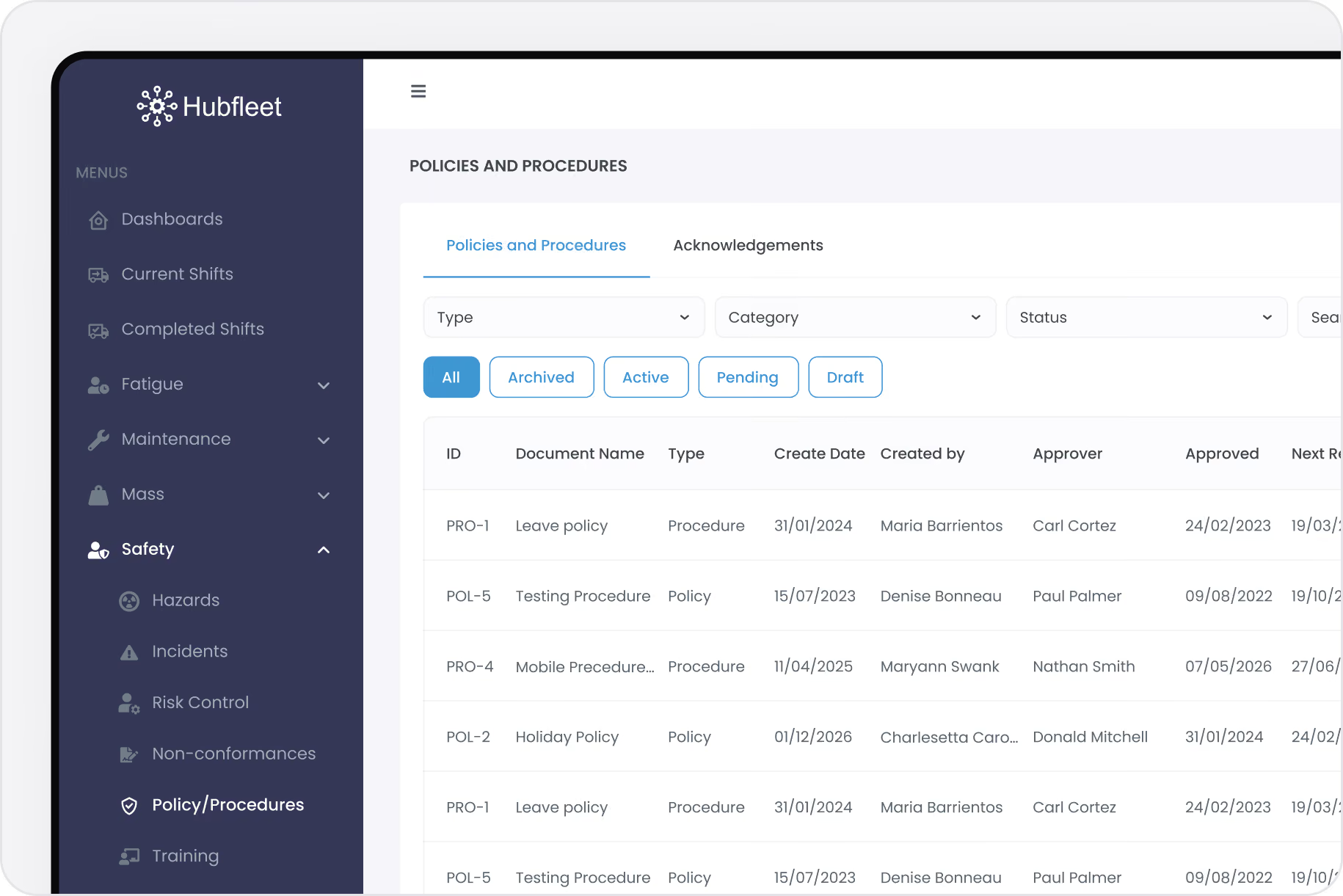
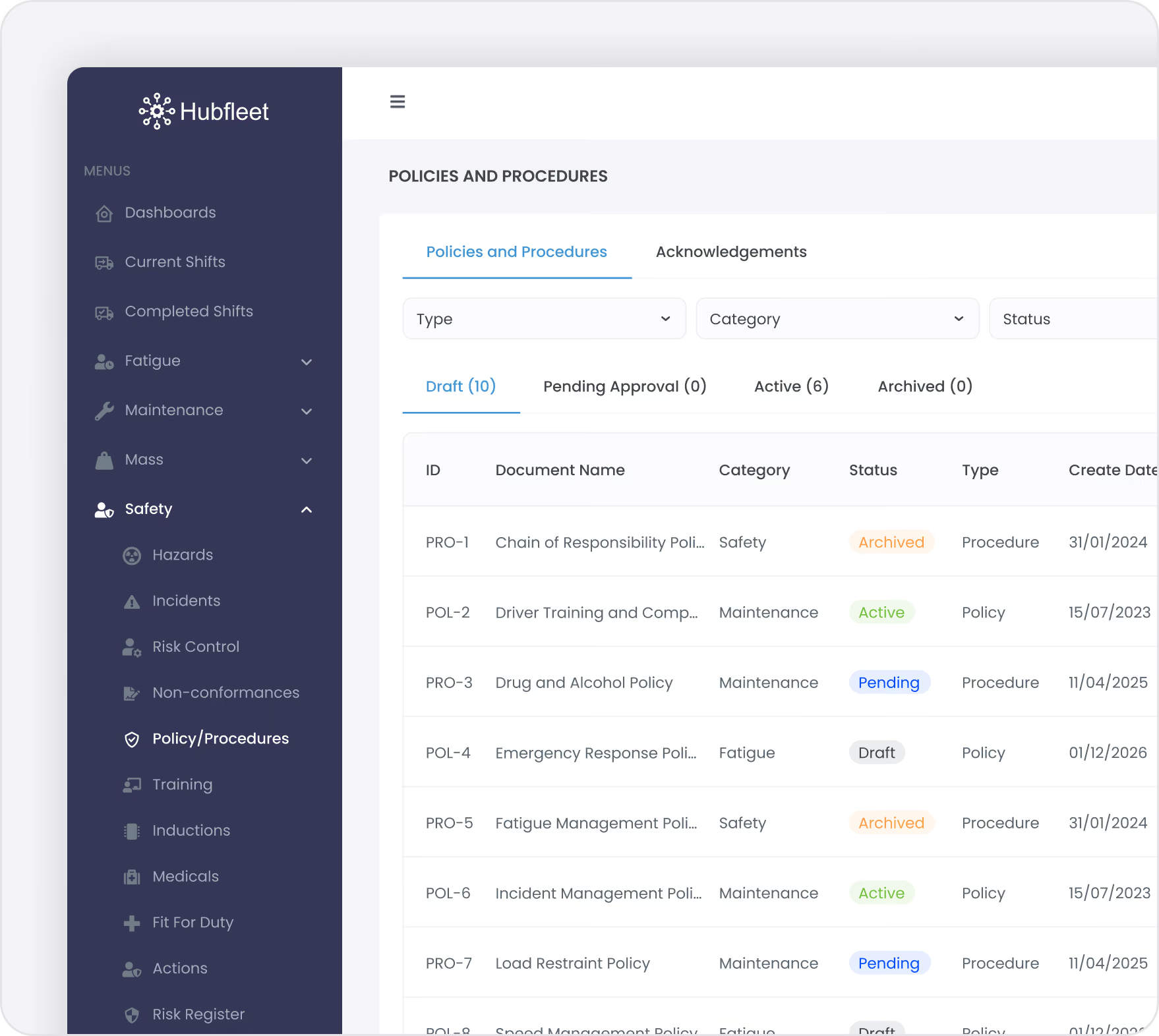
Upload your safety policies and operational procedures into a single digital library accessible from web portal and mobile app. Hubfleet gives your fleet a purpose-built document management system for transport compliance.
The Problem We Solve:
Safety procedures live in SharePoint, shared drives, email attachments, and filing cabinets. Nobody knows which version is current. Staff acknowledge policies on paper forms that get lost. Auditors ask for evidence of reviews and you're scrambling to prove policies are up to date.
With Hubfleet:
Every policy has one current version with a clear owner, review schedule, and approval status. Old versions are archived but accessible. Staff acknowledge digitally with timestamps. Auditors can see your entire policy management process in minutes.
Key Benefits:
  • Upload policy PDFs into a centralized digital library
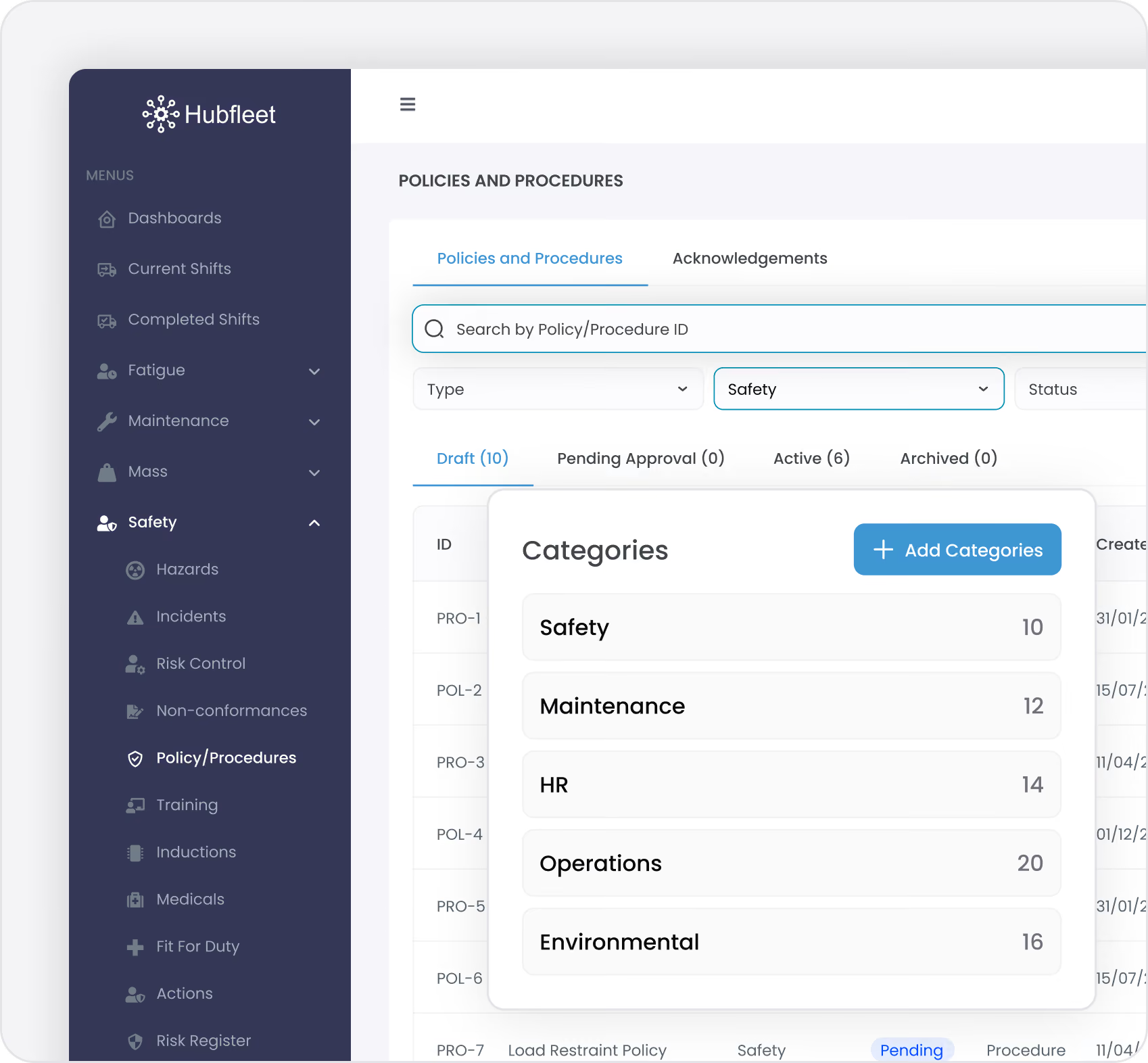
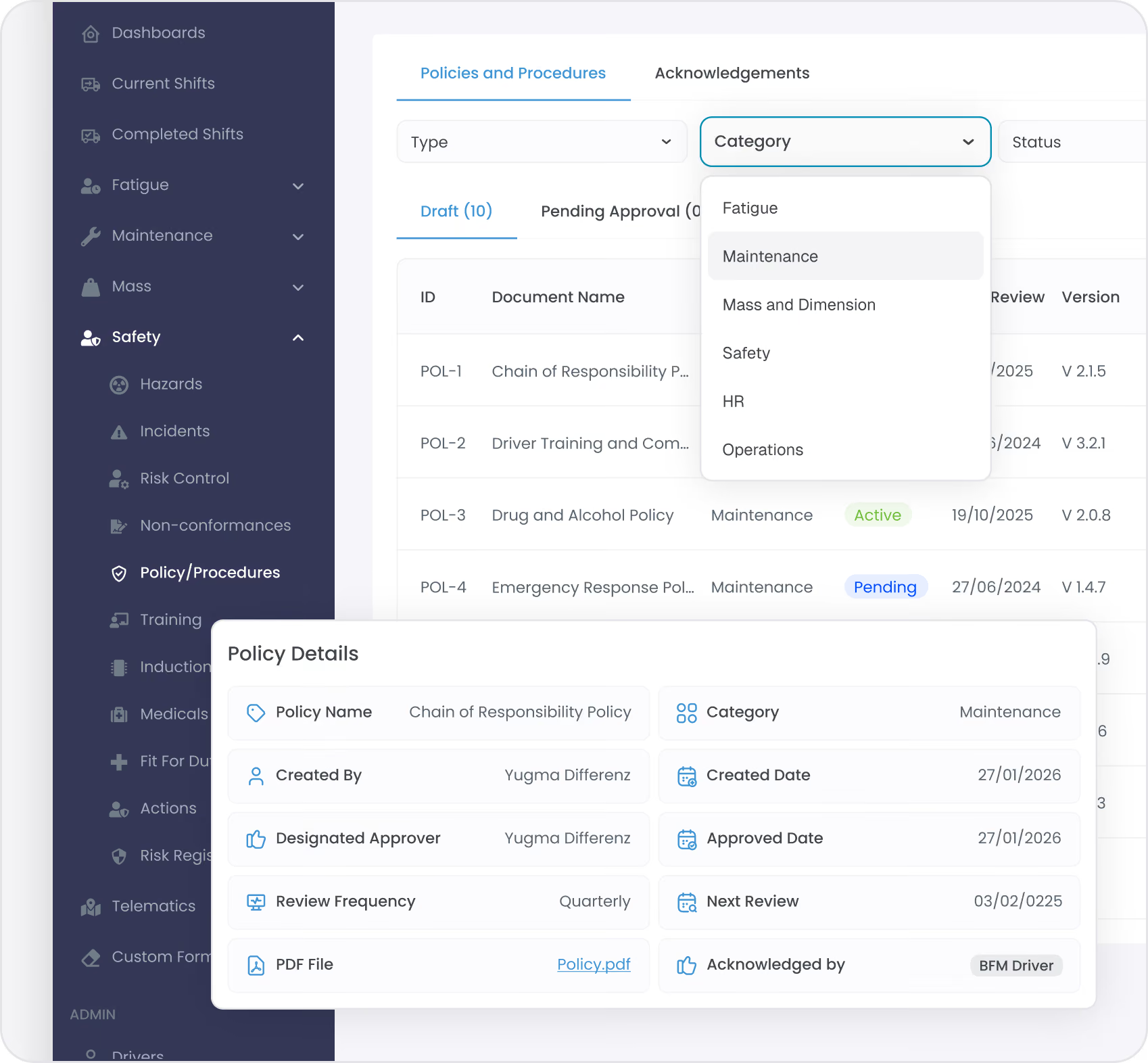
  • Organize by configurable categories (Safety, Maintenance, HR, Operations)
  • Search and filter by policy type, status, or category
  • Access from web portal or mobile app
  • Complete version history preserved forever
HVNL reforms Compliance:
Policy management demonstrates systematic leadership and governance required under SMS Standard 1 (Leadership & Commitment) and provides documented safety systems required under Standard 5.
Approval Workflows

Digital Approval Chain with Full Accountability

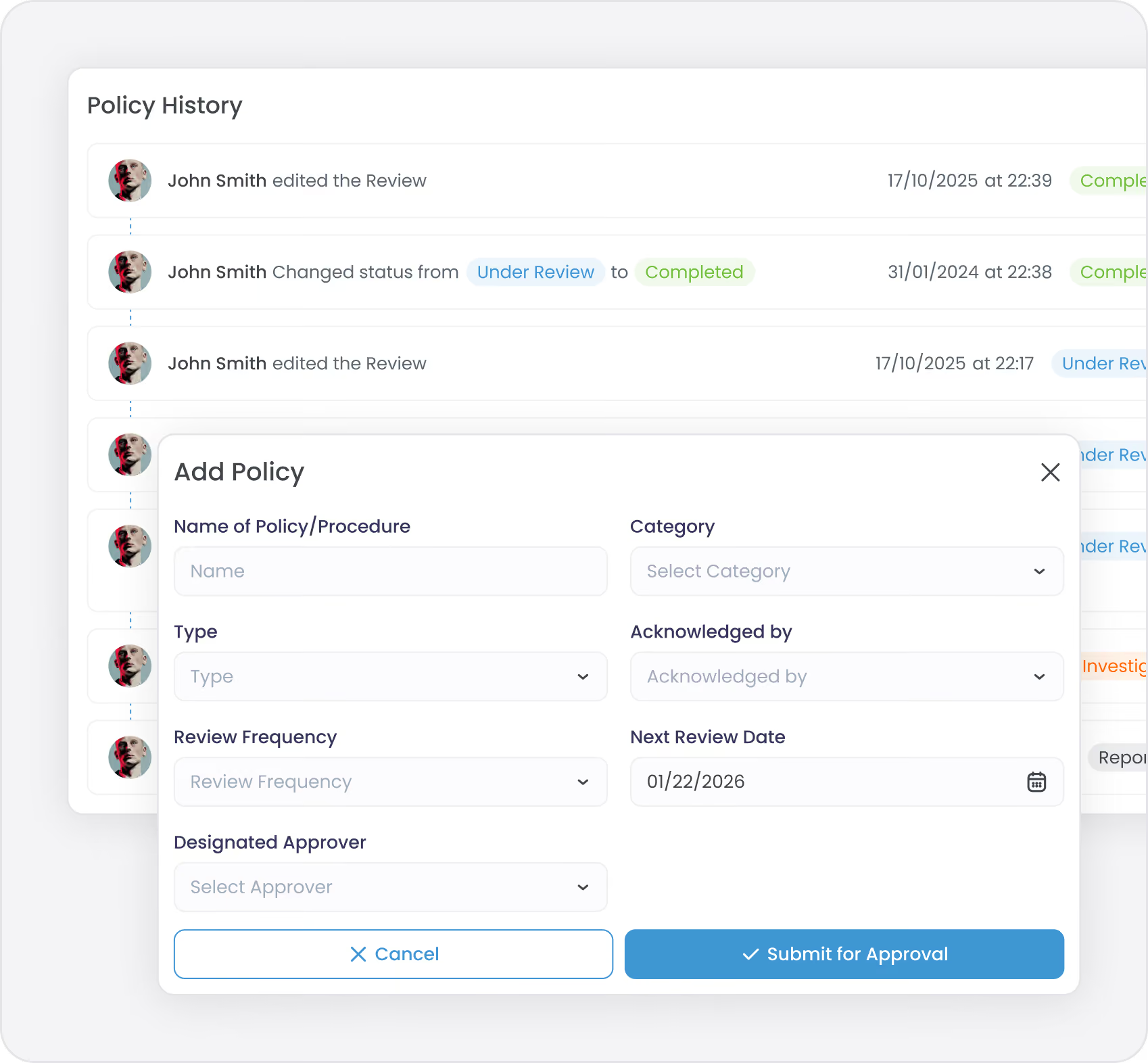
Route new and updated policies through designated approvers before they go live. Every approval and denial is recorded with timestamps and comments.
The Problem We Solve:
Policies get written but never formally reviewed. You don't know who approved what or when. Changes happen without sign-off. There's no record of who was responsible for policy decisions. During audits, you can't prove policies were properly authorized.
With Hubfleet:
Create a policy in draft, assign an approver, and submit for review. The approver receives a notification and can approve or deny with comments. Approved policies become active automatically. Denied policies return to draft for revision. Every decision is timestamped and recorded.
Clear Accountability:
Designate specific staff members as approvers. Track who approved what and when. Document reasons for denials. Complete approval history stored with every policy.
Flexible Workflow:
Self-approve for simple updates or route through management for critical policies. Approvers can provide feedback before formal approval. Revision history tracks all changes from draft to active.
Scheduled Reviews & Currency

Never Let Policies Go Stale

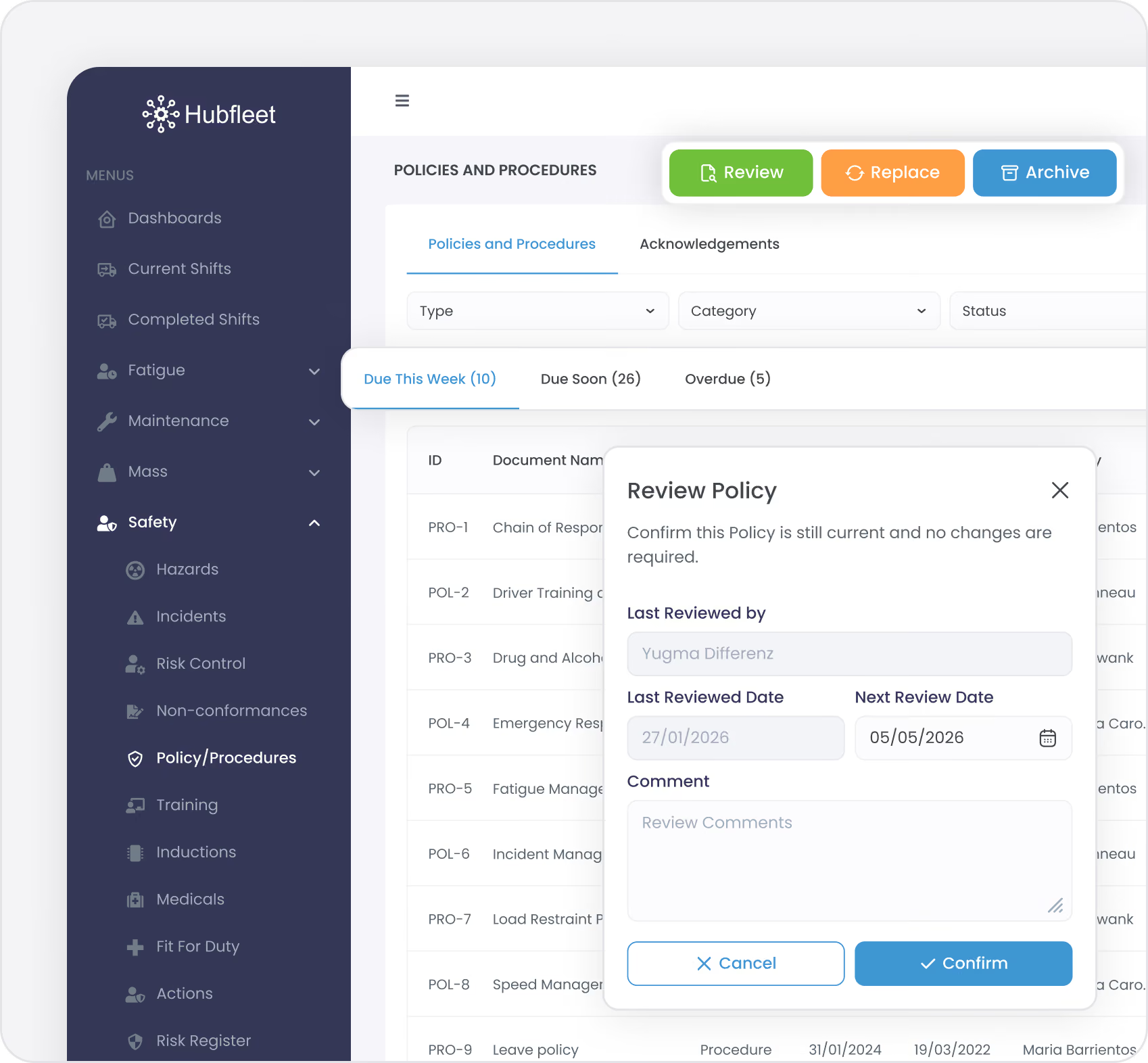
Set review frequencies (annually, semi-annually, quarterly) and receive automatic reminders when policies are due for review.
The Problem We Solve:
Policies haven't been reviewed in years. Auditors find outdated information. You have no systematic process to keep policies current. Staff are working from procedures that no longer reflect reality.
With Hubfleet:
Assign a review frequency to each policy (12 months, 6 months, 3 months, or as needed). The system calculates the next review date and reminds the policy owner when it's due. Complete a review in seconds to confirm the policy is still current, or replace it with an updated version.
Smart Review Process:
Confirm a policy is current without requiring staff to re-acknowledge it. Add review comments to document what was checked. Override automatic review dates when circumstances change.
Version Control & Replacement

Replace Policies While Preserving History

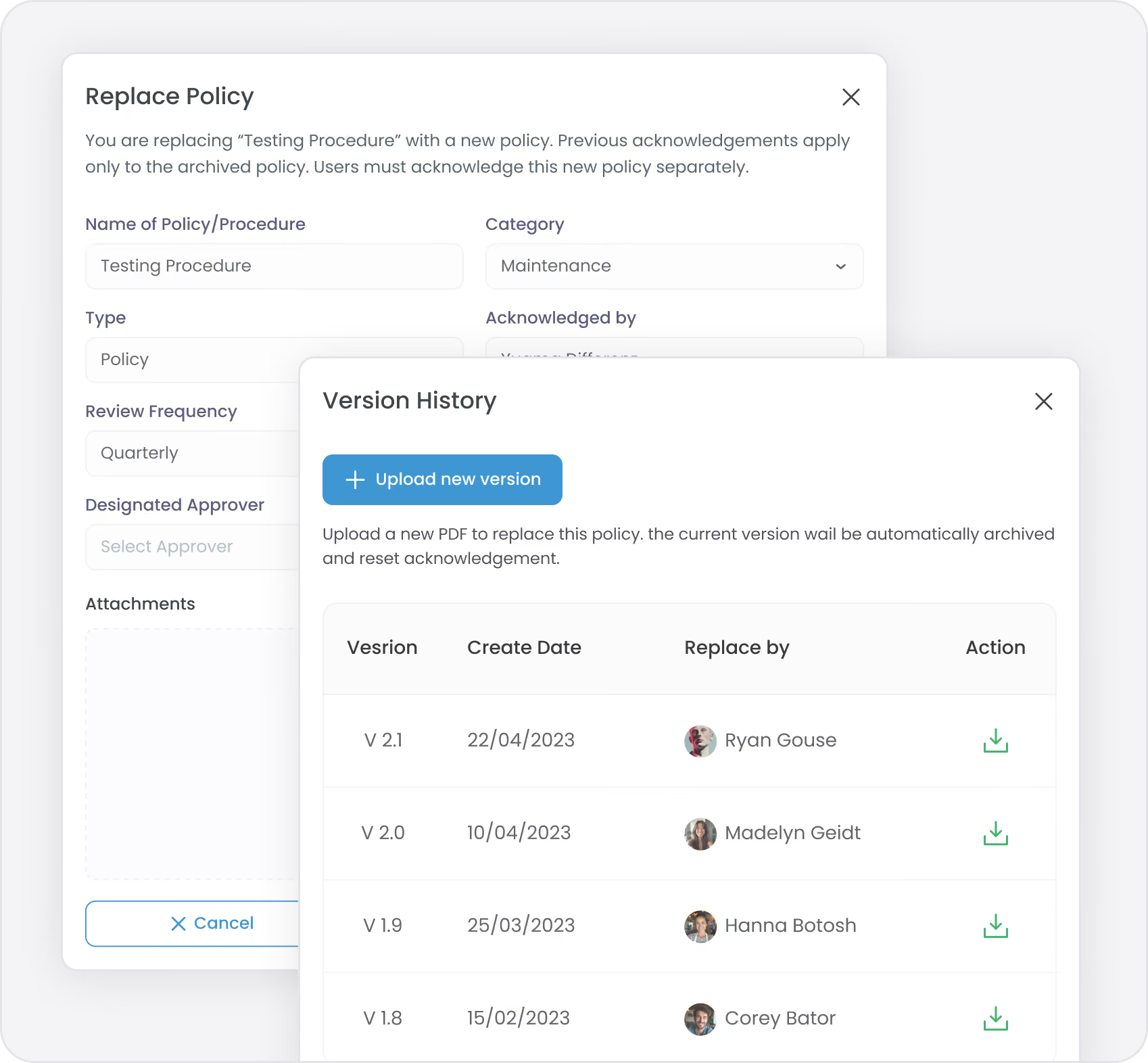
When policies need updating, replace them with new versions. The old version is automatically archived with its complete history, and acknowledgements reset for the new version.
The Problem We Solve:
Updated policies overwrite old files. You lose track of what changed and when. Staff don't know a policy has been updated. You can't prove what the policy said at a specific point in time. Warranty or legal disputes require showing historical policies.
With Hubfleet:
Click replace, upload the new policy PDF, and the system archives the current version while creating the new one. All metadata (category, approver, review frequency) carries forward. Acknowledgements reset so staff are prompted to review the updated policy.
Complete History:
Access all archived versions of a policy with their effective dates. View who replaced what and when. Track changes over time. Demonstrate policy evolution during audits.
Acknowledgement Tracking

Prove Everyone Has Read and Acknowledged Critical Policies

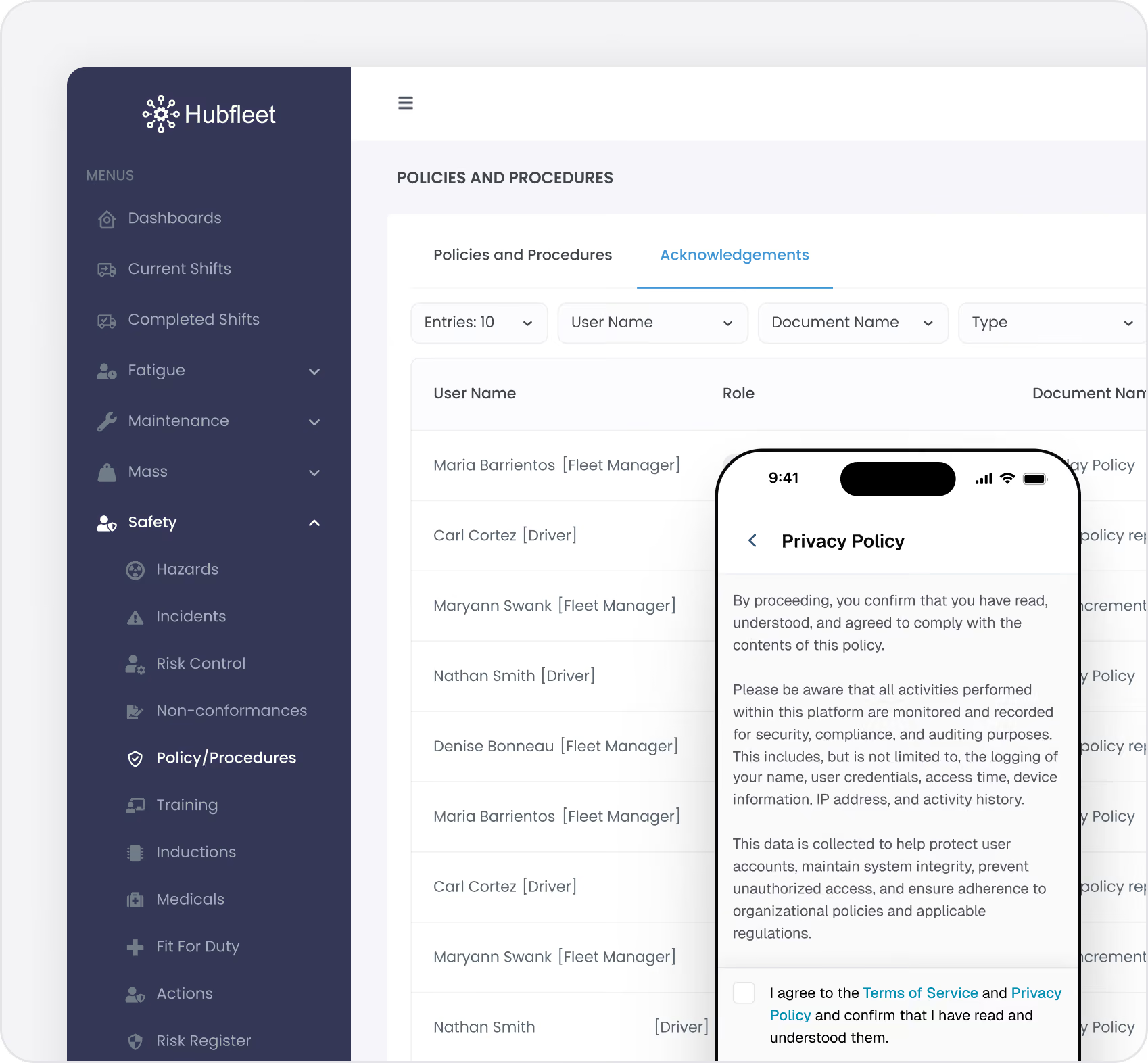
Track who has acknowledged each policy with role-based targeting and automated mobile prompts.
The Problem We Solve:
Paper acknowledgement forms get lost or never completed. You can't prove staff have read updated policies. Chasing signatures wastes time. Auditors ask for evidence of acknowledgements and you have nothing.
With Hubfleet:
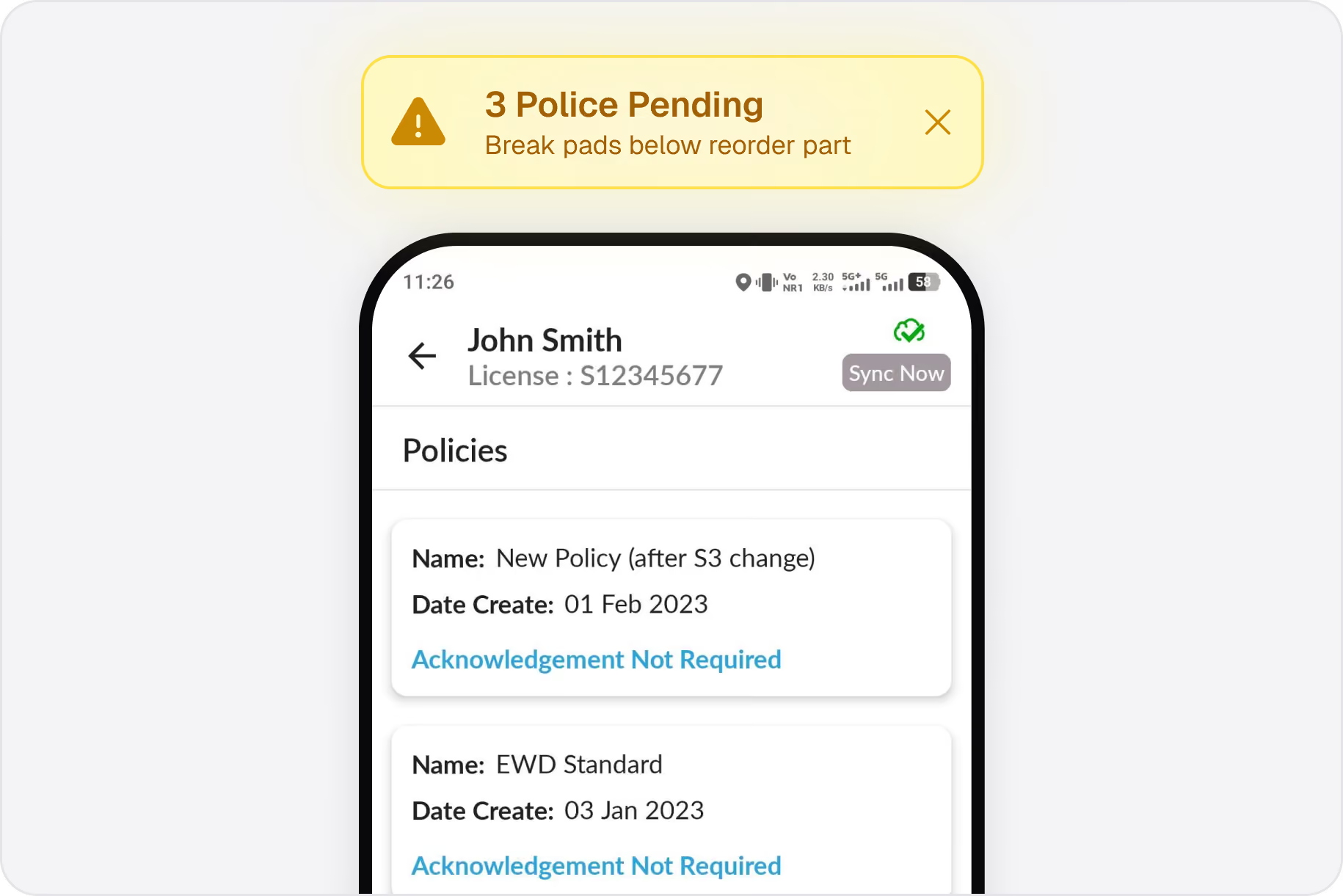
Assign policies to specific roles (all drivers, all managers, mechanics only). Staff receive notifications on mobile and web. They acknowledge with a tap and timestamp. You see real-time acknowledgement status for every person and policy.
Role-Based Targeting:
Assign policies to roles instead of individuals. When new staff join that role, they're automatically prompted to acknowledge relevant policies. No manual lists to maintain.
Automated Reminders:
Staff receive notifications for unacknowledged policies. Track acknowledgement progress by person, role, or policy.
Filter by acknowledgement status (pending, acknowledged, overdue) to view compliance at a glance.
Categories & Organization

Organize Policies the Way Your Business Works

Create custom categories to organize policies (Safety, Maintenance, HR, Operations, Environmental). Filter and search by category to find relevant policies quickly.
Configurable Structure:
Set default categories or create your own. Assign multiple categories to a single policy if needed. Change category names and updates flow throughout the system.
Easy Discovery:
Staff can filter policies by category to find what they need. Search by policy name or type. Mobile app shows policies organized by category for quick access.
Complete Audit Trail

Every Action Logged for Compliance Evidence

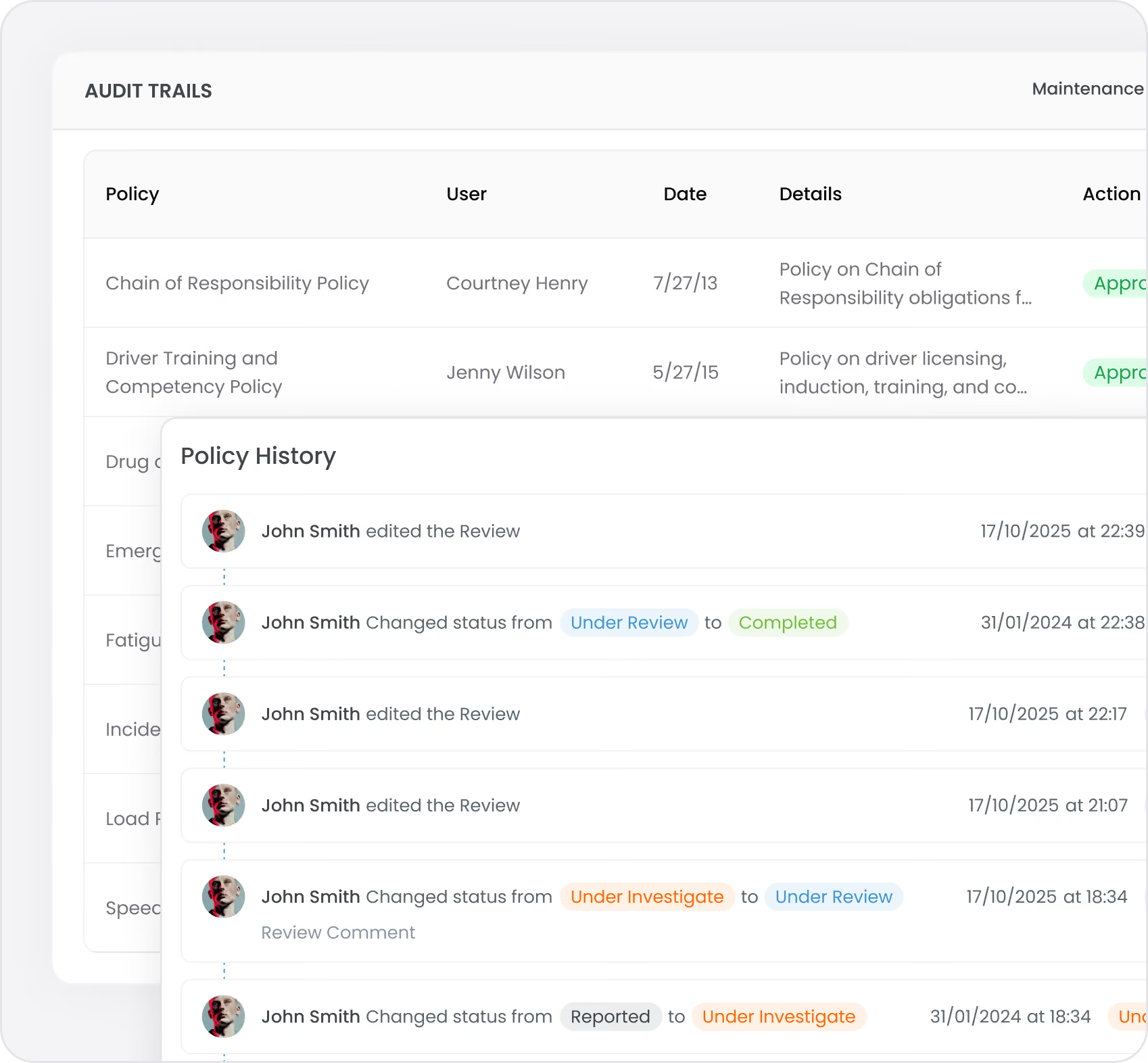
Hubfleet automatically records every policy action: creation, approval, denial, review, replacement, archival, acknowledgement. Nothing can be deleted or edited after the fact.
What's Included:
  • Who created, approved, or denied the policy
  • When reviews were completed and by whom
  • Review comments and frequency changes
  • Replacement history with effective dates
  • Archive events with reasons
  • All acknowledgements by person and timestamp
Immutable Record:
History entries cannot be edited or deleted. Provides reliable evidence for audits, investigations, and legal proceedings.
Audit-Ready Reports:
View policy compliance status including current policies, review status, acknowledgement rates, and approval history. Demonstrate systematic policy management process.

Mobile & Web Access

Staff use mobile app:
View policies assigned to their role, acknowledge new or updated policies, access archived versions, receive push notifications for pending acknowledgements.
Managers use web portal:
Create and upload policies, manage approval workflows, track acknowledgement progress, conduct scheduled reviews, view compliance status.
Seamless Sync:
Policy updates on web trigger notifications to mobile. Acknowledgements from mobile update instantly on web. One system, real-time tracking.

Integration with Safety Management

Fleet policy management isn't standalone—it's integrated with your complete Safety Management System.

Policies
Blue refresh icon with two circular arrows forming a loop.
Risk Controls
Blue refresh icon with two circular arrows forming a loop.
Everything Else
Policies link directly to risk controls, and those controls connect to incidents, hazards, NCRs, and other safety events. This creates a traceable chain from your documented policies through to implementation and real-world outcomes.
How It Works:
  • Policy to Control: Link a Speed Management Policy to a "GPS speed monitoring" control
  • Control to Events: That control then links to speeding incidents, hazards, or NCRs where speed was a factor
  • Evidence Chain: Auditors can see policy → control → implementation → outcomes in one connected system
  • Setup Playbook: See How to Build Your SMS in Hubfleet for the step-by-step build path — policies and procedures are Steps 5 and 6
Policies
Blue refresh icon with two circular arrows forming a loop.Training
Link training requirements to relevant policies. Ensure staff are trained on policies they acknowledge. Evidence that policies are understood and implemented.

HVNL reforms Compliance Benefits

Hubfleet's policy management directly supports multiple HVNL reforms SMS outcome areas:
Blue icon of a person with a star on their chest, symbolizing leadership or achievement.
SMS Standard 1: Leadership & Commitment
Documented policies demonstrate management commitment to safety, clear safety objectives, and systematic governance
Blue shield icon with a black check mark in the center.
SMS Standard 5: Safety Systems
Policies provide the documented framework for all safety systems, procedures, and operational controls
Blue square with rounded corners and a slight shadow on a white background.
SMS Standard 4: Assurance, Monitoring and Improvement
Policy review process demonstrates monitoring, measurement, and continuous improvement of safety systems
Blue magnifying glass icon above three horizontal lines on a blue square background.
Evidence Generation
Automated policy compliance reports by timeframe. PSOE-ready documentation (Present, Suitable, Operating, Effective). Acknowled gement tracking proves implementation. Complete audit trail demonstrates systematic management.
Get Started in Days, Not Months
Free guides, tools, and frameworks to start preparing for HVNL today — built by Australian compliance specialists and trusted by 500+ fleets.
Blue binder or folder with three horizontal black lines on the front cover.
HVNL Compliance Guide
What HVNL means for your fleet — explained in plain English
  • All 5 SMS outcome areas explained
  • Implementation timeline & milestones
  • Fleet preparation checklist
  • Gap assessment framework
  • Change summary from current HVNL
Read the Guide
HVNL Compliance Toolkit
Free downloadable templates to start preparing today.
  • Gap analysis template (5 outcome areas)
  • Pre-audit readiness checklist
  • SMS implementation tracker
  • PSOE evidence mapping
  • Implementation timeline template
Get the Free Toolkit
Audit Preparation Guide
The questions NHVR auditors ask — and where to find your answers.
  • Common auditor questions by outcome area
  • Direct answers showing where evidence sits in Hubfleet
  • PSOE framework explained
  • Audit-day preparation checklist
  • Real auditor scenarios
Read the Audit Guide

Frequently asked questions

Can we import existing policies from SharePoint or shared drives?
Yes. We'll help you migrate existing policy PDFs into Hubfleet with proper categorization and metadata.
What happens to acknowledgements when we replace a policy?  
Acknowledgements for the old version are preserved in history. The new policy resets acknowledgements to zero, prompting staff to review the updated version.
Can we have different approval workflows for different policy types?  
Yes. You assign a designated approver to each policy individually, allowing different approval chains for different policy types or departments.
How do drivers acknowledge policies on mobile?  
Drivers receive push notifications for unacknowledged policies. They tap the notification, view the policy PDF, and acknowledge with a single tap. All recorded with timestamp.
What if a policy doesn't need formal approval?  
You can assign yourself as the approver and self-approve immediately. The approval workflow is flexible to match your business needs.
Ready to eliminate policy chaos?
Book a Demo

Part of Hubfleet’s Complete Safety Management System

Fleet Policy & Procedure Management is part of Hubfleet's complete Safety Management System, designed as safety procedures software for Australian heavy vehicle operators preparing for HVNL reforms.

Stylized blue paper airplane icon with shadow on transparent background.
Start Free Trial
Recommended for most fleets
Best if you're ready to get drivers logging now and explore Hubfleet at your own pace.
Icon
Full platform access — every feature, no limits
Icon
Drivers can start on EWD today
Icon
Real EWD, SMS, and compliance reporting from day one
Icon
No upfront costs · No lock-in contract
Start Free Trial
Icon of a calendar with blue top binder and dark gray date display area.
Book your Demo
Best for larger fleets or complex setups
Best if you've got specific integration questions, multiple sites, or want a tailored walkthrough first.
Icon
Tailored to your fleet and use case
Icon
30 minutes with a Hubfleet specialist
Icon
See the platform mapped against your fleet's compliance obligations
Icon
Get HVNL and SMS questions answered live
Book your 30-Minute Demo
Want to see plans first?
Icon
500+ Australian operators
Icon
NHVR approved
Icon
Free trial
Icon
Australian-based support

Fleet Policy & Procedure Management is part of Hubfleet's complete Safety Management System, designed as safety procedures software for Australian heavy vehicle operators preparing for HVNL reforms. Learn more about our